Understanding SC-900 MFA and Identity Protection is essential for anyone preparing for Microsoft security certifications. In this guide, we break down why extra verification matters and how to identify risk signals. Multi-Factor Authentication (MFA) and Identity Protection are more than just features; they are the heart of Zero Trust architecture. While MFA provides the verification layer (something you know, have, or are), Identity Protection adds the intelligence needed to block a compromise before it happens.
Why this article is different: Instead of just repeating the textbook, I’ve broken down the exact “Exam Favourites” like the tricky difference between Sign-in Risk and User Risk and included a real-world demo to help you move beyond theory.
What we will cover: The 3 Factors: Why passwords fail and how MFA mitigates attacks
- Risk Detection: Mastering Sign-in Risk vs. User Risk for the exam.
- Zero Trust in Action: How Microsoft Entra ID uses signals to enforce access
- Step-by-Step Demo: How to enable and verify MFA for any user today.
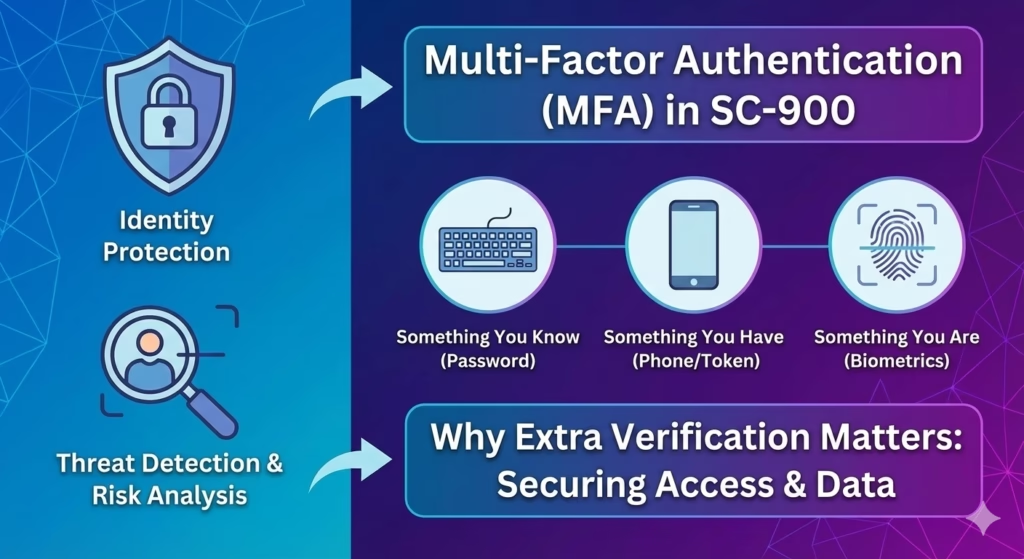
Learning Objectives
After completing this guide, you will be able to:
- Explain why passwords alone are not enough for security.
- Describe how Multi-Factor Authentication works.
- Identify the purpose of Identity Protection and risk signals.
- Differentiate identity risk from sign-in risk.
Why SC-900 Emphasises MFA and Identity Protection
Most modern cyberattacks do not start with malware.
They start with stolen identities.
From Microsoft’s security perspective, identity has become the primary attack surface, which is why SC-900 focuses on:
- Preventing unauthorised sign-ins
- Detecting risky authentication behaviour
- Reducing the impact of compromised credentials
MFA and Identity Protection are designed to address these exact risks.
Why SC-900 MFA and Identity Protection Matters?
Multi-Factor Authentication (MFA) requires users to verify their identity using more than one factor.
In simple terms, MFA answers this question:
“How can we be more confident that this user is legitimate?”
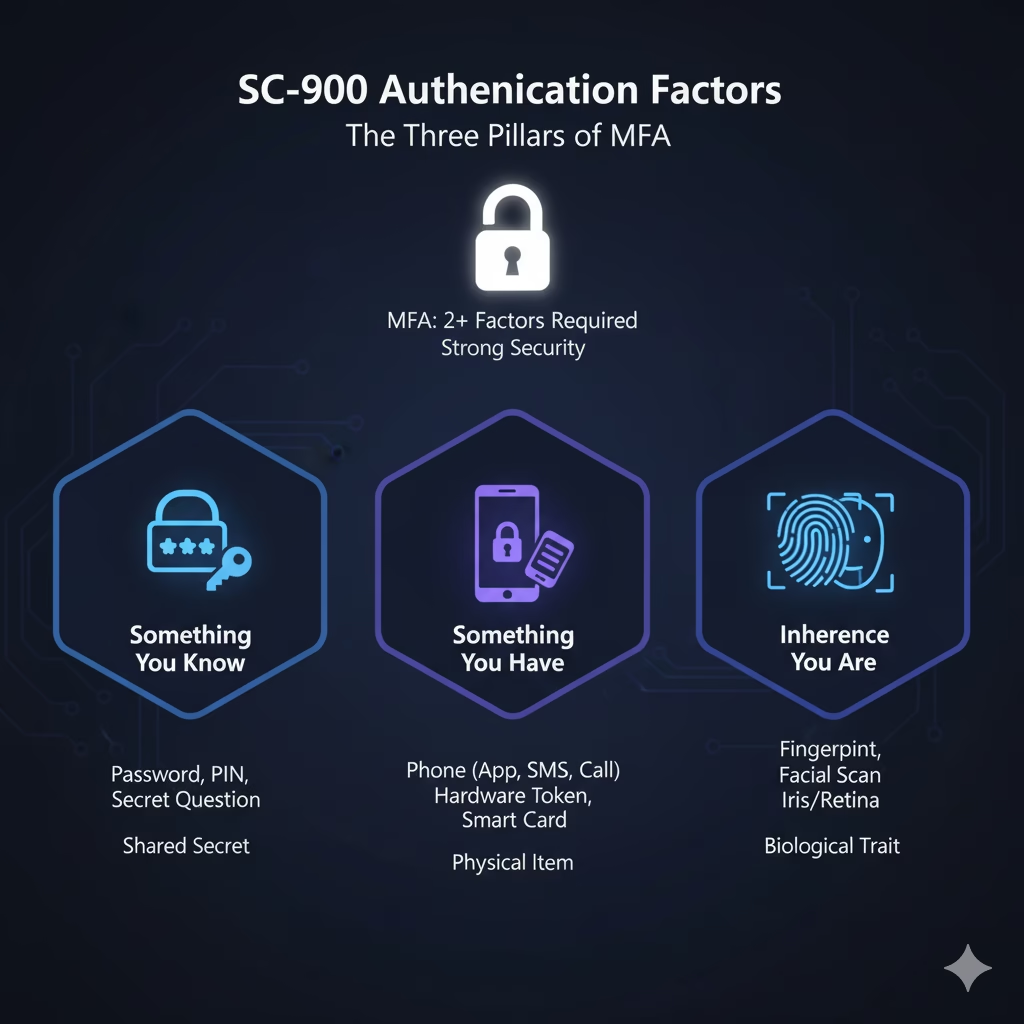
Authentication Factors (SC-900 Level)
SC-900 expects awareness of common authentication factors:
- Something you know – password or PIN
- Something you have – phone, authenticator app, hardware token
- Something you are – biometrics (fingerprint, face)
MFA combines at least two of these factors to significantly reduce the risk of account compromise.
Why Passwords Alone Are Not Enough
SC-900 highlights a key security reality:
Passwords can be stolen, guessed, reused, or leaked.
Common password risks include:
- Phishing attacks
- Credential stuffing
- Data breaches
- Weak or reused passwords
Even strong passwords become ineffective once compromised.
MFA adds a second verification layer, making stolen credentials far less useful to attackers.
How Microsoft Implements MFA
Implementing SC-900 MFA and Identity Protection strategies helps administrators move toward a true Zero Trust model
In Microsoft environments, MFA is enforced through identity controls provided by Microsoft Entra ID.
From an SC-900 perspective, you are expected to understand that:
- MFA strengthens authentication
- MFA can be applied conditionally
- MFA supports Zero Trust principles
SC-900 does not test configuration steps.
It tests why MFA exists and when it should be required.
What Is Identity Protection?
While MFA adds protection, Identity Protection adds intelligence.
Identity Protection focuses on detecting and responding to risky sign-in behaviour rather than treating every sign-in equally.
It answers questions such as:
- Is this sign-in behaviour unusual?
- Is the user showing signs of compromise?
- Should access be restricted or challenged?
SC-900 introduces Identity Protection as a risk-based security concept, not just a feature.
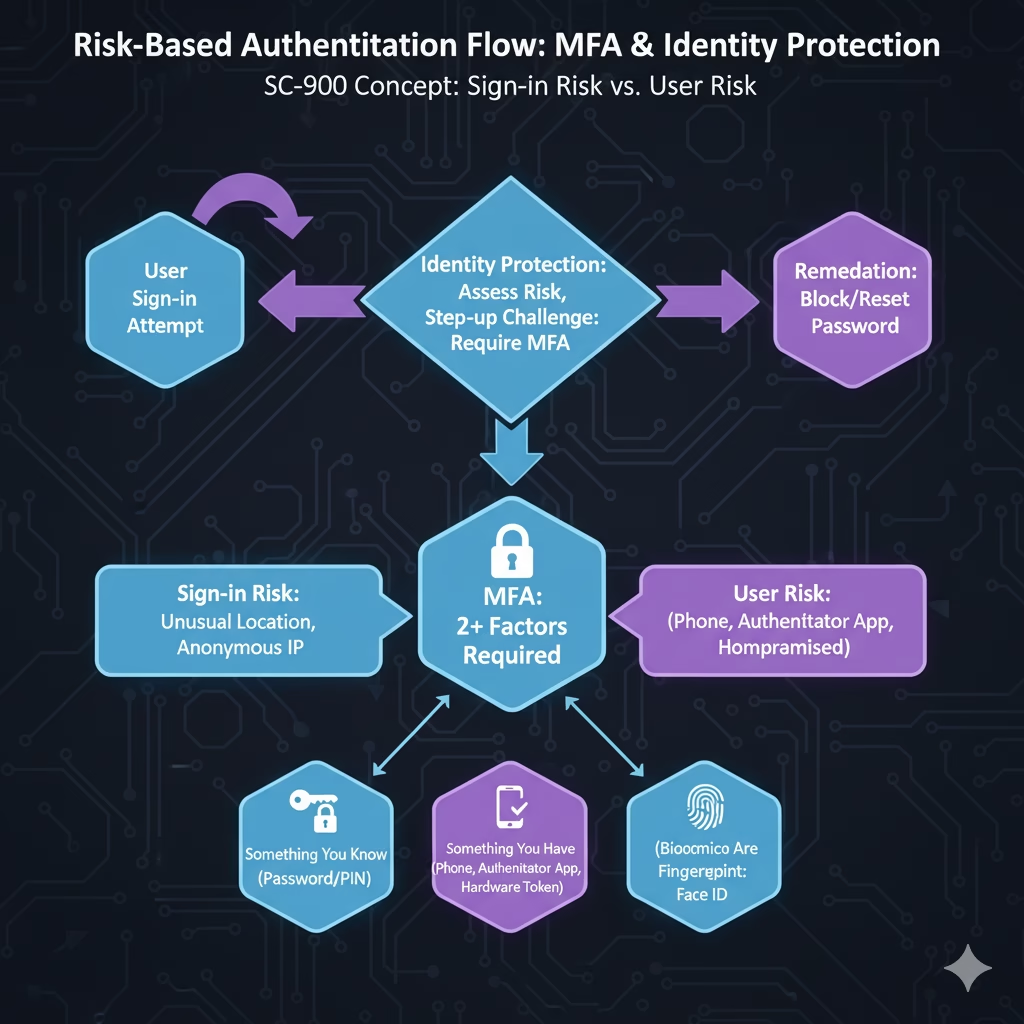
Identity Risk vs Sign-In Risk (SC-900 Concept)
SC-900 distinguishes between two types of risk:
Sign-In Risk
- Suspicious login behaviour
- Unusual locations
- Anonymous or unfamiliar networks
User Risk
- Credentials possibly compromised
- Repeated risky sign-ins
- Indicators of account compromise
Identity Protection evaluates these risks continuously and helps security teams respond appropriately.
Exam Trap: A common mistake on the SC-900 exam is confusing the remediation for different risks. Remember: Sign-in Risk is about the current event (e.g., an unusual location), so the system triggers an MFA challenge to verify identity. User Risk implies the account itself is compromised (e.g., leaked credentials), which typically requires a password reset to clear the threat. Don't mix these up!How MFA and Identity Protection Work Together
By integrating SC-900 MFA and Identity Protection, Microsoft Entra ID can automatically block suspicious sign-in attempts before they reach your data.
MFA and Identity Protection are not separate controls.
They are designed to work together.
A simplified flow looks like this:
- User attempts to sign in
- Identity signals are evaluated
- Risk level is assessed
- MFA may be required or enforced
- Access is granted or blocked
This layered approach reflects defense in depth and Zero Trust principles taught in SC-900.
MFA and Zero Trust: The Direct Connection
SC-900 strongly links MFA with Zero Trust.
Zero Trust assumes:
- No implicit trust
- Every access request must be verified
- Identity is evaluated continuously
MFA supports Zero Trust by ensuring that:
- Authentication is not based on a single factor
- Trust is never permanent
- Risk is reassessed regularly
Without MFA, Zero Trust cannot function effectively.
Real-World Scenarios Where MFA Matters
Understanding MFA and Identity Protection helps explain many real-world IT scenarios:
- A user signs in successfully but is asked for extra verification
- Access is blocked despite correct credentials
- Admin accounts require stronger authentication
- Risky sign-ins trigger security alerts
These are security protections, not system errors.
SC-900 helps learners recognise these behaviours as intentional design choices.
Quick Lab: How to Verify MFA Enforcement (Exam Scenario)
- Go to https://admin.microsoft.com
- Navigate to:
Users →Active users - Click Multi-factor authentication

- Select User and Enable MFA
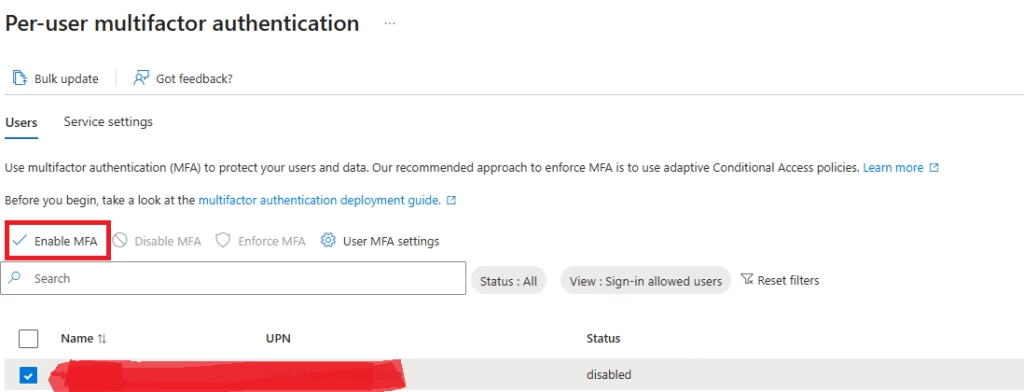
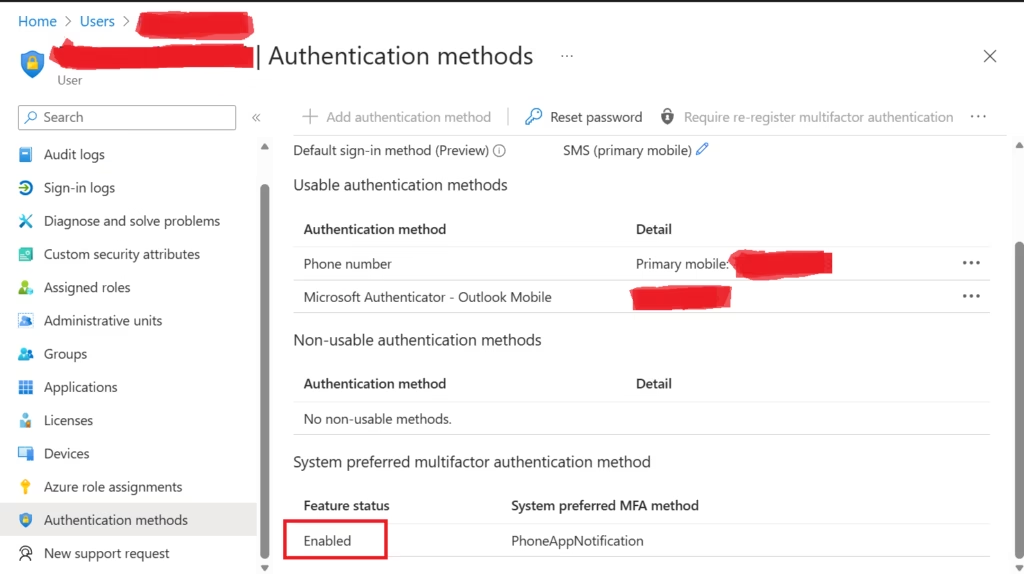
Demo: Check MFA Status
- Go to https://entra.microsoft.com
- You can check if a user has Multi-Factor Authentication enabled.
- To view MFA status:
- Select the user
- Go to Authentication methods
- Check: MFA registered, MFA enforced, Phone number added, Microsoft Authenticator enabled?
- This helps you verify tenant security and understand how sign-ins are protected.
Common Misconceptions Addressed by SC-900
SC-900 helps correct several common misunderstandings:
- “MFA is only for admins.”
In reality, MFA should protect all users where risk exists. - “MFA is inconvenient.”
It is less inconvenient than account compromise or data loss. - “MFA alone solves identity security.”
MFA reduces risk, but Identity Protection adds context and intelligence.
Understanding these points is critical for modern security thinking.
Why SC-900 Tests MFA and Identity Protection Concepts
SC-900 does not expect deep technical expertise.
Instead, it tests whether you understand:
- Why MFA is mandatory in modern environments
- How identity-based attacks occur
- Why risk-based authentication matters
- How Microsoft approaches identity protection holistically
This knowledge prepares learners for more advanced security roles and certifications.
Final Thoughts: Why Extra Verification Matters
Mastering SC-900 MFA and Identity Protection is the most reliable way to ensure you are ready for the security questions on your exam.
MFA and Identity Protection are no longer optional security features.
They are foundational controls that protect users, data, and organisations.
SC-900 ensures that learners understand:
- Why passwords are insufficient
- Why MFA must be widely adopted
- Why identity risk must be evaluated continuously
This mindset is essential not only for passing the exam, but for working effectively in modern Microsoft environments.
Also, view our detailed guide on what is SC-900 to understand Microsoft Security, Compliance, and Identity fundamentals.
For official and up-to-date exam objectives, learning paths, and reference material, refer to Microsoft Learn’s SC-900 documentation.
What’s Next in the SC-900 Series
In the next post, we’ll cover:
Conditional Access in SC-900: How Microsoft Makes Smart Access Decisions
This will build directly on MFA and Identity Protection concepts.
1 thought on “SC-900 MFA and Identity Protection: A Complete Exam Guide”