Learning Objectives
After completing this guide, you will be able to:
- Explain the purpose of Conditional Access.
- Identify the three core components of a Conditional Access policy.
- Describe how Conditional Access works together with MFA.
- Understand real-world scenarios where Conditional Access applies.
Conditional Access in SC-900
In modern Microsoft environments, access is no longer a simple allow or deny decision.
Instead, access is evaluated dynamically based on identity, risk, device state, and context. This is where Conditional Access becomes one of the most important concepts in SC-900 (Microsoft Security, Compliance, and Identity Fundamentals).
SC-900 does not expect you to configure Conditional Access policies.
It expects you to understand why Conditional Access exists and how Microsoft uses it to enforce Zero Trust security.
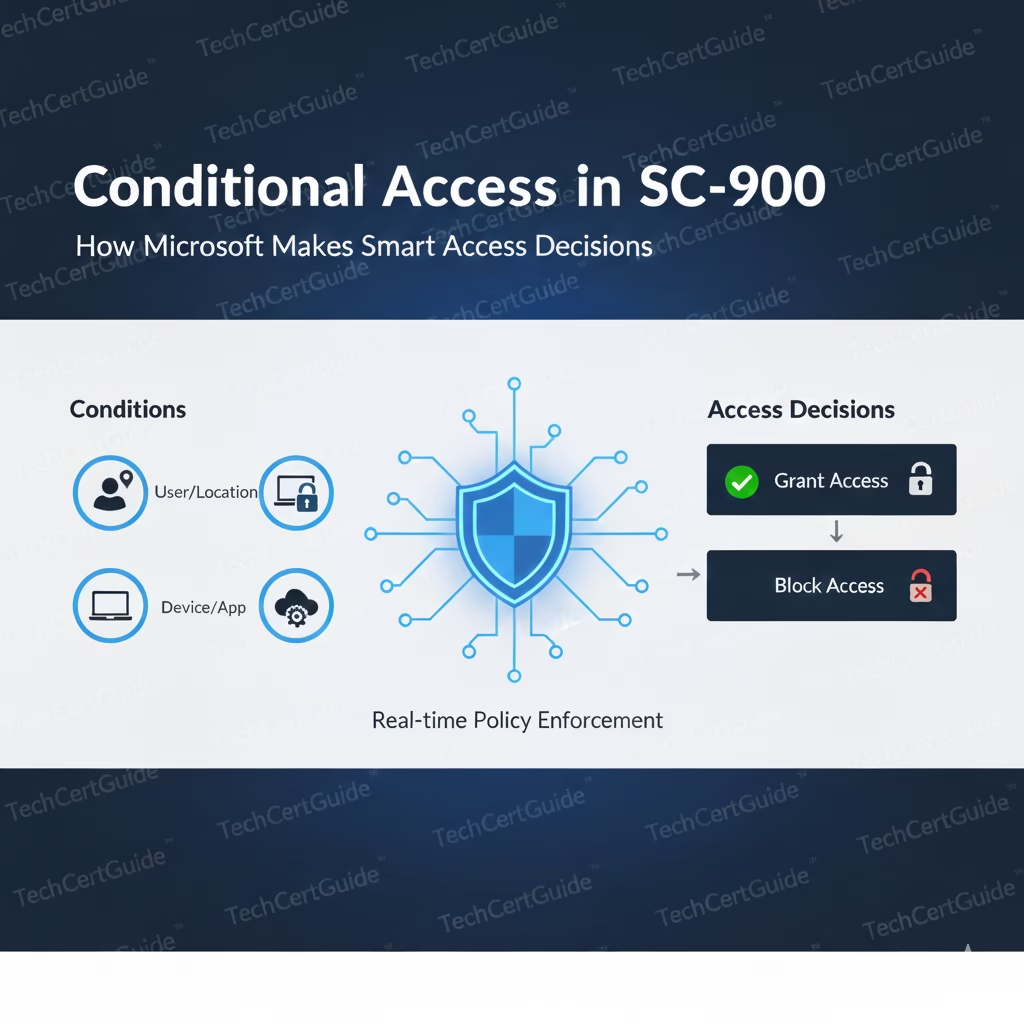
This article explains Conditional Access in SC-900, how access decisions are made, and why Conditional Access is central to modern Microsoft security design. Understanding Conditional Access in SC-900 helps learners connect identity signals to real-world access decisions.
Why Conditional Access Exists
Traditional access models relied on:
- Network location
- Trusted corporate devices
- Static access rules
That model no longer works.
Users now access applications:
- From different locations
- On multiple devices
- Using cloud-based services
- From networks Microsoft does not control
Because of this shift, Microsoft moved access decisions from the network to identity-based evaluation.
Conditional Access answers one key question:
“Under what conditions should access be allowed?”
What Is Conditional Access? (SC-900 Definition)
From an SC-900 perspective, Conditional Access is a policy-based control that evaluates signals before allowing access to a resource.
It does not replace authentication.
It does not replace authorization.
Instead, it sits between them, making smart decisions based on context.
Conditional Access is enforced through Microsoft Entra ID and is a core part of Microsoft’s Zero Trust strategy.
The Three Core Components of Conditional Access
SC-900 teaches Conditional Access conceptually using three building blocks:
Signals
Signals provide context about the access request, such as:
- User identity
- Device type and compliance
- Location
- Sign-in risk
Decisions
Based on signals, Conditional Access decides:
- Allow access
- Require MFA
- Block access
- Restrict access
Enforcement
The decision is enforced before access is granted to the application or resource.
SC-900 focuses on understanding this flow, not policy syntax.
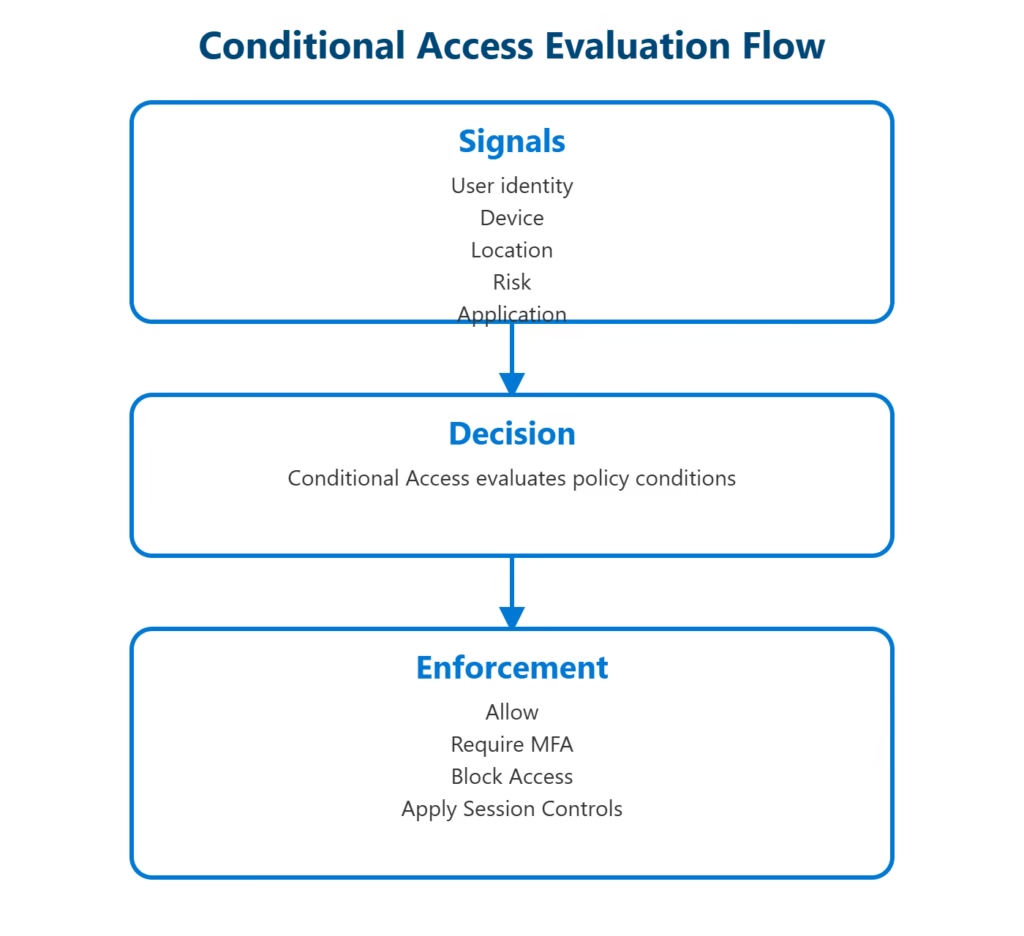
Conditional Access evaluates signals during sign-in and applies the matching access or session controls before the resource is reached.
Conditional Access and Zero Trust
Conditional Access is one of the strongest implementations of Zero Trust in Microsoft environments.
Zero Trust principles include:
- Never trust implicitly
- Always verify
- Assume breach
Conditional Access supports these principles by ensuring that:
- Access is evaluated every time
- Trust is not permanent
- Identity risk is continuously assessed
Without Conditional Access, Zero Trust becomes a theory rather than a practical security model. This is why Conditional Access in SC-900 is presented as a Zero Trust enabler, not a standalone feature.
How Conditional Access Works With MFA
One of the most common Conditional Access outcomes is requiring Multi-Factor Authentication (MFA).
Instead of enforcing MFA everywhere all the time, Conditional Access allows organisations to:
- Require MFA only when risk is high
- Apply stronger controls to sensitive roles
- Balance security with user experience
This explains why users sometimes:
- Sign in without MFA
- Are suddenly prompted for additional verification
- Are blocked even with correct credentials
These are intentional security decisions, not system errors.
Conditional Access vs Traditional Access Control
SC-900 helps learners understand why Conditional Access is superior to static rules.
Traditional Access Control
- Based on fixed rules
- No risk evaluation
- Limited context awareness
Conditional Access
- Risk-aware
- Context-driven
- Identity-focused
- Dynamic and adaptive
This shift reflects how modern attacks actually occur—through compromised identities rather than network breaches.
Real-World Examples of Conditional Access
Understanding Conditional Access helps explain common real-world scenarios:
- A user signs in successfully but must complete MFA
- Access works from a corporate device but not a personal one
- Admin accounts face stricter access requirements
- Suspicious sign-ins are blocked automatically
SC-900 prepares learners to recognise these behaviours as security protections, not misconfigurations.
Demo: Enforce MFA for All Users
SC-900 only expects you to understand this concept. The following lab is provided to help visualise how Conditional Access policies are configured.
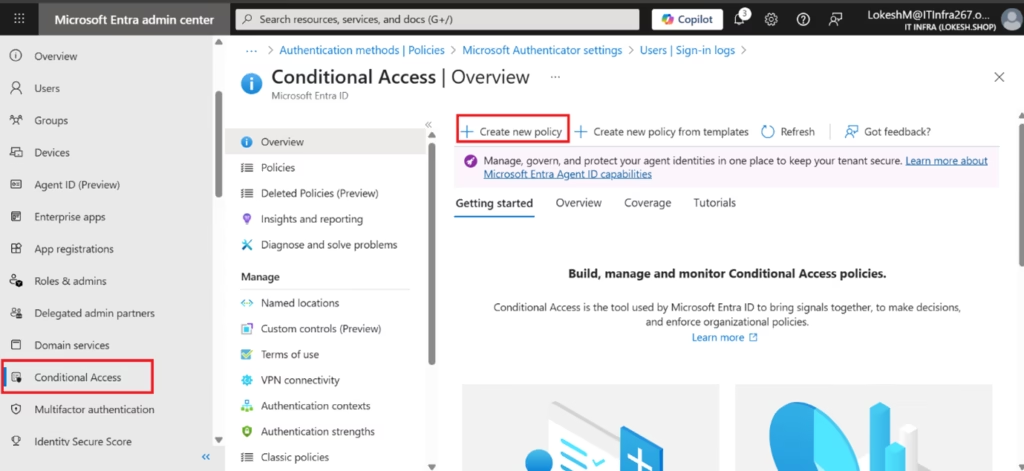
- Go to Microsoft Entra admin center
- Navigate to:
Entra ID → Conditional Access - Click + Create new policy
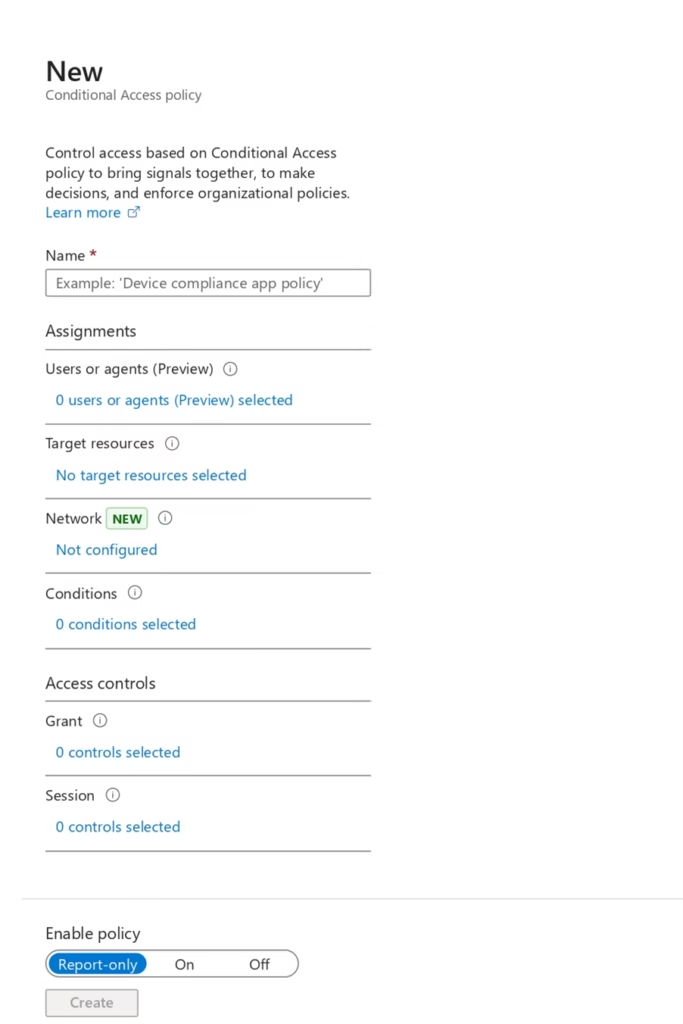
- Enter a policy name
- Under Users, select:
- Include: All users
- Exclude: Break-glass account
- Under Cloud apps, select:
- All cloud apps
- Under Grant controls, select:
- Require multi-factor authentication
- Set Enable policy to On
- Click Create
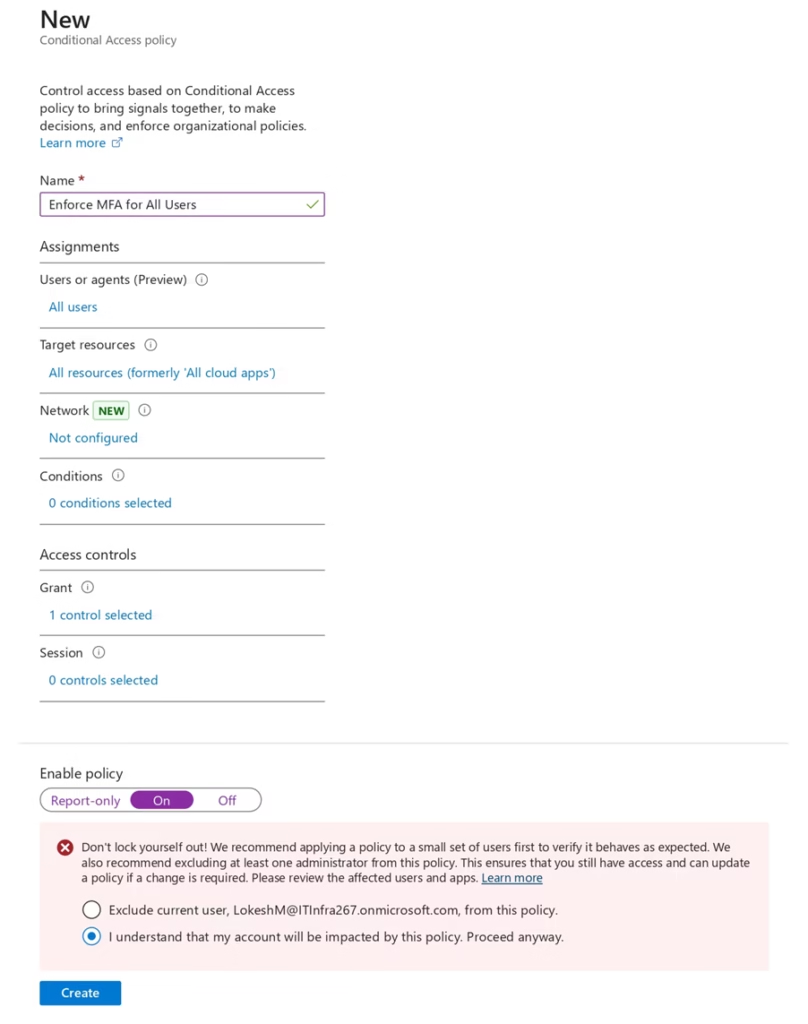
This ensures that all users are required to use multi-factor authentication (MFA) when signing in.
Note: Before enforcing the policy, it should first be evaluated using Report-only mode.
Why Conditional Access Is Critical for Identity Security
Conditional Access is powerful because it:
- Reduces the impact of stolen credentials
- Prevents risky access without blocking all users
- Enables fine-grained security control
- Supports compliance and audit requirements
It bridges the gap between authentication and authorization, ensuring that access is granted only when conditions are met.
Common Misconceptions About Conditional Access
SC-900 helps address frequent misunderstandings, such as:
- “Conditional Access is just MFA.”
MFA is one possible outcome, not the policy itself. - “Conditional Access blocks users unnecessarily.”
When designed properly, it improves both security and experience. - “Conditional Access is only for large enterprises.”
Any organisation using cloud identity benefits from it.
Understanding these points is essential for modern IT and security roles.
Why SC-900 Tests Conditional Access Concepts
SC-900 includes Conditional Access because:
- Identity-based attacks are common
- Static security controls are insufficient
- Risk-aware access is essential in cloud environments
The exam tests whether you understand:
- Why Conditional Access exists
- How it supports Zero Trust
- How identity signals influence access decisions
This knowledge is foundational for advanced Microsoft security certifications.
Final Thoughts: Smart Access Is the Future of Security
Security today is not about blocking everything.
It’s about making the right access decision at the right time.
Conditional Access allows Microsoft environments to:
- Adapt to risk
- Protect identities
- Enforce Zero Trust
- Reduce attack impact
SC-900 ensures learners understand this shift early, preparing them for real-world security challenges. Ultimately, Conditional Access in SC-900 is about recognising smart, risk-based decisions rather than rigid rules.
Also, view our detailed guide on what is SC-900 to understand Microsoft Security, Compliance, and Identity fundamentals.
For official and up-to-date exam objectives, learning paths, and reference material, refer to Microsoft Learn’s SC-900 documentation.
What’s Next in the SC-900 Series
In the next post, we’ll cover:
Shared Responsibility Model in SC-900: Who Is Responsible for What in the Cloud?
This will connect identity security with cloud accountability and governance.