Microsoft Defender Overview in SC-900 explains how Microsoft approaches threat protection as a unified security platform, not a collection of disconnected tools.
In modern cloud and hybrid environments, attacks rarely stay confined to one area. A phishing email can lead to endpoint compromise, identity abuse, and data exfiltration. SC-900 introduces Microsoft Defender to help learners understand how threats are detected, correlated, and responded to across the digital estate.
This article explains Microsoft Defender at a conceptual level, exactly as expected in SC-900 (Microsoft Security, Compliance, and Identity Fundamentals).
Learning Objectives
After completing this guide, you will be able to:
- Explain how Microsoft Defender unifies threat protection.
- Identify the core Defender capabilities covered in SC-900.
- Describe how Defender correlates threats across the digital estate.
- Understand how Defender relates to Zero Trust.
Why SC-900 Includes Microsoft Defender
Traditional security tools worked in silos:
- Email security saw email threats
- Endpoint tools saw device alerts
- Identity systems saw sign-in risks
Modern attacks move across domains, not within one.
SC-900 introduces Microsoft Defender to show how Microsoft:
- Unifies threat signals
- Provides context instead of isolated alerts
- Improves detection and response accuracy
The exam focuses on understanding the approach, not on tool configuration.
Microsoft Defender Overview in SC-900
At SC-900 level, Microsoft Defender is best understood as:
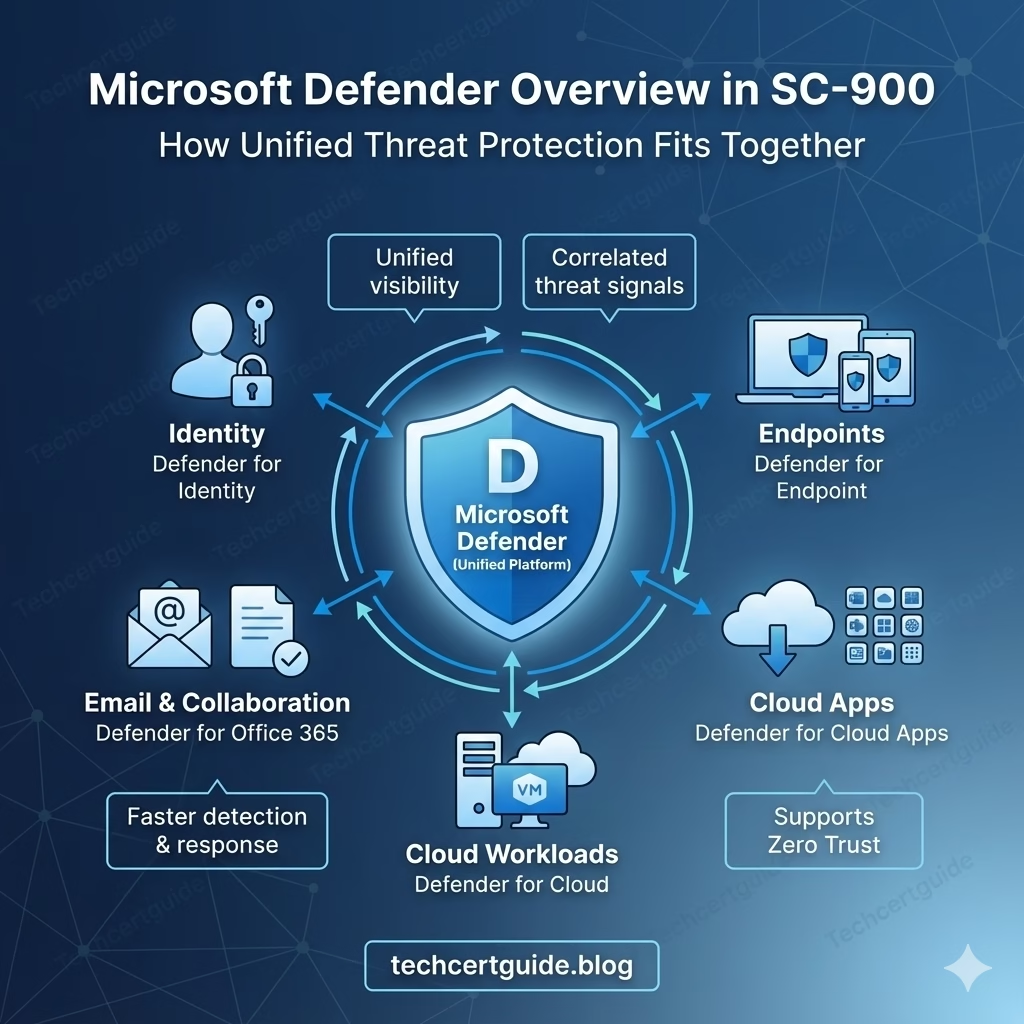
A unified security platform that protects identities, endpoints, email, applications, and cloud workloads.
It brings multiple security capabilities together to provide:
- Threat detection
- Investigation
- Response
- Visibility across the environment
SC-900 does not expect deep technical knowledge of each Defender product.
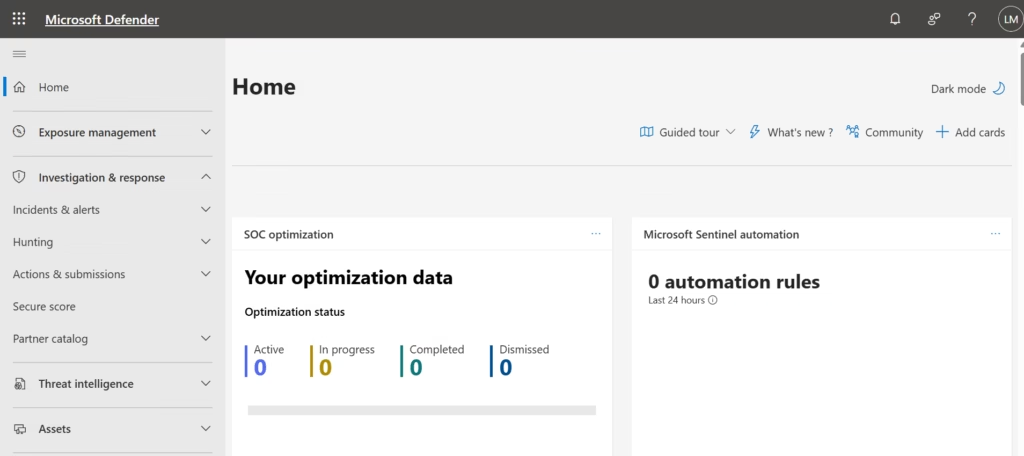
Fig: Microsoft Defender dashboard providing a unified view of security posture, alerts, and protection status across the organisation.
Microsoft Defender Is Not a Single Tool
A common misconception is thinking Microsoft Defender is just antivirus.
SC-900 clarifies that Microsoft Defender is a family of security services that work together.
This unified approach is often referred to as XDR (Extended Detection and Response).
Core Defender Capabilities Covered in SC-900
SC-900 introduces Defender services at a high level, focusing on what they protect, not how they are configured.
Defender for Endpoint
Protects:
- Laptops
- Desktops
- Servers
It focuses on detecting:
- Malware
- Exploits
- Suspicious behaviour
At SC-900 level, the key idea is endpoint visibility and protection.
Defender for Office 365
Protects:
- Teams
- Collaboration tools
It helps detect:
- Phishing
- Malicious links
- Unsafe attachments
SC-900 highlights email as a common attack entry point.
Defender for Identity
Protects:
- Identity infrastructure
- Authentication signals
It detects:
- Identity-based attacks
- Suspicious sign-in behaviour
- Credential abuse
This reinforces the idea that identity is a primary attack target.
Defender for Cloud Apps
Provides:
- Visibility into cloud application usage
- Control over risky or unsanctioned apps
SC-900 introduces this to explain cloud app risk and shadow IT awareness.
Defender for Cloud (High-Level)
Focuses on:
- Cloud security posture
- Workload protection
At SC-900 level, it is about understanding visibility and posture awareness, not remediation steps.
How Microsoft Defender Works Together (Conceptual)
Microsoft Defender combines signals from:
- Identity
- Endpoint
- Applications
- Cloud workloads
By correlating these signals, Defender:
- Reduces false positives
- Improves threat context
- Speeds up response decisions
SC-900 tests whether you understand why integration matters, not how alerts are investigated.
Microsoft Defender and Zero Trust
Zero Trust assumes:
- Breaches will happen
- No single control is sufficient
Microsoft Defender supports Zero Trust by:
- Continuously monitoring activity
- Detecting suspicious behaviour
- Responding across multiple layers
This connection between Zero Trust and threat protection is exam-relevant.
Microsoft Defender vs Traditional Security Tools
| Traditional Tools | Microsoft Defender |
|---|---|
| Isolated alerts | Correlated signals |
| Tool-by-tool view | Unified security view |
| Manual investigation | Context-driven detection |
| Limited visibility | End-to-end coverage |
SC-900 focuses on understanding why this shift matters.
What SC-900 Does NOT Expect You to Know About Defender
SC-900 does not require:
- Alert configuration
- Threat hunting
- KQL queries
- Incident response workflows
The exam tests awareness and understanding, not hands-on skills.
Common Misconceptions About Microsoft Defender
SC-900 helps correct these myths:
- “Defender is just antivirus.”
It is a broad security platform. - “Each Defender product works alone.”
They are designed to work together. - “Threat protection is only reactive.”
Defender also provides visibility and prevention.
SC-900 Exam Tip
For SC-900:
- Know what Microsoft Defender is
- Understand what areas it protects
- Remember integration and correlation
- Avoid technical implementation thinking
If you can explain Defender as a unified protection approach, you are exam-ready.
Final Thoughts: Visibility Is as Important as Protection
Modern security is not just about blocking threats.
It’s about seeing them clearly and responding effectively.
Microsoft Defender gives organisations:
- Unified visibility
- Better detection
- Faster, informed responses
SC-900 introduces this platform to help learners understand how modern threat protection fits into Microsoft’s security architecture.
Also, view our detailed guide on what is SC-900 to understand Microsoft Security, Compliance, and Identity fundamentals.
For official and up-to-date exam objectives, learning paths, and reference material, refer to Microsoft Learn’s SC-900 documentation.
What’s Next in the SC-900 Series
Next, we’ll dive deeper into:
Microsoft Defender for Endpoint in SC-900: What It Protects and Why It Matters