Data Loss Prevention in SC-900 explains how organisations reduce the risk of accidental data exposure by applying policies that control how sensitive information is shared and used.
Most data breaches are not caused by hackers breaking in.
They are caused by well-meaning users sending sensitive data to the wrong place.
SC-900 introduces DLP to help learners understand how organisations prevent data leakage without blocking productivity.
Learning Objectives
After completing this guide, you will be able to:
- Explain the purpose of Data Loss Prevention (DLP).
- Describe why accidental data leakage is a greater risk than external attacks.
- Identify how DLP works conceptually.
- Differentiate DLP from access control.
Why SC-900 Covers Data Loss Prevention
Modern workplaces are collaborative:
- Files are shared externally
- Emails are sent quickly
- Data moves across cloud apps
This increases the risk of:
- Accidental sharing
- Policy violations
- Compliance failures
SC-900 includes DLP to explain how organisations:
- Protect sensitive data
- Guide user behaviour
- Reduce human error
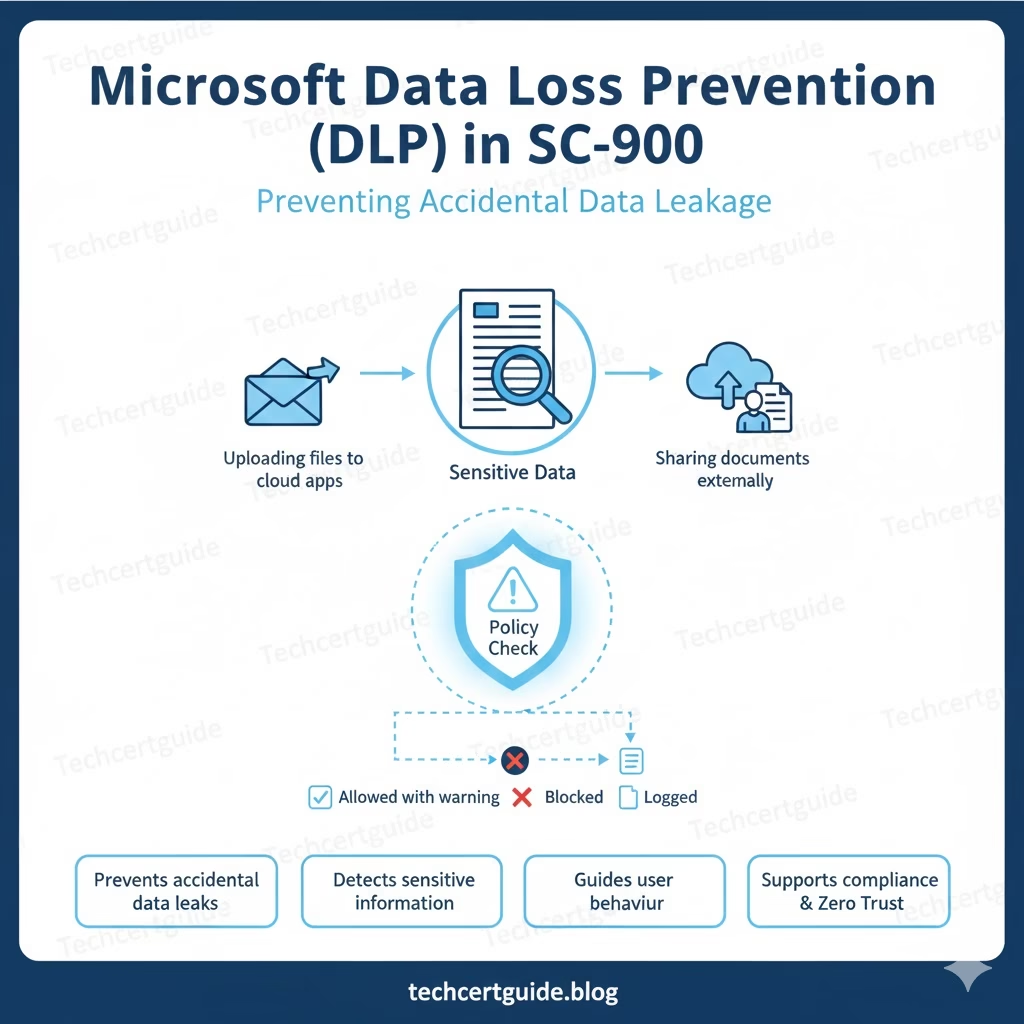
What Is Data Loss Prevention in SC-900?
At SC-900 level, Data Loss Prevention means:
Policies that detect and control sensitive data to prevent it from being shared inappropriately.
DLP focuses on:
- Identifying sensitive data
- Monitoring how it’s used
- Applying controls when risk is detected
SC-900 tests understanding of purpose, not configuration.
Why Accidental Data Leakage Is a Bigger Risk Than Attacks
Common examples include:
- Sending customer data to a personal email
- Uploading confidential files to an unapproved app
- Sharing sensitive documents externally
These actions are usually:
- Unintentional
- Fast
- Difficult to detect without policy controls
SC-900 highlights DLP as a way to reduce human-driven risk.
How DLP Works (Conceptual View)
At a high level, DLP follows three steps:
- Detect sensitive information
- Evaluate the context of the action
- Apply a policy response
This may include:
- Blocking an action
- Warning the user
- Logging the activity
SC-900 focuses on the concept, not the enforcement details.
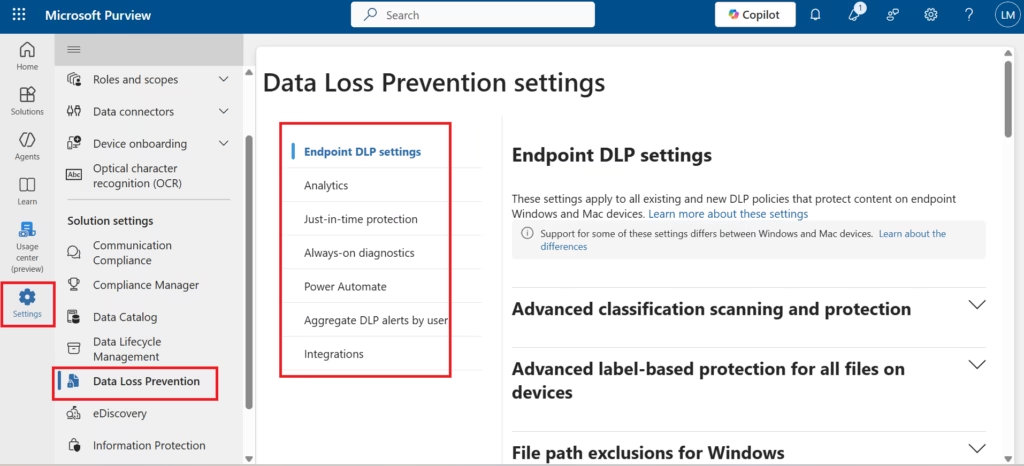
Fig: Microsoft Purview Data Loss Prevention enables organisations to define endpoint data protection settings without enforcing active blocking policies.
DLP and Sensitive Information Types
DLP relies on identifying sensitive data such as:
- Financial information
- Personal data
- Confidential business information
This connects directly with earlier SC-900 topics:
- Data classification
- Sensitivity labels
The key idea:
You can’t prevent data loss if you don’t know what data is sensitive.
DLP vs Access Control (Important SC-900 Distinction)
SC-900 makes a clear distinction:
- Access control → Who can access data
- DLP → How data is shared or used after access
Even authorised users can accidentally cause data leakage.
This reinforces the idea that security continues after access is granted.
DLP and User Awareness
One of the most important SC-900 concepts is user guidance.
DLP is not only about blocking actions.
It also helps:
- Warn users in real time
- Educate users at the moment of risk
- Encourage better data handling habits
This reduces reliance on training alone.
DLP and Compliance
From a compliance perspective, DLP helps organisations:
- Enforce data handling rules
- Reduce regulatory risk
- Demonstrate policy enforcement
SC-900 connects DLP with compliance tools like Microsoft Purview, but remains conceptual.
DLP and Zero Trust
Zero Trust controls access.
DLP controls data usage.
Together, they ensure:
- Data remains protected even after access
- Risk is reduced during normal collaboration
This conceptual link is exam-relevant.
What SC-900 Does NOT Expect You to Know
SC-900 does not require:
- Creating DLP policies
- Choosing sensitive information types
- Configuring actions or exceptions
- Troubleshooting policy matches
The exam tests awareness and intent, not administration.
Common Misconceptions About DLP
SC-900 helps correct these myths:
- “DLP blocks productivity.”
Good DLP guides users instead of stopping work. - “Only malicious users cause data loss.”
Most incidents are accidental. - “DLP replaces security.”
It complements security and compliance controls.
SC-900 Exam Tip
For SC-900:
- Know what DLP is
- Understand why accidental data leakage is common
- Recognise how DLP guides user behaviour
- Avoid thinking in technical configuration terms
If you can explain why DLP exists and what problem it solves, you’re exam-ready.
Final Thoughts: Prevent Mistakes Before They Become Incidents
Most organisations don’t lose data because of attackers.
They lose it because of everyday mistakes.
By applying DLP, organisations:
- Reduce accidental exposure
- Protect sensitive information
- Support compliance without slowing work
SC-900 introduces Data Loss Prevention to ensure learners understand how modern data protection focuses on prevention, not punishment.
Also, view our detailed guide on what is SC-900 to understand Microsoft Security, Compliance, and Identity fundamentals.
For official and up-to-date exam objectives, learning paths, and reference material, refer to Microsoft Learn’s SC-900 documentation.
What’s Next in the SC-900 Series
Next, we’ll cover:
Audit, Retention & eDiscovery in SC-900: Understanding Visibility and Accountability
1 thought on “Data Loss Prevention in SC-900: Preventing Accidental Data Leakage”