Least Privilege Access in SC-900
One of the most common causes of security incidents is excessive access.
Users often have permissions they no longer need, administrators have standing privileges, and applications are granted broader access “just in case.” When any of these accounts are compromised, attackers inherit all those permissions instantly.
This is why Least Privilege Access is a core concept in SC-900 (Microsoft Security, Compliance, and Identity Fundamentals) and a foundational principle of modern Microsoft security design.
This article explains Least Privilege Access in SC-900, why it matters, and how it reduces risk in real-world environments—without going into configuration or advanced tooling.
What Is Least Privilege Access?
Least Privilege Access means:
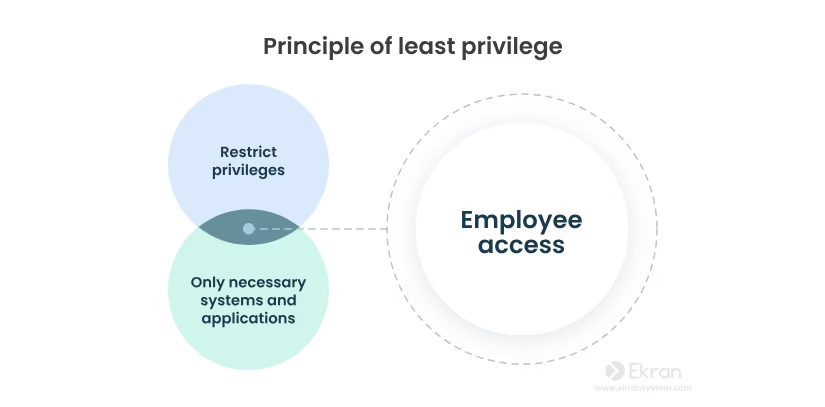
Users, applications, and systems should have only the minimum level of access required to perform their tasks—and nothing more.
Access should be:
- Limited in scope
- Limited in time
- Regularly reviewed
SC-900 focuses on understanding why this principle exists, not on implementing it technically.
Why Microsoft Emphasises Least Privilege in SC-900
Modern attacks rarely start with full administrative access.
Attackers usually gain:
- A basic user account
- A compromised device
- A misused application permission
If that account has excessive privileges, a small breach becomes a major incident.
Least Privilege Access:
- Limits the blast radius
- Reduces attacker movement
- Protects critical resources
- Supports Zero Trust and Defense in Depth
SC-900 introduces this principle early because it underpins almost every modern security control.
Least Privilege Is a Core Zero Trust Principle
Least Privilege Access is one of the three core principles of Zero Trust.
Zero Trust assumes:
- No implicit trust
- Continuous verification
- Access should never be broader than necessary
Without Least Privilege, Zero Trust cannot work effectively.
How Excessive Access Increases Risk
When users or systems have more access than required:
- Compromised accounts cause more damage
- Accidental actions have wider impact
- Audits and compliance become harder
- Security incidents spread faster
Many breaches escalate not because of sophisticated attacks, but because permissions were too open.
Least Privilege reduces risk by design.
Least Privilege at a Conceptual Level (SC-900 View)
SC-900 explains Least Privilege conceptually across identity and access scenarios.
Examples include:
- Users accessing only the applications they need
- Administrators using elevated access only when required
- Applications having restricted permissions
- Temporary access instead of permanent access
The exam tests your understanding of why this approach is safer, not how to configure it.
Least Privilege vs Traditional Access Models
Traditional Access Model
- Broad permissions
- Standing admin access
- Rare access reviews
Least Privilege Model
- Minimal permissions
- Time-bound or role-based access
- Regular review and adjustment
SC-900 highlights why the traditional model is no longer safe in cloud-first environments.
Least Privilege and Identity Security
Because identity is the new security perimeter, controlling what identities can do is critical.
Least Privilege ensures that:
- A stolen identity has limited power
- Compromised credentials do not equal full access
- Security incidents are contained early
This principle directly supports:
- Identity protection
- Conditional access decisions
- Role separation
Least Privilege Supports Defense in Depth
Defense in Depth assumes controls will fail.
Least Privilege acts as an inner safety net:
- Even if authentication fails
- Even if a device is compromised
- Even if an application is misused
The damage remains limited.
This layered thinking is exactly what SC-900 aims to teach.
Common Misconceptions About Least Privilege
SC-900 helps correct these misunderstandings:
- “Least Privilege slows productivity.”
When designed correctly, it improves security without blocking work. - “Only admins need Least Privilege.”
All users, apps, and systems benefit. - “Once access is granted, it doesn’t need review.”
Access should change as roles and risks change.
Understanding these points is important for both the exam and real environments.
Why Least Privilege Matters for IT and Security Roles
Modern organisations expect IT professionals to understand:
- Risk-based access
- Identity-first security
- Controlled privilege elevation
- Governance and accountability
SC-900 introduces Least Privilege to build this mindset before moving into advanced certifications and roles.
SC-900 Exam Tip
For SC-900:
- Focus on why Least Privilege exists
- Understand its role in Zero Trust
- Know how it reduces risk
- Avoid thinking in terms of configuration steps
If you can explain Least Privilege in simple words, you’re exam-ready.
Final Thoughts: Less Access, Less Risk
Least Privilege Access is not about distrust.
It is about reducing unnecessary risk.
By limiting access:
- Attacks are contained
- Mistakes are less damaging
- Security becomes resilient, not fragile
SC-900 ensures learners understand that strong security is often about removing excess, not adding complexity.
Also, view our detailed guide on what is SC-900 to understand Microsoft Security, Compliance, and Identity fundamentals.
For official and up-to-date exam objectives, learning paths, and reference material, refer to Microsoft Learn’s SC-900 documentation.
What’s Next in the SC-900 Series
In the next post, we’ll cover:
Encryption vs Hashing in SC-900: Understanding Data Protection Basics







