Microsoft Defender for Endpoint in SC-900 explains how Microsoft protects devices from modern threats using visibility, detection, and response—not just traditional antivirus.
Endpoints are one of the most common entry points for attackers. A single compromised laptop can lead to credential theft, lateral movement, and data exposure. That’s why SC-900 introduces Microsoft Defender for Endpoint as a core part of Microsoft’s threat protection strategy.
This article explains Defender for Endpoint at a conceptual level, exactly as required for SC-900 (Microsoft Security, Compliance, and Identity Fundamentals).
Why SC-900 Covers Endpoint Security
Endpoints are everywhere:
- Laptops and desktops
- Mobile devices
- Servers and virtual machines
They are exposed to:
- Phishing
- Malware
- Exploits
- Malicious downloads
SC-900 includes endpoint security to help learners understand why device protection is critical and how it fits into a broader security model.
What Is Microsoft Defender for Endpoint in SC-900
At the SC-900 level, Microsoft Defender for Endpoint is best understood as:
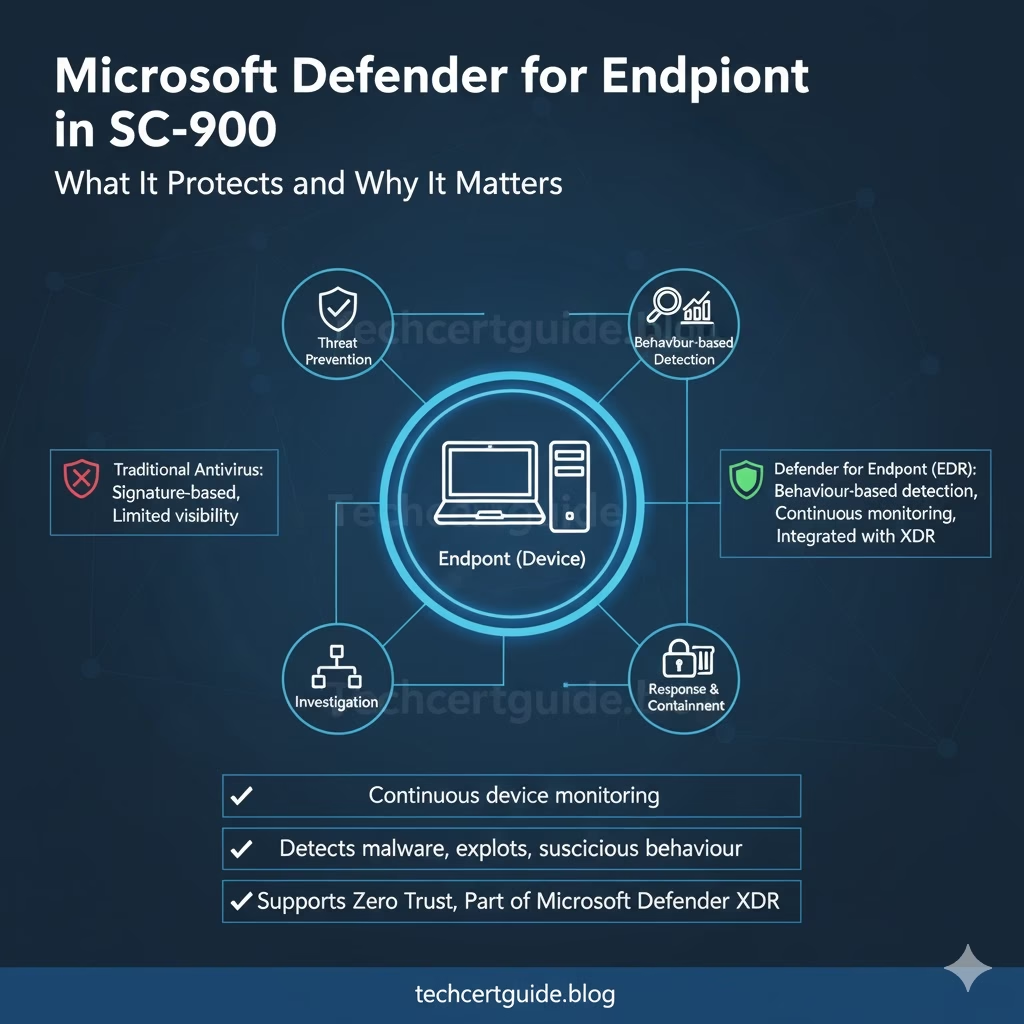
Fig: Microsoft Defender for Endpoint Overview
A security solution that helps organisations detect, investigate, and respond to threats on devices.
It goes beyond basic antivirus by providing:
Continuous monitoring Behaviour-based detection Visibility into suspicious activity
SC-900 focuses on what it does, not how it is configured.
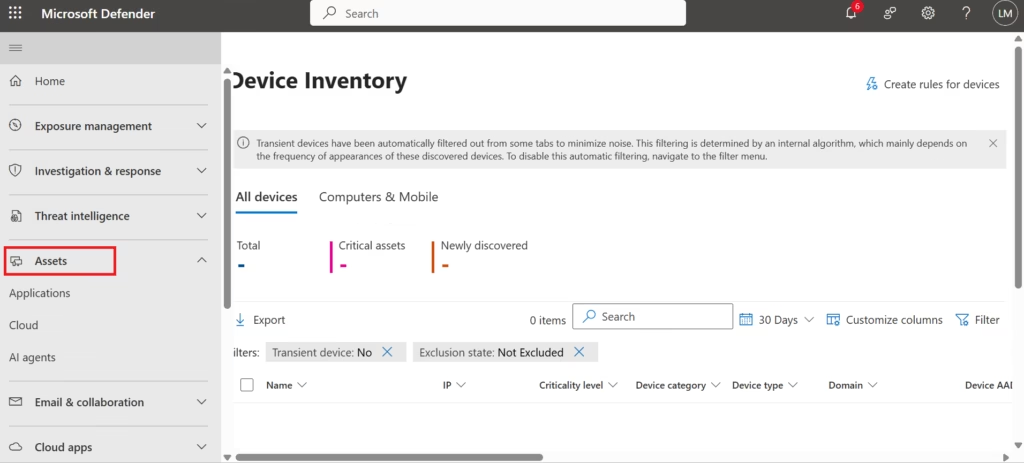
Fig: Microsoft Defender for Endpoint provides centralised visibility and protection for organisational devices across desktops, laptops, and mobile endpoints.
Antivirus vs Endpoint Detection and Response (EDR)
A key concept introduced in SC-900 is the difference between:
- Traditional antivirus
- Modern endpoint protection
Traditional Antivirus
- Signature-based
- Detects known malware
- Limited visibility
Defender for Endpoint (EDR)
- Behaviour-based detection
- Identifies suspicious activity
- Provides investigation and response context
SC-900 tests whether you understand why modern endpoint security must go beyond signatures.
What Defender for Endpoint Protects
Defender for Endpoint helps protect:
Defender for Endpoint helps protect:
- User devices
- Organisational data
- Credentials stored or used on endpoints
It detects:
- Malware and ransomware
- Exploits and suspicious behaviour
- Attempts to move laterally within the network
The key takeaway for SC-900:
Endpoints are monitored continuously, not just scanned periodically
Defender for Endpoint and the Attack Lifecycle
SC-900 introduces endpoint protection in the context of the attack lifecycle.
Defender for Endpoint helps with:
- Prevention – blocking known threats
- Detection – identifying suspicious behaviour
- Investigation – understanding what happened
- Response – helping contain and remediate threats
This lifecycle view helps learners understand why endpoint security is more than just prevention.
How Defender for Endpoint Fits into Microsoft Defender XDR
Defender for Endpoint does not work in isolation.
It integrates with:
- Microsoft Defender for Identity
- Microsoft Defender for Office 365
- Microsoft Defender for Cloud Apps
Together, these services provide extended detection and response (XDR).
SC-900 focuses on understanding integration and correlation, not individual tool usage.
Endpoint Security and Zero Trust
Zero Trust assumes:
- Devices can be compromised
- No implicit trust
- Continuous evaluation is required
Defender for Endpoint supports Zero Trust by:
- Continuously monitoring device behaviour
- Providing signals used in access decisions
- Helping detect compromised devices early
This link between endpoint security and Zero Trust is exam-relevant.
Endpoint Security vs Device Compliance (Important Distinction)
SC-900 helps distinguish between:
- Endpoint security → detecting and responding to threats
- Device compliance → meeting security requirements
Both are important, but they serve different purposes.
Defender for Endpoint focuses on threat protection, not compliance enforcement.
What SC-900 Does NOT Expect You to Know
SC-900 does not require:
- Device onboarding steps
- Policy configuration
- Alert investigation workflows
- Command-line actions
The exam tests conceptual understanding, not operational skills.
Common Misconceptions About Defender for Endpoint
SC-900 addresses these myths:
- “It’s just antivirus.”
It provides advanced detection and response. - “Endpoint security is optional in the cloud.”
Endpoints remain a primary attack surface. - “Threat protection stops at prevention.”
Detection and response are equally important.
SC-900 Exam Tip
For SC-900:
- Know what Defender for Endpoint protects
- Understand the difference between antivirus and EDR
- Link endpoint security to XDR and Zero Trust
- Avoid thinking in configuration terms
If you can explain why endpoints need continuous monitoring, you’re exam-ready.
Final Thoughts: Endpoints Are the Front Line
Most attacks start at the endpoint.
By providing visibility, detection, and response capabilities, Microsoft Defender for Endpoint helps organisations:
Identify threats early Reduce impact Strengthen overall security posture
SC-900 introduces this service to ensure learners understand why endpoint protection is a critical layer in modern security architectures.
Also, view our detailed guide on what is SC-900 to understand Microsoft Security, Compliance, and Identity fundamentals.
For official and up-to-date exam objectives, learning paths, and reference material, refer to Microsoft Learn’s SC-900 documentation.
What’s Next in the SC-900 Series
Next, we’ll cover:
Microsoft Defender for Office 365 & Defender for Identity in SC-900: Protecting Email and Identity







