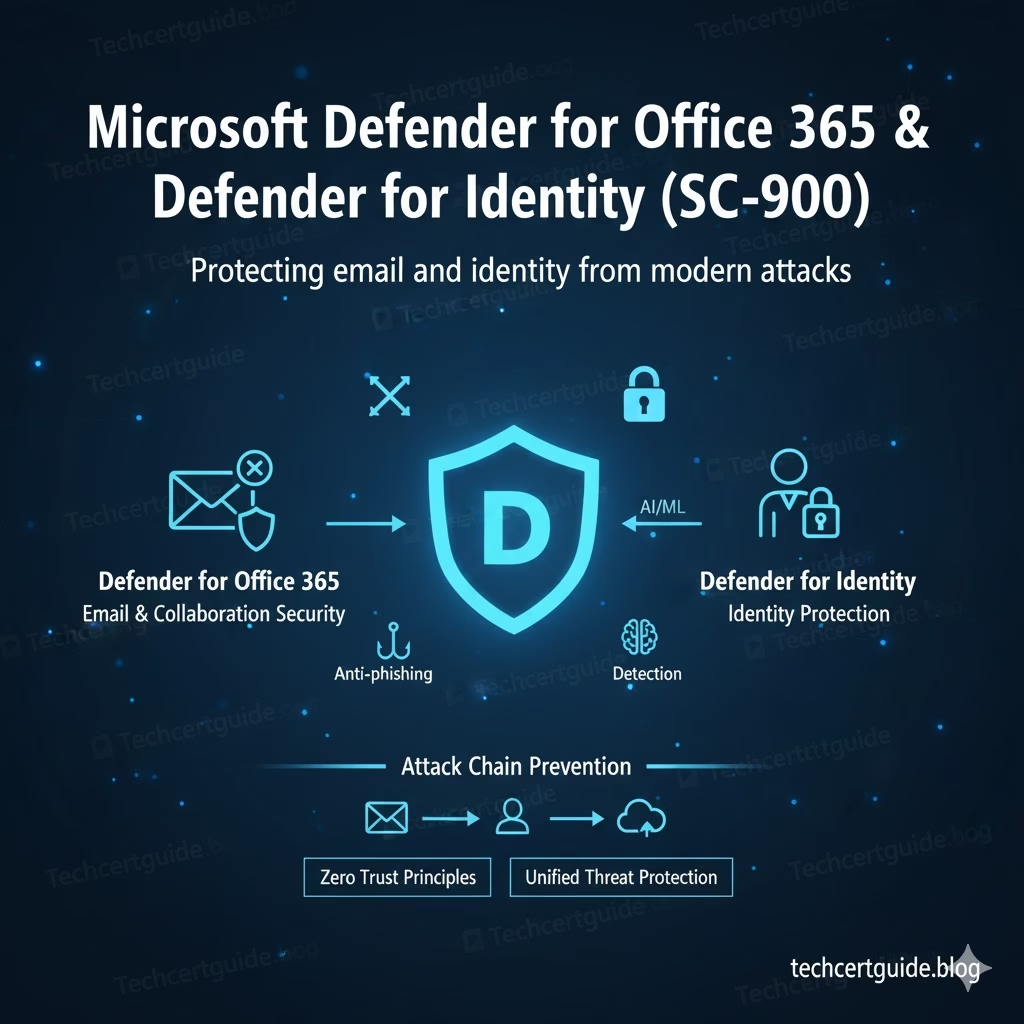
Microsoft Defender for Office 365 & Defender for Identity in SC-900 explain how Microsoft protects the two most targeted attack surfaces in any organisation: email and identity.
Most modern attacks don’t begin with sophisticated exploits.
They begin with a phishing email and end with identity compromise.
SC-900 introduces these two Defender services to help learners understand how Microsoft detects, correlates, and mitigates threats that target users and identities.
Why SC-900 Focuses on Email and Identity Security
Attackers target what gives them the fastest access:
- User credentials
- Identity permissions
- Trusted communication channels
Email and identity are closely linked:
- Phishing emails steal credentials
- Compromised identities enable further attacks
- Identity abuse allows lateral movement
SC-900 includes these topics to reinforce a critical message:
If email and identity are not protected, no other security layer matters.
Microsoft Defender for Office 365 & Defender for Identity in SC-900
What Is Microsoft Defender for Office 365? (SC-900 View)
At SC-900 level, Microsoft Defender for Office 365 is best understood as:
A security service that helps protect email and collaboration tools from phishing, malware, and malicious content.
It focuses on threat prevention and detection in:
- Email messages
- Links
- Attachments
- Collaboration platforms
SC-900 does not require knowledge of policy configuration or tuning.
Why Email Is a Primary Attack Vector
Email remains the most common entry point for attacks because:
- It targets users directly
- It relies on trust and urgency
- It bypasses traditional perimeter controls
Defender for Office 365 helps reduce risk by:
- Detecting phishing attempts
- Identifying malicious links
- Blocking harmful attachments
For SC-900, the key idea is reducing user-driven risk.
Viewed Defender for Office 365 email protection features, including quarantine and restricted entities, which demonstrate how suspicious or compromised email activity is contained and controlled.
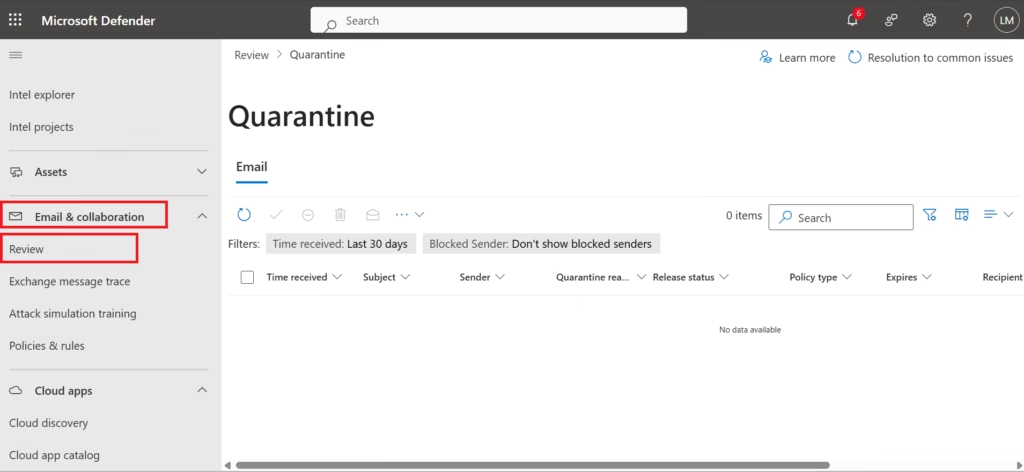
Fig: Defender for Office 365 helps protect email by quarantining suspicious messages
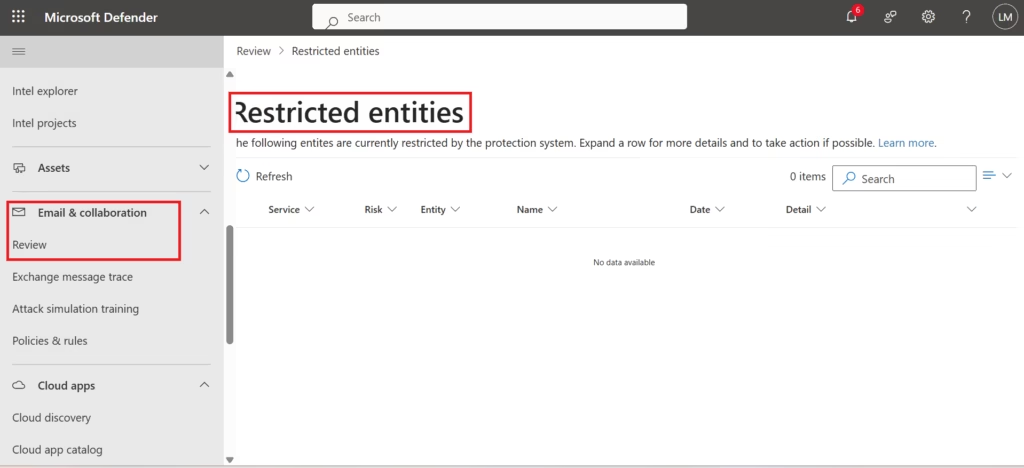
Fig: Defender for Office 365 helps protect email by restricting compromised entities.
What Is Microsoft Defender for Identity? (SC-900 View)
Microsoft Defender for Identity focuses on protecting identity infrastructure and authentication behaviour.
At SC-900 level, it is best described as:
A service that detects suspicious identity-related activity and potential attacks against identities.
It helps identify:
- Unusual sign-in behaviour
- Credential misuse
- Identity-based attack patterns
This reinforces the SC-900 concept that identity is the primary security perimeter.
Identity Attacks SC-900 Helps You Recognise
SC-900 introduces Defender for Identity to explain how organisations detect:
- Stolen credentials
- Abnormal authentication activity
- Attempts to escalate privileges
The focus is on awareness, not on investigation steps.
Note: Defender for Identity requires onboarding on-premises Active Directory domain controllers. As this demo tenant does not have identity sensors deployed, the Identity dashboard is not shown.
How Defender for Office 365 and Defender for Identity Work Together
These services are not isolated.
A typical attack flow:
- Phishing email reaches a user
- Credentials are entered on a fake page
- Identity is compromised
- Attacker signs in using stolen credentials
Defender services help by:
- Detecting the phishing attempt
- Identifying suspicious sign-ins
- Correlating alerts across email and identity
SC-900 tests whether you understand this attack chain, not the tooling.
Email, Identity, and Zero Trust
Zero Trust assumes:
- Users can be tricked
- Credentials can be stolen
- Continuous monitoring is required
Defender for Office 365 and Defender for Identity support Zero Trust by:
- Continuously evaluating risk
- Detecting abnormal behaviour
- Reducing reliance on trust alone
This conceptual link is exam-relevant.
Defender Services and Microsoft Defender XDR
Both services feed signals into Microsoft Defender XDR, enabling:
- Unified visibility
- Better threat context
- Faster response decisions
SC-900 focuses on understanding why integration matters, not how incidents are handled.
What SC-900 Does NOT Expect You to Know
SC-900 does not require:
- Phishing policy configuration
- Alert investigation workflows
- Identity sensor setup
- Log analysis
The exam tests understanding of purpose and protection scope, not operations.
Common Misconceptions About Email and Identity Security
SC-900 helps correct these myths:
- “Email security is just spam filtering.”
It’s about phishing and social engineering protection. - “Identity attacks only affect admins.”
Any user identity can be exploited. - “Strong passwords are enough.”
Behaviour and context also matter.
SC-900 Exam Tip
For SC-900:
- Know what each Defender service protects
- Understand how email and identity attacks connect
- Link these services to Zero Trust and XDR
- Avoid thinking in configuration terms
If you can explain how phishing leads to identity compromise, you’re exam-ready.
Final Thoughts: Protect the Entry Points
Most breaches start with:
- A message
- A click
- A stolen credential
By protecting email and identity, organisations reduce the likelihood and impact of attacks.
SC-900 introduces Microsoft Defender for Office 365 and Defender for Identity to ensure learners understand how modern security protects the most targeted entry points.
Also, view our detailed guide on what is SC-900 to understand Microsoft Security, Compliance, and Identity fundamentals.
For official and up-to-date exam objectives, learning paths, and reference material, refer to Microsoft Learn’s SC-900 documentation.
What’s Next in the SC-900 Series
Next, we’ll cover:
Cloud App Security & Visibility in SC-900: Understanding Risk Beyond the Perimeter







