SC-900 to MS-102 Transition Identity
“The SC-900 to MS-102 Transition Identity is more than just a step up in exam difficulty; it reaches a critical turning point when you realize identity is an ownership responsibility.”
Identity is not a security feature.
It is an administrative responsibility.
In SC-900, identity is presented as a pillar of security.
In MS-102, identity becomes something far heavier:
Something you own, maintain, and are accountable for.
How the SC-900 to MS-102 Transition Identity reframes identity ownership
SC-900 explains identity in terms of:
- Authentication
- Authorization
- MFA
- Conditional Access
- Identity protection
Identity is introduced as a control surface.
From this view:
- Secure identity → secure environment
- Add more controls → reduce risk
This framing is not wrong, but it is incomplete.
How MS-102 Reframes Identity Completely
In real Microsoft 365 environments, identity is not a feature you enable.
It is:
- Users
- Groups
- Roles
- Licenses
- Guests
- Service accounts
- Sync states
- Lifecycle events
These objects:
- Outlive individual security controls
- Affect every workload (Exchange, SharePoint, Teams)
- Accumulate technical debt silently
Senior admins learn this early:
Most security incidents are identity problems that started months earlier.
Identity Is Where Admins Make or Break Security
Here are common admin-driven identity issues that no security tool can fully fix:
- Users added to too many groups “temporarily.”
- Admin roles are assigned permanently for convenience
- Guest users never reviewed or removed
- Service accounts are treated like human users
- Licenses are assigned directly instead of through groups
- Deleted users are leaving behind orphaned access
None of these are security product failures.
They are identity ownership failures.
Why Identity Is an Admin Responsibility (Not Security’s)
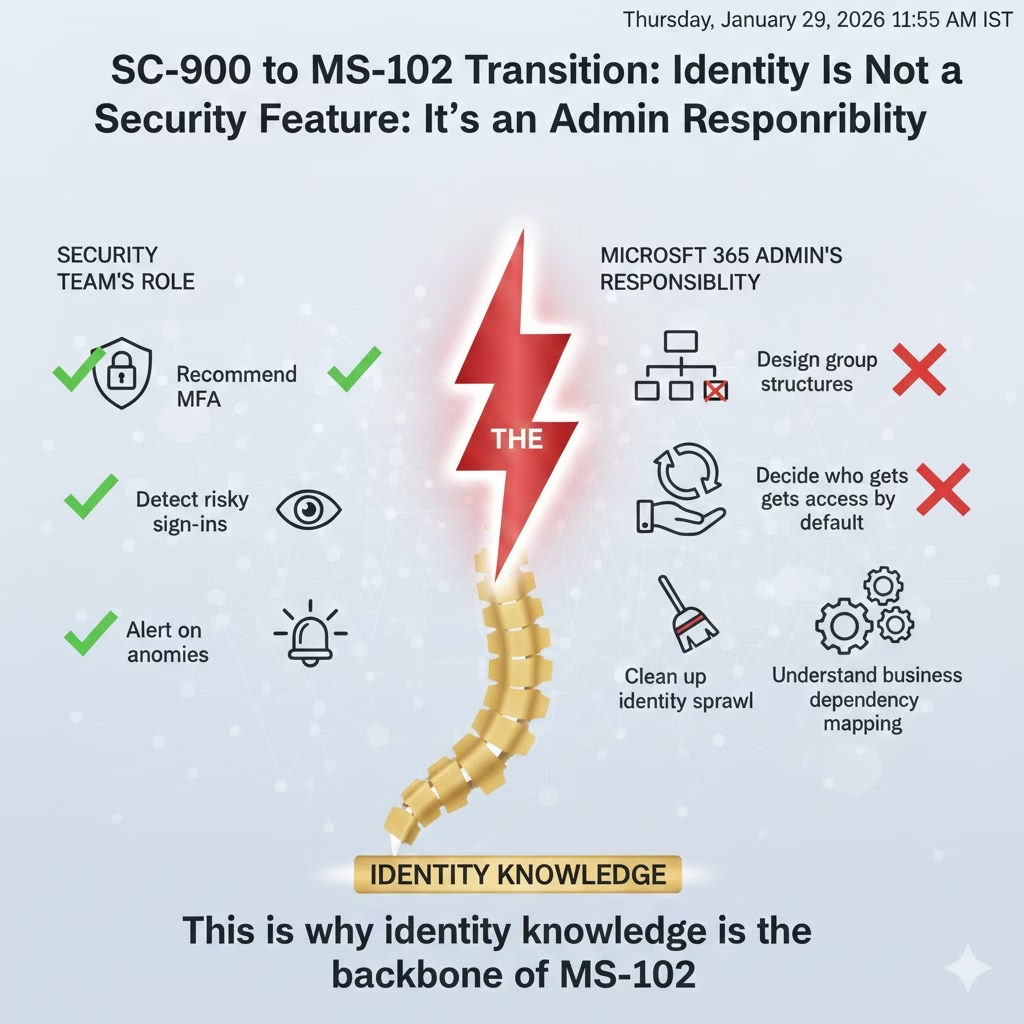
Security teams can:
- Recommend MFA
- Detect risky sign-ins
- Alert on anomalies
But they do not:
- Design group structures
- Own user lifecycle
- Decide who gets access by default
- Clean up identity sprawl
- Understand business dependency mapping
That responsibility sits squarely with Microsoft 365 administrators.
This is why identity knowledge is the backbone of MS-102.
Understanding this shift from ‘security feature’ to ‘admin object’ is the most challenging part of the SC-900 to MS-102 Transition Identity
The Hidden Power of Groups (And Why They’re Dangerous)
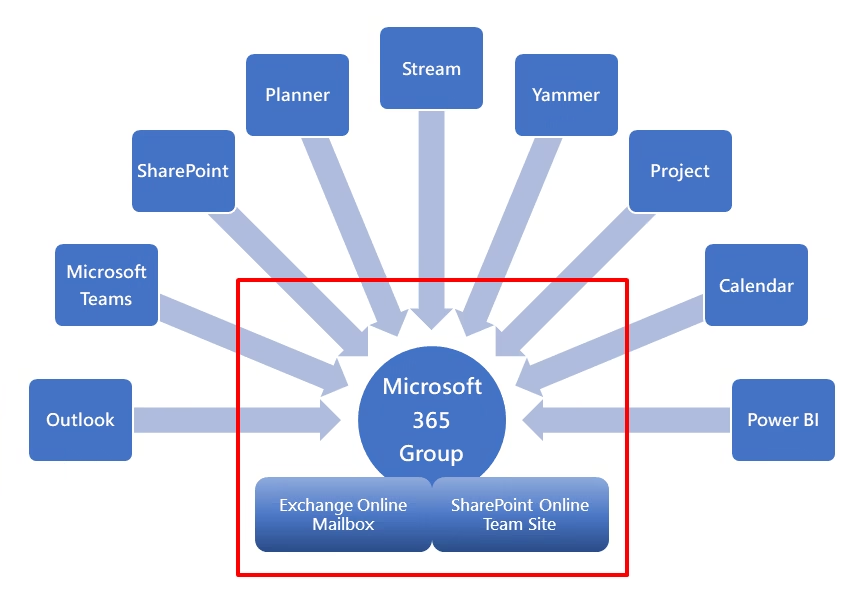
In Microsoft 365, group control:
- Access
- Licensing
- Teams creation
- SharePoint permissions
- Mail distribution
- Conditional Access scope
A poorly designed group structure can:
- Bypass security unintentionally
- Expose data without alerts
- Make audits nearly impossible
Identity security doesn’t start with MFA.
It starts with group discipline.
Identity Lifecycle: Where Senior Admins Think Differently
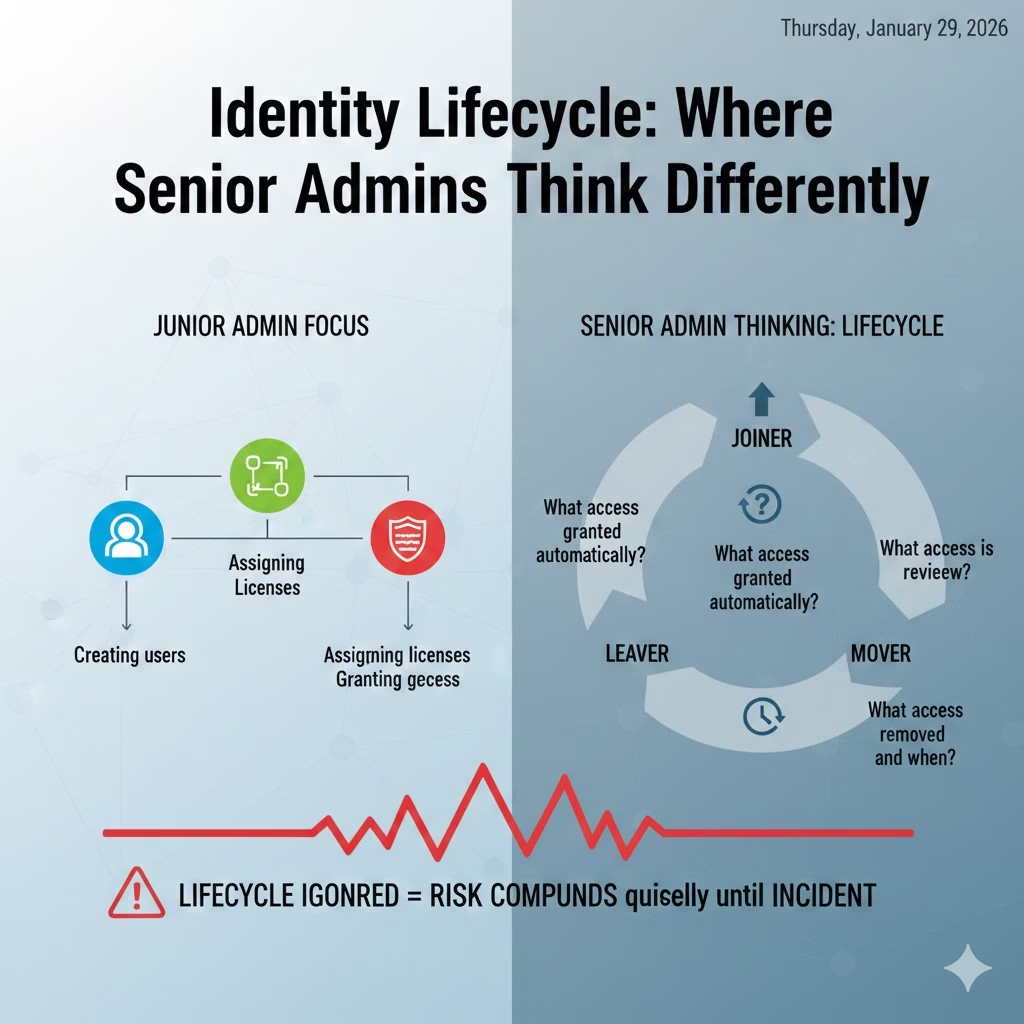
Junior admins focus on:
- Creating users
- Assigning licenses
- Granting access
Senior admins think in lifecycle terms:
- Joiner
- Mover
- Leaver
They ask:
- What access is granted automatically?
- What access is reviewed?
- What access is removed and when?
If lifecycle is ignored, identity risk compounds quietly until it becomes an incident.
Mini-Lab: Identity Ownership Check (10 Minutes)
To help you master the SC-900 to MS-102 Transition Identity, perform this 10-minute Identity Ownership check in your own tenant.
No changes required, just observation.
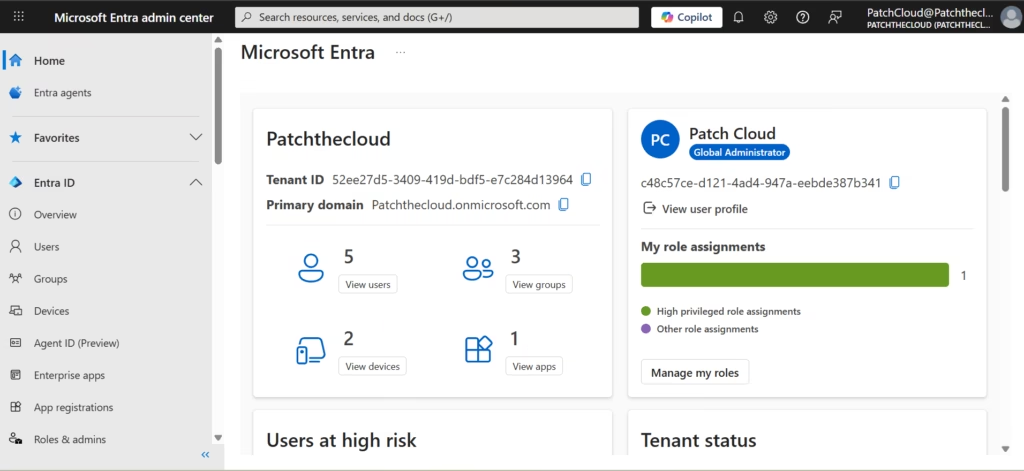
Step 1
Open Microsoft Entra ID.
Step 2
Pick one regular user account.
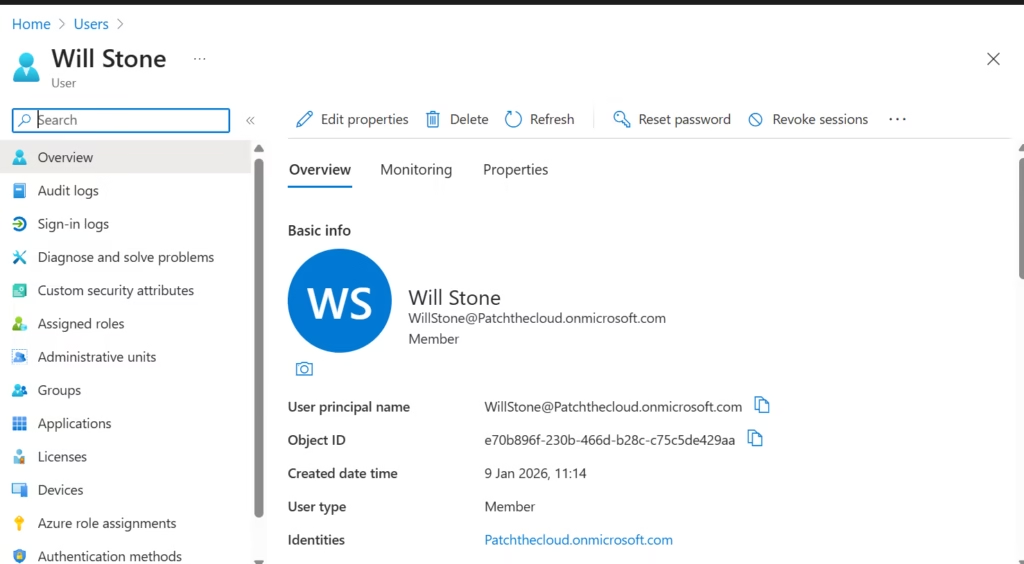
Step 3
Review:
- Group memberships
- Assigned roles
- Licenses
- Sign-in activity
- Guest access visibility
Step 4
Ask yourself:
- Does this access make sense today?
- Would I confidently explain it to an auditor?
- Is this intentional or accidental?
If you hesitate, you’ve found an identity governance gap.
Why This Post Exists Before MS-102 Core Topics
Before we discuss:
- Exchange mailboxes
- SharePoint sharing
- Teams governance
- Conditional Access policies
One truth must be clear:
Every Microsoft 365 workload inherits identity decisions.
If identity is messy:
- Security controls become fragile
- Troubleshooting becomes guesswork
- Compliance becomes reactive
MS-102 starts with identity for a reason.
What’s Next in the Transition Series
In the next post, we zoom out to the platform level:
Where Microsoft 365 data actually lives — and why admins must care.
Because protecting data starts with knowing where it exists.
Final Thought
Successfully navigating the SC-900 to MS-102 Transition Identity means moving beyond theory and accepting that identity is your responsibility
- SC-900 teaches you that identity is important.
- MS-102 teaches you that identity is your responsibility.
Once you accept ownership of identity,
everything else in Microsoft 365 finally aligns.
If you’re looking for the official and most up-to-date SC-900 exam objectives, learning paths, and reference material, Microsoft maintains them on Microsoft Learn’s SC-900 documentation.
If you’re new to the series or want a clearer foundation before moving forward, you can also read our detailed guide on what SC-900 is, where we explain Microsoft Security, Compliance, and Identity fundamentals in plain language.







