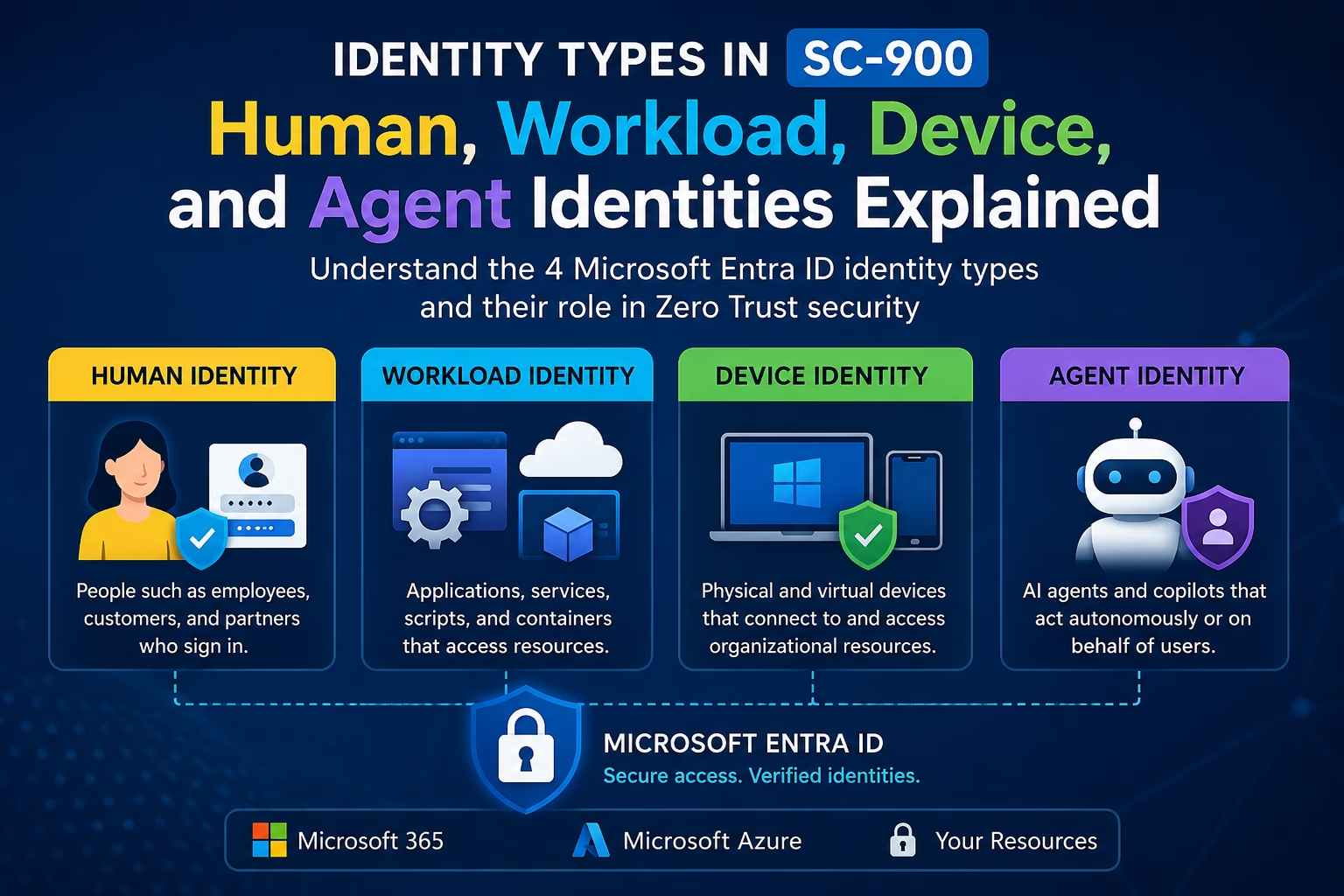
Identity Types in SC-900 go far beyond traditional user accounts. In modern cloud security, Microsoft identity concepts include human identities, workload identities, device identities, and agent identities.
When most people hear the word identity, they think of a user account. However, understanding the different identity types in SC-900 is important for learning how Microsoft Entra ID authenticates, authorizes, and governs access to resources.
In SC-900 (Microsoft Security, Compliance, and Identity Fundamentals), Microsoft makes one thing very clear:
Security is not only about users — it’s about all types of identities.
Learning Objectives Checklist
- Describe the concepts of security, compliance, and identity
- Describe the capabilities of Microsoft Entra ID
- Identify the four primary identity types (Human, Workload, Device, Agent)
- Compare Service Principals and Managed Identities
- Understand the role of Microsoft Entra Agent ID in Zero Trust
What Are the Identity Types in SC-900?
An identity is anything that can be authenticated and authorized to access a resource. This includes people, devices, software, and AI agents.
Microsoft Entra organizes identities into four primary types:
- Human Identities
- Workload Identities
- Device Identities
- Agent Identities (now included in SC-900 July 2026)
Candidates for the SC-900 exam should understand and recognize these four categories as defined by Microsoft’s current taxonomy. Let’s break down each one clearly.
1. Human Identities
Who they represent: People — both internal and external. As one of the four identity types in SC-900, human identities represent the most familiar and heavily targeted category.
Human identities include:
- Employees — full-time workers, administrators, and frontline workers
- External users — customers, consultants, vendors, and partners (managed via Microsoft Entra External ID)
Human identities are the most targeted identity type in cyberattacks. Phishing, credential theft, and password spraying all focus on compromising a human account.
Why it matters for SC-900:
Microsoft Entra ID secures human identities using tools like Multi-Factor Authentication (MFA), Conditional Access policies, and Self-Service Password Reset (SSPR).
Real-world example:
A company employee (Priya) logs into Microsoft 365 from a new device abroad. Conditional Access detects an anomalous sign-in and prompts for MFA before granting access — because Priya’s human identity must be explicitly verified under Zero Trust.
2. Workload Identities
Who they represent: Software that needs to authenticate and act independently — without a human logging in. Workload identities are the second of the four identity types in SC-900, covering non-human software identities.
Workload identities represent software workloads such as applications, services, scripts, and containers.
In Microsoft Entra, workload identities take three specific forms:
| Type | What It Is | SC-900 Focus |
|---|---|---|
| Application Object | The global template registered in Entra ID that defines what an app can do. | Understand how apps are registered. |
| Service Principal | The local instance of an application within a specific tenant. | Know this holds the real permissions. |
| Managed Identity | A special type of service principal — Azure manages the credentials automatically. | Know it eliminates credential management risk. |
Real-world example:
An Azure Function app needs to read data from Azure Storage. Instead of storing a password in code, the developer enables a Managed Identity. Azure handles credential rotation automatically — the function gets access using its workload identity, with zero stored secrets.
3. Device Identities
Who they represent: Physical and virtual hardware that accesses organizational resources. Device identities are the third of the identity types in SC-900, covering all hardware that connects to your organization.
Device identities include:
- Laptops and desktop computers
- Mobile phones and tablets
- IoT sensors and managed IoT devices
- Virtual machines
Why it matters for SC-900:
Under Zero Trust, a valid user credential is not enough. The device must also be verified — is it compliant? Is it healthy?
Real-world example:
A contractor (Ahmed) has valid credentials, but he’s logging in from a personal laptop. Conditional Access checks the device identity, finds it is not registered, and blocks access to sensitive files — even though Ahmed’s user credentials are correct.
4. Agent Identities
Who they represent: AI agents that act autonomously or on behalf of users. Agent identities complete the four identity types in SC-900, reflecting Microsoft’s newest Zero Trust guidance.
This category is now included in the SC-900 July 2026 exam objectives. As organizations deploy AI assistants and autonomous copilots, these systems need their own identities to be authenticated, authorized, and governed — just like humans and software.
Microsoft Entra Agent ID is the platform built specifically to manage these identities. It provides:
- Dedicated agent identity constructs (separate from human or workload identities)
- Owner and Sponsor accountability — every agent has a technical Owner responsible for its configuration and administration, plus an accountable business Sponsor responsible for its business purpose and periodic access reviews
- Lifecycle governance from provisioning through deactivation
- Microsoft Entra Agent ID supports Conditional Access capabilities for agents
- Centralized audit logging for all agent authentication and activity
Real-world example:
An AI agent automatically generates reports by reading emails. With Agent ID, the agent has a governed identity, a human sponsor, and full audit logs, allowing security teams to see exactly what data the agent accessed.
All Four Identity Types: Comparison
The following table compares the four identity types in SC-900 and shows how each identity is represented and managed across Microsoft Entra.
| Identity Type | Represents | Common Entra Tool |
|---|---|---|
| Human | People (employees, guests) | Entra ID, MFA, Conditional Access |
| Workload | Apps, services, scripts | App Registration, Managed Identity |
| Device | Laptops, phones, IoT | Entra device management, Intune |
| Agent | AI agents, copilots | Microsoft Entra Agent ID |
Identity Relationship Diagram
All four identity types ultimately connect through the same Microsoft identity platform before reaching organizational resources. The relationship can be visualized as follows:
Human Identity   Workload Identity   Device Identity   Agent Identity
                    ↓
              Microsoft Entra ID
                    ↓
     Microsoft 365 / Azure Resources
Identity Types and Zero Trust
Zero Trust is built on the principle of “never trust, always verify.” In SC-900, this principle applies equally to all four identity types, not just human users.
- Human identities: verified continuously using MFA and Conditional Access, not just at initial sign-in
- Workload identities: authenticated using certificates or managed credentials instead of static secrets
- Device identities: checked for compliance and health before granting access, regardless of valid user credentials
- Agent identities: governed through human sponsorship, lifecycle controls, and audit logging under Microsoft Entra Agent ID
Common Misconceptions
- Misconception: Only user accounts count as identities. Reality: Devices, applications, and AI agents are also identities that must be authenticated and authorized.
- Misconception: Applications are a separate identity category alongside Human, Workload, Device, and Agent. Reality: Applications are represented through workload identities, specifically as application objects, service principals, or managed identities.
- Misconception: A Managed Identity is a different concept from a Service Principal. Reality: A Managed Identity is a specific type of service principal whose credentials are automatically managed by Azure.
- Misconception: AI agents can be treated like regular workload identities. Reality: Agent identities are a distinct category with their own governance model, including mandatory human sponsorship under Microsoft Entra Agent ID.
Understanding Identity Types in SC-900 helps you recognize how human, workload, device, and agent identities contribute to modern identity security and Zero Trust.
Scenario-Based Practice Questions
Question 1: A background service in Azure needs to access a Key Vault without storing credentials in code. Which identity type should be used?
Answer: This is a workload identity scenario. The specific solution is a Managed Identity.
Question 2: Your company deploys an AI agent. Under Microsoft Entra Agent ID, what governance requirement ensures accountability?
Answer: Every agent should have a technical Owner responsible for its configuration and administration, plus an accountable business Sponsor responsible for its business purpose and periodic access reviews.
Question 3: Which of the following is NOT a type of workload identity in Microsoft Entra?
A. Service Principal
B. Managed Identity
C. AI Agent
D. Application Object
Answer: C. AI Agent. Agent identities are a separate peer category in the Microsoft Entra taxonomy.
Sources: Microsoft Learn — Identity Fundamentals; Microsoft Entra Workload ID; Microsoft Entra Agent ID; SC-900 Study Guide (July 2026).