Microsoft Defender XDR in SC-900 explains why modern security relies on integrated detection and response, not isolated tools.
Today’s attacks don’t respect boundaries. A single incident can touch email, endpoint, identity, and cloud apps within minutes. SC-900 introduces Microsoft Defender XDR to help learners understand how Microsoft connects signals across security domains to see the full attack story.
This article explains Defender XDR at a conceptual level, exactly as required for SC-900 (Microsoft Security, Compliance, and Identity Fundamentals).
Why SC-900 Introduces XDR
Understanding Microsoft Defender XDR in SC-900
Traditional security tools generate alerts in silos:
- Email security sees phishing
- Endpoint security sees malware
- Identity systems see risky sign-ins
Individually, these alerts lack context.
SC-900 introduces XDR (Extended Detection and Response) to explain how:
- Signals are correlated
- Attacks are understood end-to-end
- Security teams get fewer, higher-quality alerts
The exam focuses on why integration matters, not how incidents are handled.
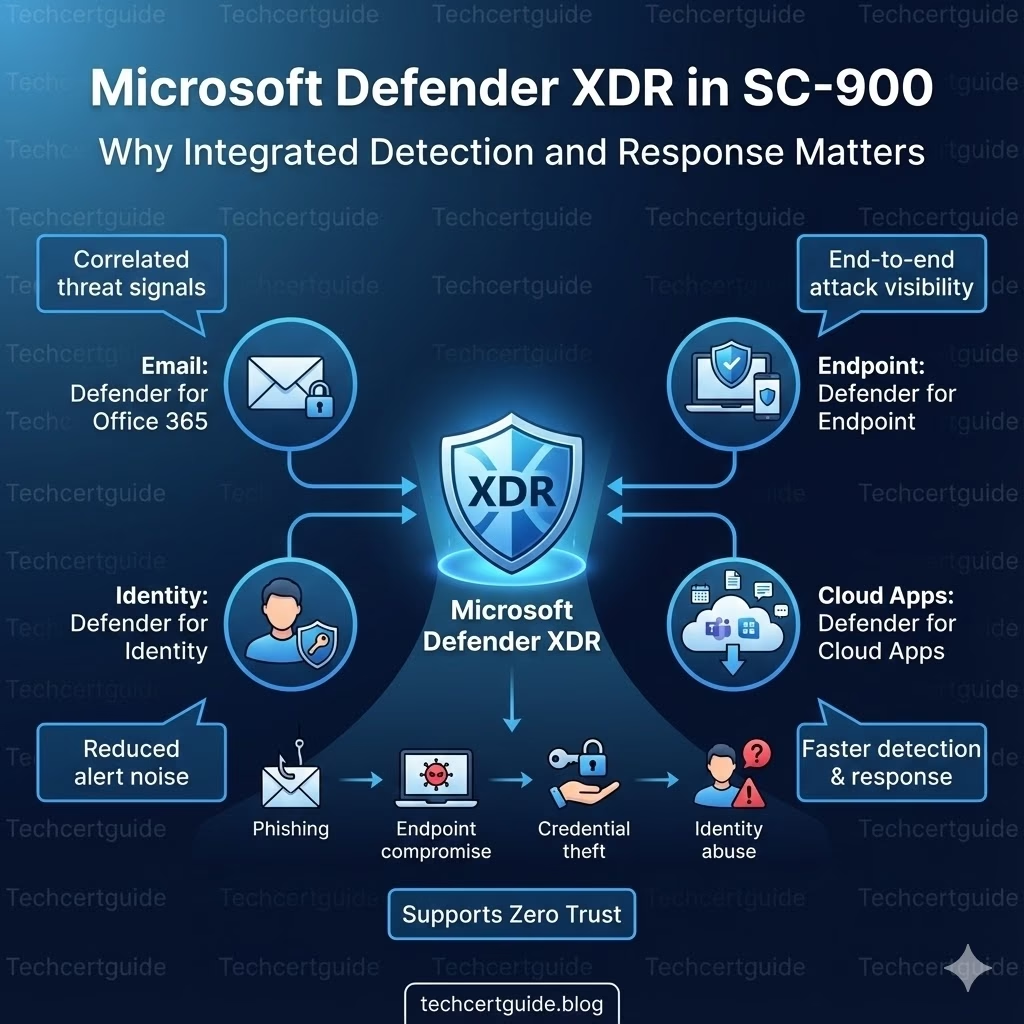
What Is Microsoft Defender XDR Explained in SC-900?
At SC-900 level, Microsoft Defender XDR is best described as:
A unified security approach that correlates signals from multiple Microsoft Defender services to detect and respond to complex attacks.
It brings together data from:
- Endpoints
- Identity
- Cloud applications
SC-900 does not expect knowledge of workflows or investigations.
XDR vs Traditional Security (Simple Comparison)
Traditional Security
- Separate alerts
- Limited visibility
- Manual correlation
- Higher noise
Microsoft Defender XDR
- Connected signals
- End-to-end visibility
- Context-aware detection
- Reduced alert fatigue
SC-900 tests whether you understand this shift in security thinking.
How Microsoft Defender XDR Works (Conceptual)
Microsoft Defender XDR:
- Collects signals from multiple Defender services
- Correlates related activity
- Builds an attack story
- Helps prioritise real threats
The key SC-900 takeaway:
Security improves when tools work together.
Defender XDR and the Attack Chain
Modern attacks often follow this pattern:
- Phishing email
- Endpoint compromise
- Credential theft
- Identity abuse
- Data access
Defender XDR helps by:
- Linking activity across stages
- Showing cause-and-effect
- Reducing blind spots
SC-900 focuses on understanding attack progression, not investigation steps.
XDR and Zero Trust
Zero Trust assumes:
- Breaches will happen
- Signals must be continuously evaluated
- No single control is sufficient
Defender XDR supports Zero Trust by:
- Monitoring activity across domains
- Detecting abnormal behaviour
- Providing continuous visibility
This conceptual link is exam-relevant.
XDR vs SIEM (SC-900 Level Distinction)
SC-900 briefly distinguishes between:
- XDR → detection and response across endpoints, identities, apps
- SIEM → log collection and analysis
At this level, focus on:
- XDR = correlated threat detection
- SIEM = centralised logging
No technical depth is required.
What SC-900 Does NOT Expect You to Know
SC-900 does not require:
- Incident response workflows
- KQL queries
- Alert triage steps
- Portal navigation
The exam tests conceptual understanding, not hands-on skills.
Common Misconceptions About XDR
SC-900 helps correct these myths:
- “XDR is just another tool.”
It’s an integrated security approach. - “More alerts mean better security.”
Context matters more than volume. - “XDR replaces all other tools.”
It connects them, not replaces them.
SC-900 Exam Tip
For SC-900:
- Know what XDR stands for
- Understand why correlation matters
- Link XDR to Zero Trust
- Avoid thinking in implementation terms
If you can explain why integrated security is more effective, you’re exam-ready.
Final Thoughts: Security Works Better Together
Isolated tools create noise.
Integrated tools create insight.
Microsoft Defender XDR helps organisations:
- See attacks clearly
- Reduce alert fatigue
- Respond faster and smarter
SC-900 introduces XDR to build the mindset that modern security succeeds through integration, not isolation.
Also, view our detailed guide on what is SC-900 to understand Microsoft Security, Compliance, and Identity fundamentals.
For official and up-to-date exam objectives, learning paths, and reference material, refer to Microsoft Learn’s SC-900 documentation.
What’s Next in the SC-900 Series
Next, we’ll move into compliance and governance with:
Microsoft Purview Overview in SC-900: Understanding Compliance in the Microsoft Ecosystem







