Learning Objectives
After completing this guide, you will be able to:
- Explain what Microsoft Purview is and its role in compliance.
- Differentiate security from compliance.
- Identify the core capabilities of Microsoft Purview.
- Describe how Purview supports governance, risk, and compliance (GRC).
Microsoft Purview Overview in SC-900
Microsoft Purview Overview in SC-900 explains how Microsoft approaches compliance, data protection, and governance as an integrated part of security—not as an afterthought.
Many people associate security with firewalls and threat detection. Compliance, however, focuses on how data is handled, protected, retained, and audited. SC-900 introduces Microsoft Purview to help learners understand how compliance becomes operational in Microsoft environments.
This article explains Microsoft Purview at a conceptual level, exactly as required for SC-900 (Microsoft Security, Compliance, and Identity Fundamentals).
Why SC-900 Introduces Microsoft Purview
Security answers the question:
“How do we protect systems from threats?”
Compliance answers a different question:
“How do we protect data, meet regulations, and prove it?”
Modern organizations must:
- Protect sensitive data
- Meet regulatory requirements
- Support audits and investigations
- Demonstrate accountability
SC-900 includes Microsoft Purview to show how Microsoft embeds compliance directly into its platforms, which is exactly what this Microsoft Purview overview in SC-900 is designed to clarify.
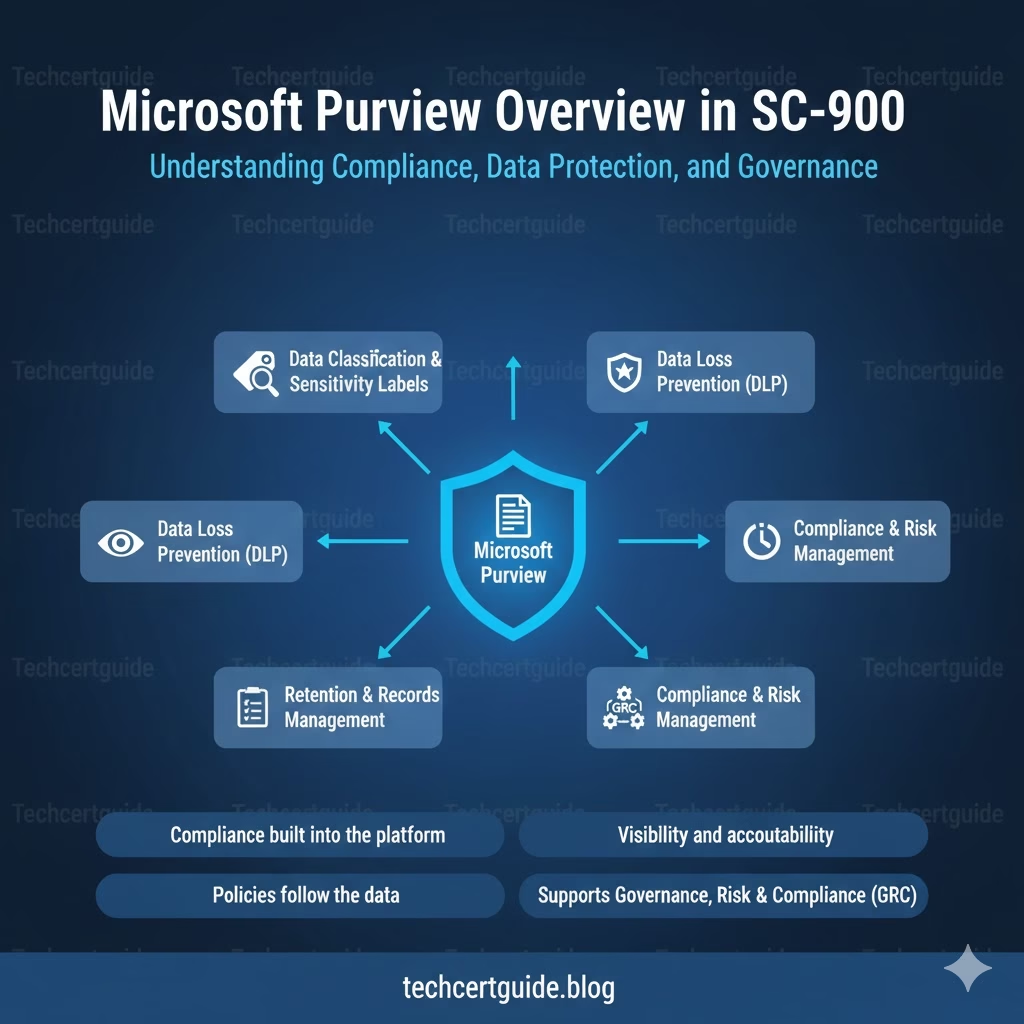
What Is Microsoft Purview? (SC-900 View)
At SC-900 level, Microsoft Purview is best understood as:
A unified compliance and data governance platform that helps organisations classify, protect, manage, and audit data across Microsoft services.
It brings together tools for:
- Data protection
- Risk management
- Compliance monitoring
- Governance and auditing
SC-900 focuses on what Purview enables, not how it is configured — a distinction this Microsoft Purview overview in SC-900 keeps front and center.
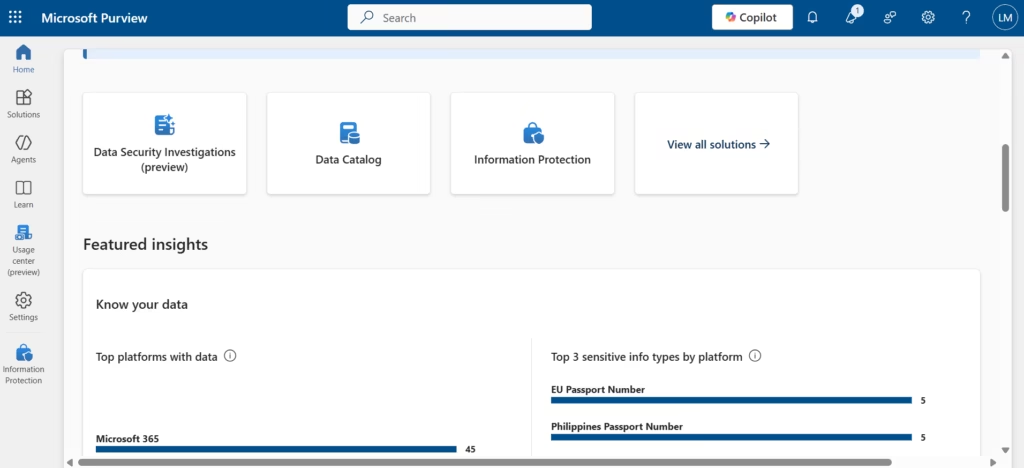
Fig: Microsoft Purview Overview
Microsoft Purview Architecture: How It Fits Into Microsoft 365
In this Microsoft Purview Overview in SC-900, it’s important to understand that Microsoft Purview is not a separate product bolted onto Microsoft 365 it is built directly into the same data estate that Exchange Online, SharePoint, OneDrive, and Teams already use.
Instead of scanning data after the fact, Purview reads signals directly from Microsoft 365 workloads, including:
- Mail and attachments in Exchange Online
- Files stored in SharePoint and OneDrive
- Messages and shared files in Microsoft Teams
- Content created through other Microsoft 365 apps
This shared foundation means one classification, one label, or one policy can apply consistently across every workload, instead of requiring separate rules for each service.
As this Microsoft Purview overview in SC-900 explains, SC-900 only expects you to recognise that this integration exists — not to configure connectors, scanners, or workload-specific settings.
Security vs Compliance (Important SC-900 Distinction)
SC-900 clearly separates these concepts:
| Security | Compliance |
|---|---|
| Prevents attacks | Protects data |
| Detects threats | Enforces policies |
| Responds to incidents | Supports audits |
| Technical controls | Governance controls |
Microsoft Purview sits on the compliance side, complementing security tools like Microsoft Defender — a point this Microsoft Purview overview in SC-900 returns to throughout.
For a deeper look at this distinction, see our dedicated guide on Security vs Compliance in SC-900.
Core Capabilities of Microsoft Purview in SC-900
SC-900 introduces Purview by grouping its capabilities into clear themes.
Data Classification and Protection
Purview helps organisations:
- Identify sensitive data
- Apply labels based on sensitivity
- Protect data consistently
SC-900 focuses on the concept of data awareness, not label configuration.
Data Loss Prevention (DLP)
DLP helps prevent:
- Accidental data leaks
- Unauthorised sharing
- Policy violations
At SC-900 level, the key idea is:
Policies follow data, not locations.
For a closer look at how this works in practice, see our guide to Data Loss Prevention in SC-900.
Audit and Activity Monitoring
Purview enables:
- Activity tracking
- Audit logs
- Investigation support
This helps organisations:
- Meet audit requirements
- Investigate incidents
- Demonstrate accountability
SC-900 tests why auditing matters, not how to search logs.
To go deeper on this topic, see our guide to Audit, Retention & eDiscovery in SC-900.
Information Lifecycle and Retention
Compliance isn’t just about protection—it’s also about data lifecycle.
Purview supports:
- Retention requirements
- Controlled deletion
- Records management
SC-900 introduces this to explain how data must be managed from creation to deletion.
🗺️ Microsoft Purview Service Map
Each Purview capability builds on the same underlying platform, working together to protect, govern, and investigate data across Microsoft 365.
Microsoft Purview Solution Areas
Beyond the core capabilities already covered, Microsoft Purview also includes solution areas that extend compliance further:
- Insider Risk Management — helps identify risky user activity, such as unusual data access or exfiltration patterns, before it becomes a security incident.
- Compliance Manager — gives organisations a compliance score and actionable improvement recommendations across regulations and standards.
- Communication Compliance — helps detect policy violations in Teams, email, and other communication channels, such as harassment or confidential data sharing.
SC-900 expects you to recognise these solution areas by name and understand what problem each one solves — not how to configure their detection rules or scoring models.
Microsoft Purview and Governance, Risk, and Compliance (GRC)
Purview supports GRC by:
- Enforcing policies consistently
- Reducing manual compliance work
- Providing visibility into compliance posture
This aligns with earlier SC-900 topics like:
- GRC fundamentals
- Risk management
- Accountability
Purview and Zero Trust (Conceptual Link)
Zero Trust focuses on who can access data.
Purview focuses on how data is handled after access.
Together, they ensure:
- Access is controlled
- Data use is governed
- Risk is reduced even after sign-in
This conceptual connection is exam-relevant, and it’s one this Microsoft Purview overview in SC-900 ties back to Zero Trust principles.
To understand this connection in more depth, see our Zero Trust Model guide.
Applying Purview Concepts: A Simple Business Scenario
Consider a finance employee who accidentally attaches a spreadsheet containing customer card numbers to an external email.
- Data Loss Prevention detects the sensitive information and blocks or warns before the email is sent.
- Information Protection ensures the file was already labelled as confidential, so the risk was flagged early.
- Audit records the attempted action, giving the compliance team visibility into what happened.
- Insider Risk Management may flag the pattern if similar attempts happen repeatedly.
No single tool handles this alone — as this Microsoft Purview overview in SC-900 shows, Purview’s value comes from these capabilities working together on the same underlying data.
What SC-900 Does NOT Expect You to Know About Purview
SC-900 does not require:
- Creating labels
- Configuring DLP rules
- Running audits
- Managing eDiscovery cases
The exam tests awareness and understanding, not hands-on administration.
Common Misconceptions About Compliance Tools
SC-900 helps correct these myths:
- “Compliance slows business.”
Good compliance enables safe operations. - “Compliance is only for auditors.”
It affects daily data handling. - “Security alone is enough.”
Security without compliance lacks accountability.
Common Beginner Mistakes When Learning Microsoft Purview
New learners often mix up Purview with other Microsoft tools. Watch out for these common mistakes:
- Assuming Purview is a Microsoft Defender feature — it is a separate, compliance-focused platform.
- Believing DLP blocks all data sharing — it targets policy-defined sensitive data only.
- Thinking sensitivity labels apply automatically everywhere — many labels are user-applied or condition-based.
- Confusing eDiscovery with everyday search — eDiscovery is built for legal and investigative scenarios.
Avoiding these mix-ups helps keep SC-900 answers focused on concepts rather than product confusion.
SC-900 Exam Tip
For SC-900:
- Know what Microsoft Purview is
- Understand its role in compliance and data governance
- Recognise key capability areas
- Avoid thinking in configuration terms
If you can explain why compliance tools exist and what they protect, you’re exam-ready.
Key Takeaways
Here’s a quick summary of this Microsoft Purview overview in SC-900:
- Microsoft Purview is Microsoft’s unified compliance and data governance platform.
- It complements security tools like Microsoft Defender rather than replacing them.
- Core capabilities include data classification, DLP, audit, and information lifecycle management.
- Solution areas such as Insider Risk Management and Compliance Manager extend Purview further.
- SC-900 tests conceptual awareness, not hands-on configuration.
Practice Questions: Test Your Understanding
These practice questions reinforce the key concepts covered in this Microsoft Purview Overview in SC-900.
Q1. An employee tries to email a document containing sensitive identification numbers to a personal email account, and the message is automatically blocked with a policy tip. Which Purview capability caused this?
- A) eDiscovery
- B) Data Loss Prevention
- C) Insider Risk Management
- D) Compliance Manager
Correct answer: B. DLP policies detect sensitive information patterns and block or warn before data leaves the organisation.
Q2. The legal team needs to search across Exchange, SharePoint, and Teams for content related to a pending investigation and export it for review. Which capability supports this?
- A) Information Protection
- B) Records Management
- C) eDiscovery
- D) Communication Compliance
Correct answer: C. eDiscovery is designed to search, preserve, and export content across Microsoft 365 for legal and investigative purposes.
Q3. A compliance manager wants a single score showing how well the organisation meets regulatory requirements, along with recommended actions. Which tool should they use?
- A) Compliance Manager
- B) Audit
- C) Insider Risk Management
- D) Data Loss Prevention
Correct answer: A. Compliance Manager provides a compliance score and improvement actions mapped to regulations and standards.
Q4. Security wants to know who accessed a sensitive file and when, after a suspected data exposure. Which capability provides this visibility?
- A) Information Lifecycle Management
- B) Audit
- C) Communication Compliance
- D) Data Loss Prevention
Correct answer: B. Audit and activity monitoring track user and admin actions, supporting investigations and accountability.
Q5. An organisation wants old customer records automatically deleted after seven years to meet a regulatory requirement. Which capability applies?
- A) Information Lifecycle Management
- B) Insider Risk Management
- C) eDiscovery
- D) Communication Compliance
Correct answer: A. Information Lifecycle Management (retention and records management) controls how long data is kept and when it is disposed of.
Final Thoughts: Compliance Is Part of Security
Modern organizations cannot treat compliance as an afterthought.
By embedding compliance controls into platforms, Microsoft Purview helps organizations:
- Protect sensitive data
- Meet regulatory obligations
- Build trust with customers and regulators
SC-900 introduces Microsoft Purview to ensure learners understand how compliance becomes practical and continuous, not manual and reactive — the core message of this Microsoft Purview overview in SC-900.
Also, view our detailed guide on what SC-900 is to understand Microsoft Security, Compliance, and Identity fundamentals.
After completing this Microsoft Purview Overview in SC-900, you should be able to explain Microsoft’s compliance platform and its role in the SC-900 exam.
For official and up-to-date exam objectives, learning paths, and reference material, refer to Microsoft Learn’s SC-900 documentation.
Further Microsoft Learn Documentation
- Microsoft Purview overview
- Information Protection
- Data Loss Prevention
- Information (Data) Lifecycle Management
- Compliance Manager
What’s Next in the SC-900 Series
Next, we’ll go deeper into data protection with:
Data Classification & Sensitivity Labels in SC-900: Protecting Information by Design