Microsoft Entra ID is the identity foundation of every Microsoft 365 tenant. Every login, every authentication request, every Conditional Access policy, and every administrative permission flows through Entra ID.
For the MS-102 Microsoft 365 Administrator exam, understanding Entra ID is not optional it is central to the role.
Before configuring MFA, Conditional Access, or Identity Protection, you must understand:
- What is Microsoft Entra ID is
- How identity works in Microsoft 365
- Types of identities
- Authentication vs authorization
- Where to manage Entra ID
- Why identity security matters
This post builds the identity foundation for the rest of Domain 2.
What Is Microsoft Entra ID?
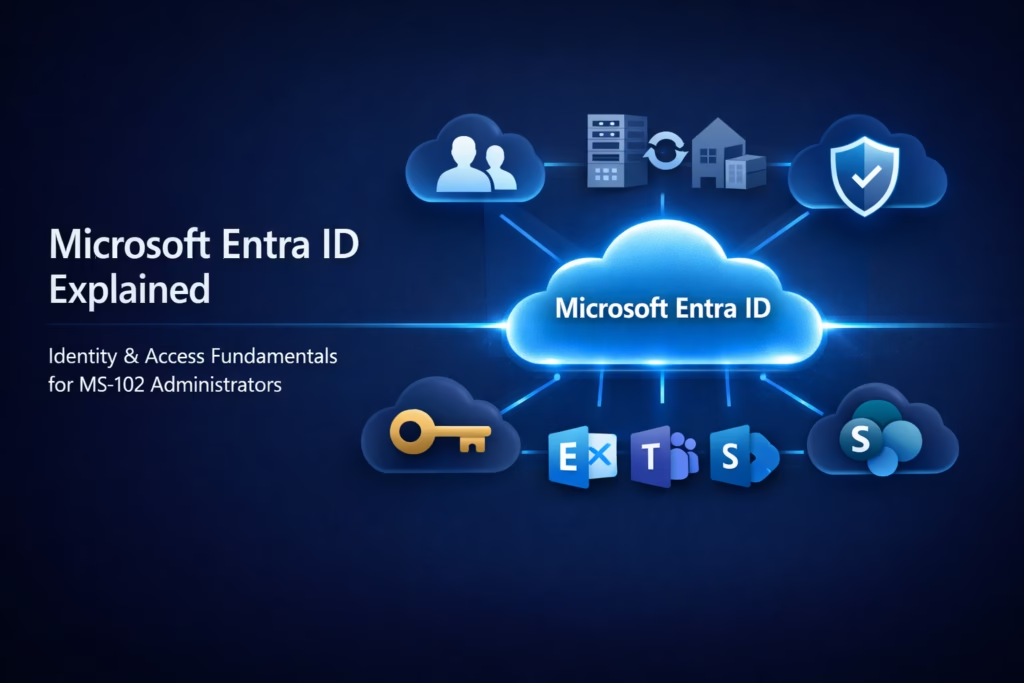
Microsoft Entra ID (formerly Azure Active Directory) is Microsoft’s cloud-based identity and access management service.
It is responsible for:
- User authentication
- Application access control
- Role assignments
- Conditional Access enforcement
- Identity risk detection
Every Microsoft 365 tenant automatically includes Entra ID.
When you create a tenant, you are also creating an Entra ID directory.
The Role of Entra ID in Microsoft 365
Microsoft 365 services such as:
- Exchange Online
- SharePoint Online
- Teams
- OneDrive
do not authenticate users directly.
Instead:
1️⃣ User signs in
2️⃣ Entra ID verifies credentials
3️⃣ Access token is issued
4️⃣ Service grants or denies access
This is modern cloud identity architecture.
Understanding this flow is critical for MS-102.
Types of Identities in Microsoft Entra ID
There are multiple identity types.
1️⃣ Cloud-Only Users
Created directly in Microsoft 365.
Credentials exist only in Entra ID.
Common in small or cloud-first organizations.
2️⃣ Hybrid Users
Synchronized from on-premises Active Directory using:
- Entra Connect (Azure AD Connect)
Used in organizations migrating from on-prem to cloud.
3️⃣ Guest Users
External users invited for collaboration.
Used for:
- SharePoint sharing
- Teams collaboration
- Partner access
4️⃣ Service Principals and Applications
Used for:
- Automation
- API access
- Background services
Though more advanced, MS-102 may reference application identity.
Identity Lifecycle in Microsoft 365
Identity follows a lifecycle.
1️⃣ Creation
2️⃣ License assignment
3️⃣ Access configuration
4️⃣ Role assignment
5️⃣ Monitoring
6️⃣ Deactivation
7️⃣ Deletion
Understanding lifecycle thinking is important for exam scenarios.
Authentication vs Authorization
These terms are often confused.
Authentication
Verifying who the user is.
Example:
Username + password + MFA.
Handled by Entra ID.
Authorization
Determining what the user is allowed to access.
Example:
User can access SharePoint but not Exchange Admin Center.
Controlled by:
- Roles
- Group membership
- Licensing
- Conditional Access
MS-102 frequently tests this distinction.
Single Sign-On (SSO)
Microsoft Entra ID enables Single Sign-On.
User logs in once → Access multiple services without re-entering credentials.
SSO improves:
- User experience
- Productivity
- Security (fewer password prompts)
Why Identity Security Is Critical
Modern security is identity-driven.
Most breaches involve:
- Compromised credentials
- Privilege escalation
- Unauthorized access
Entra ID enables:
- Multi-Factor Authentication
- Conditional Access
- Identity Protection
- Risk-based policies
These will be covered in upcoming chapters.

Where to Access Microsoft Entra ID
You can manage identity in:
Microsoft Entra Admin Center
And partially in:
Microsoft 365 Admin Center
However, identity-focused tasks are best performed in Entra Admin Center.
For MS-102, you must be comfortable navigating both.
Key Responsibilities of an Identity Administrator
An MS-102 Microsoft 365 Administrator must:
- Create and manage users
- Assign roles securely
- Configure authentication methods
- Implement Conditional Access
- Monitor risky sign-ins
- Manage hybrid identity
- Enforce least privilege
Identity administration is continuous, not a one-time configuration.
Why Microsoft Entra ID Matters for MS-102
Domain 2 (25–30% of exam) focuses heavily on:
- Managing users
- Authentication
- Conditional Access
- Identity Protection
- Hybrid identity
Without a strong understanding of Entra ID, Domain 2 becomes fragmented.
With it, everything connects logically.
Final Insights
Microsoft Entra ID is the control plane of Microsoft 365.
Licenses enable services.
Admin roles enable governance.
But identity enables access.
When you understand Entra ID deeply, you begin thinking in terms of:
- Risk
- Access boundaries
- Lifecycle control
- Authentication flow
This marks the transition from tenant administrator to identity-focused cloud professional.
If you’re new to this learning series, start with the main MS-102 Microsoft 365 Administrator overview, where we explain how all chapters connect and what skills you’ll build across the journey.
For the most accurate and up-to-date exam objectives and reference material, Microsoft maintains the official MS-102 documentation on Microsoft Learn. This series complements those resources by focusing on real-world administrative understanding.
In the next chapter, we will move into: Managing Users in Microsoft Entra ID (Step-by-Step)
That is where identity administration becomes practical.







