Learning Objectives
After completing this guide, you will be able to:
- Explain the purpose of Microsoft Purview Audit.
- Differentiate Audit Standard from Audit Premium.
- Identify common activities captured in audit logs.
- Configure and review an audit log step-by-step.
Introduction
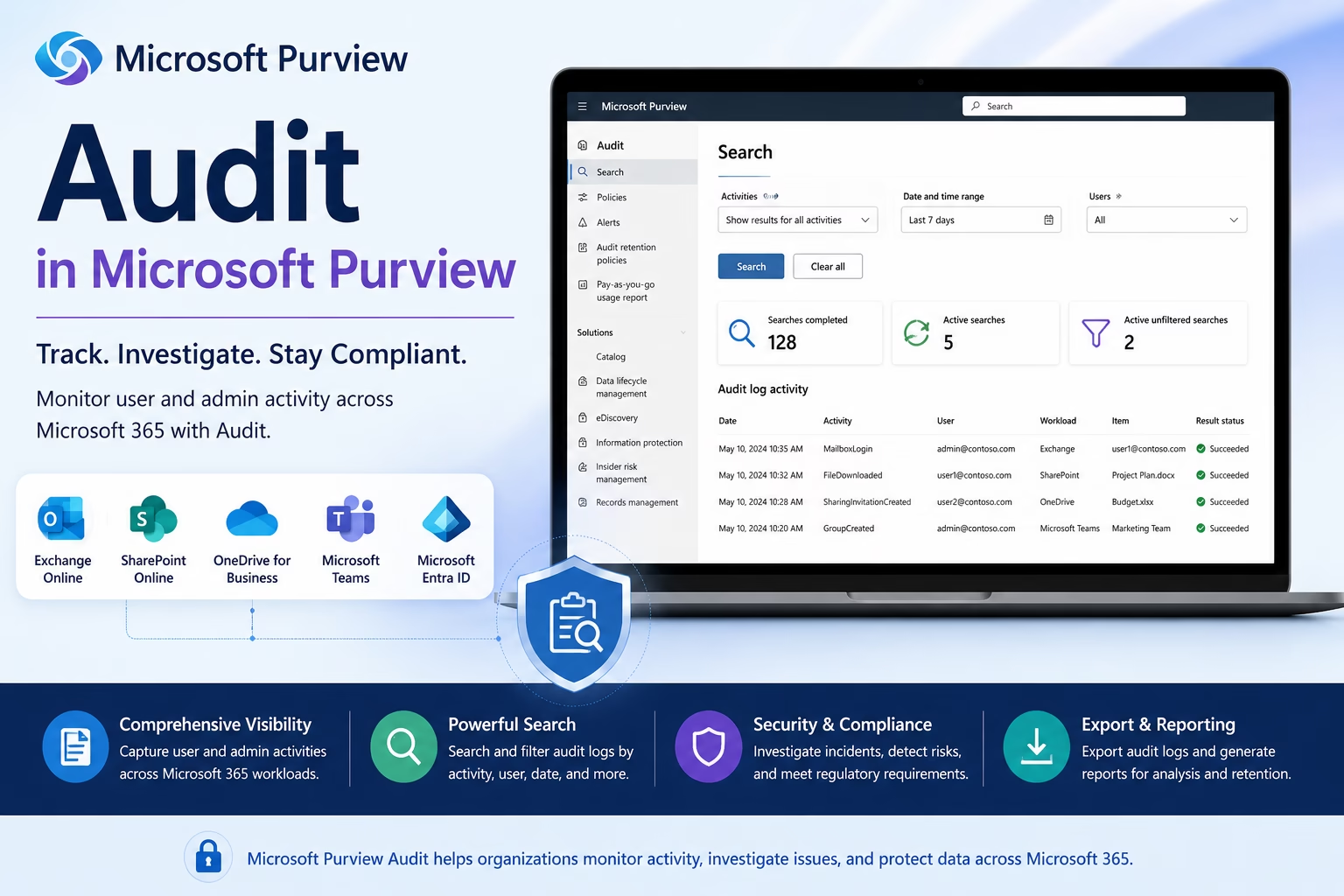
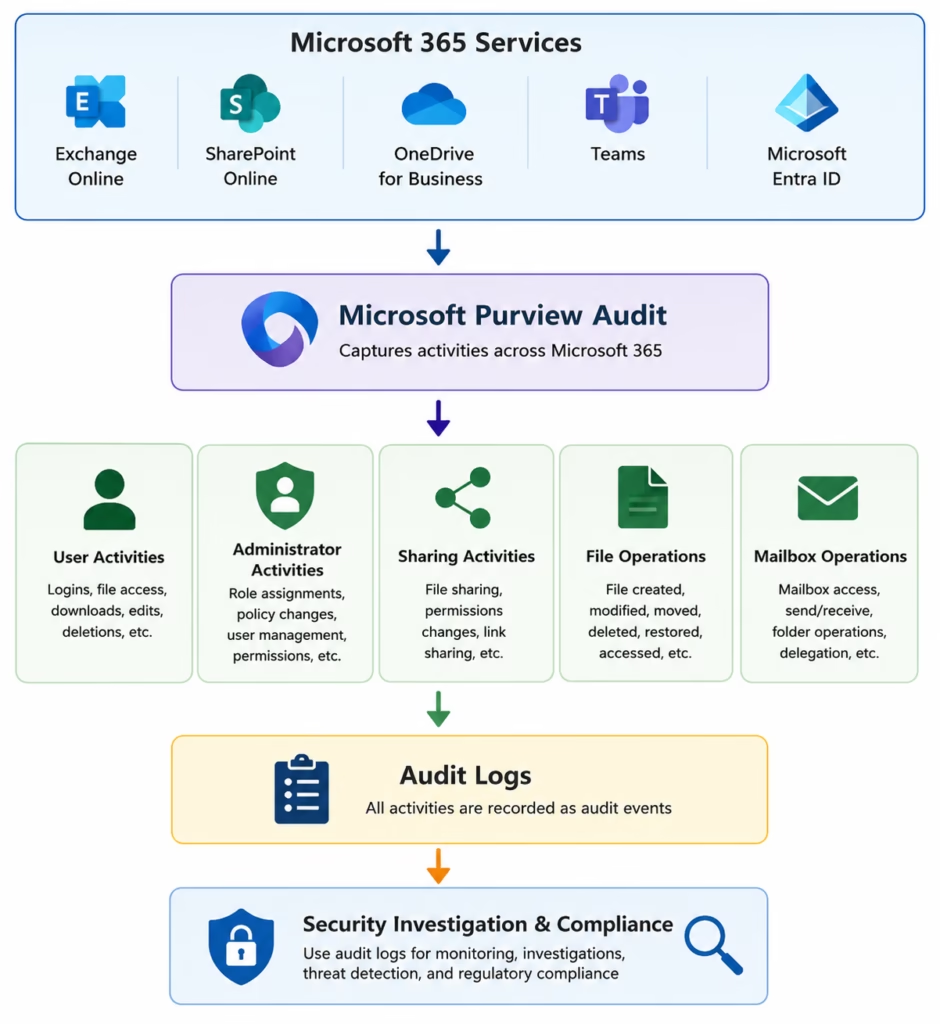
Microsoft Purview Audit helps organizations track and investigate user and administrator activities across Microsoft 365 services. Every action performed in Exchange Online, SharePoint Online, OneDrive, Microsoft Teams, and Microsoft Entra ID generates audit records that can be searched and analyzed for security, compliance, and forensic investigations.
For Microsoft 365 administrators preparing for the MS-102 exam, understanding Audit is essential because it provides visibility into who accessed, modified, shared, or deleted organizational data.
In this guide, you’ll learn:
- What is Microsoft Purview Audit
- Audit Standard vs Audit Premium
- Key audit activities
- How to search audit logs
- Step-by-step audit lab
- Best practices
- MS-102 exam tips
What is Microsoft Purview Audit?
Microsoft Purview Audit records activities performed by users, administrators, applications, and Microsoft 365 services.
Examples include:
- User sign-ins
- File access
- File deletion
- File sharing
- Mailbox access
- Permission changes
- Administrator actions
These records help organizations investigate incidents and demonstrate compliance.
Why Audit Logs Matter
Audit logs provide visibility into:
- Security incidents
- Insider threats
- Compliance investigations
- Data access tracking
- Administrative changes
- User activity monitoring
Without audit logs, organizations have limited ability to determine what happened during a security event.
Audit Standard vs Audit Premium
| Feature | Audit Standard | Audit Premium |
|---|---|---|
| Audit Search | Yes | Yes |
| Export Results | Yes | Yes |
| Long-Term Retention | No | Yes |
| Advanced Investigation | No | Yes |
| High-Value Events | Limited | Enhanced |
For most labs and MS-102 scenarios, the Audit Standard is sufficient.
Audit Architecture
Common Activities Captured
Microsoft Purview Audit can record:
- User Activities
- User login
- File access
- File download
- File modification
- Administrator Activities
- Role assignment
- Policy changes
- User creation
- Permission modifications
- Collaboration Activities
- File sharing
- Teams changes
- SharePoint permission updates
Step-by-Step Microsoft Purview Audit Lab
Step 1: Open Microsoft Purview
Navigate to:
Solutions → Audit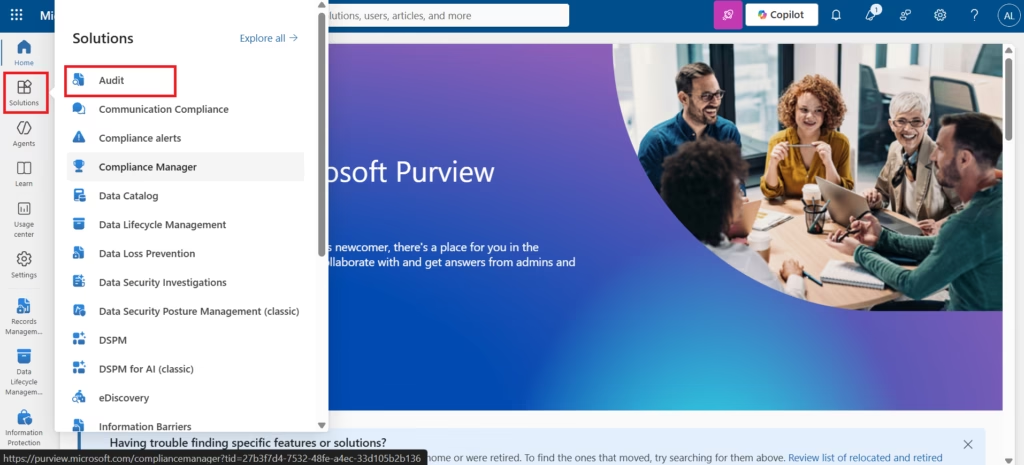
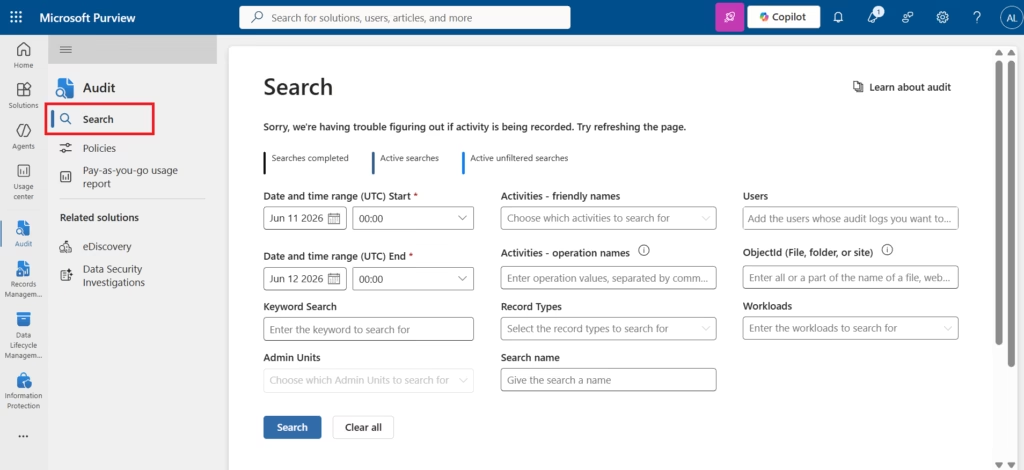
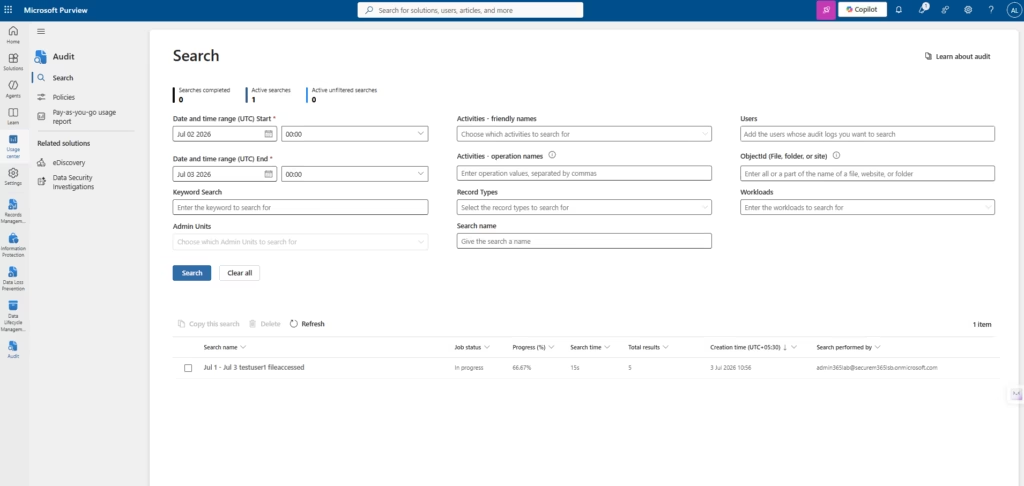
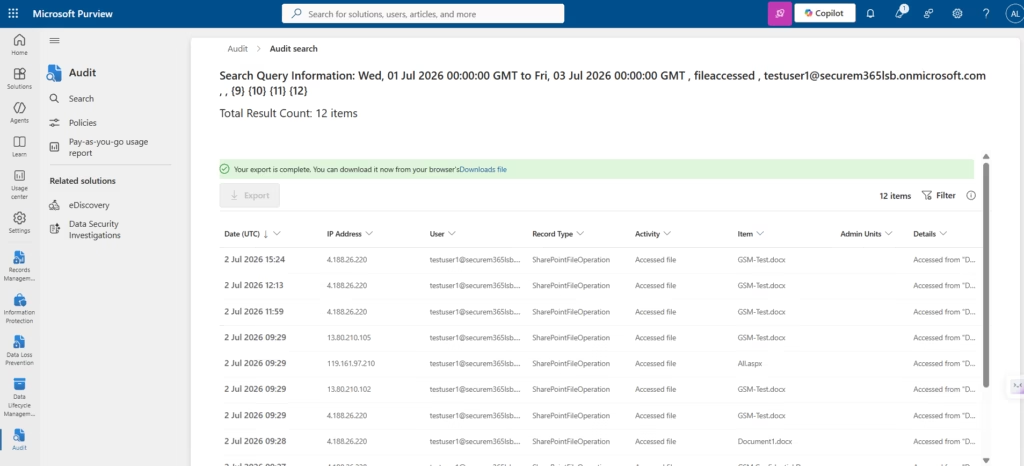
Step 2: Start an Audit Search
Select:
Search
Configure:
- Date Range
- Activities
- Users
Step 3: Search User Activities
Examples:
- File Accessed
- File Deleted
- User Logged In
- Mailbox Accessed
Run the search.
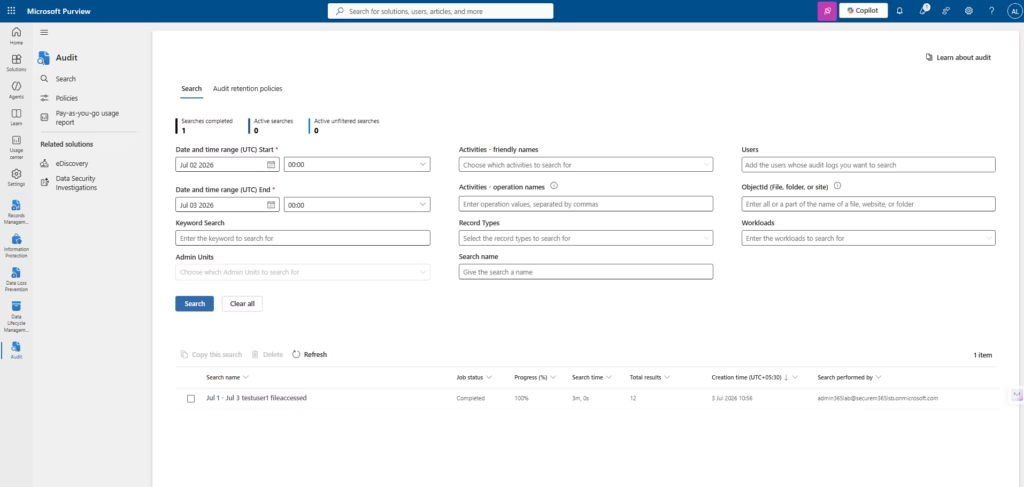
Step 4: Review Audit Results
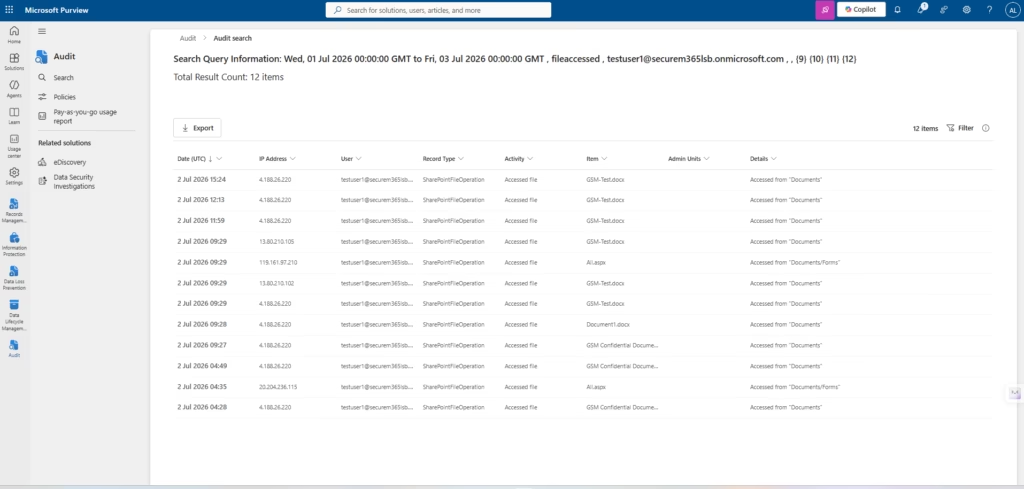
Review:
- Activity
- User
- Date and Time
- Workload
- IP Address
Verify that audit events are being collected successfully.
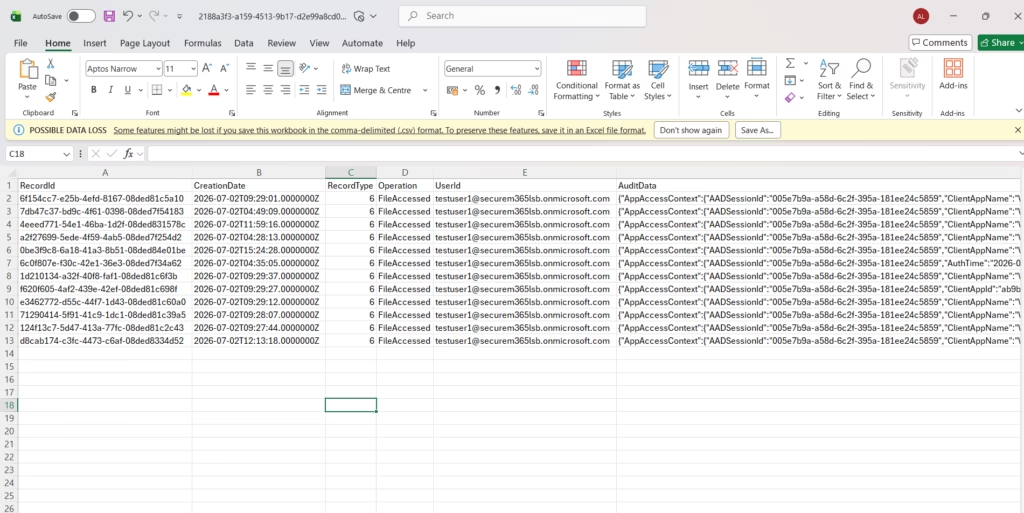
Step 5: Export Audit Logs
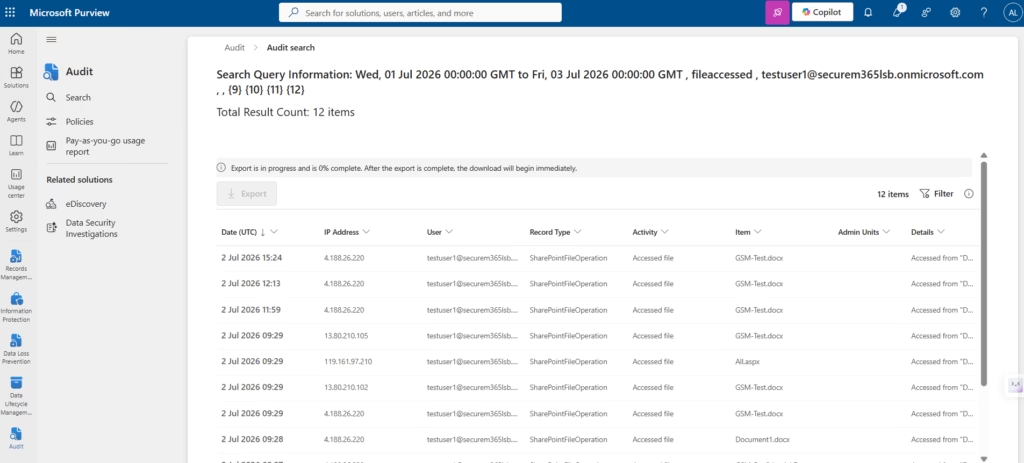
Select:
Export Results
Download the audit data for reporting and investigation purposes.
Step 6: Investigate an Event
Select a specific activity and review:
- User information
- Timestamp
- Operation performed
- Affected resource
This helps administrators perform security and compliance investigations.
Best Practices
- Enable Auditing Early
- Ensure auditing is enabled before incidents occur.
- Monitor Administrative Activities
- Review privileged account actions regularly.
- Investigate Unusual Access Patterns
- Look for unexpected downloads, deletions, or sharing events.
- Export Critical Logs
- Maintain audit evidence for compliance and investigations.
Common Administrator Mistakes
- Ignoring Audit Logs
- Audit data is valuable only when reviewed.
- Searching Broad Time Ranges
- Use targeted searches for faster results.
- Not Monitoring Administrator Accounts
- Privileged accounts should receive additional scrutiny.
MS-102 Exam Tip
Scenario:
A security team needs to determine who deleted a document from SharePoint Online.
Correct Answer:
Microsoft Purview AuditNot:
- Sensitivity Labels
- Retention Labels
- DLP Policies
- Conditional Access
Conclusion
Microsoft Purview Audit provides visibility into user and administrator activities across Microsoft 365 workloads. By leveraging audit logs, organizations can investigate incidents, support compliance requirements, and improve security monitoring. Understanding Audit is an essential skill for Microsoft 365 administrators and a key objective for the MS-102 certification exam.
Next in the Microsoft Purview Series
Ultimate eDiscovery (Standard) in Microsoft Purview: Content Search & Legal Investigation (MS-102 Guide)
After an audit, administrators typically need to search and collect content for investigations, which is exactly what eDiscovery does.
Previous Post:
Ultimate Records Management in Microsoft Purview: Record Labels & Compliance (MS-102 Guide)
https://techcertguide.blog/records-management-in-microsoft-purview
Start from the Beginning
MS-102 Microsoft 365 Administrator Overview
https://techcertguide.blog/ms-102-microsoft-365-administration
Official Microsoft Reference
https://learn.microsoft.com/en-us/credentials/certifications/exams/ms-102
3 thoughts on “Ultimate Microsoft Purview Audit: Monitor User and Administrator Activities (MS-102 Guide)”