Introduction
Authentication methods in Microsoft Entra ID determine how users verify their identity when signing in to Microsoft 365 services. These methods are critical for implementing strong identity protection, enabling multi-factor authentication (MFA), and supporting modern passwordless authentication.
For Microsoft 365 administrators and MS-102 certification candidates, understanding how authentication methods are configured is essential for building secure access policies and managing identity verification across the tenant.
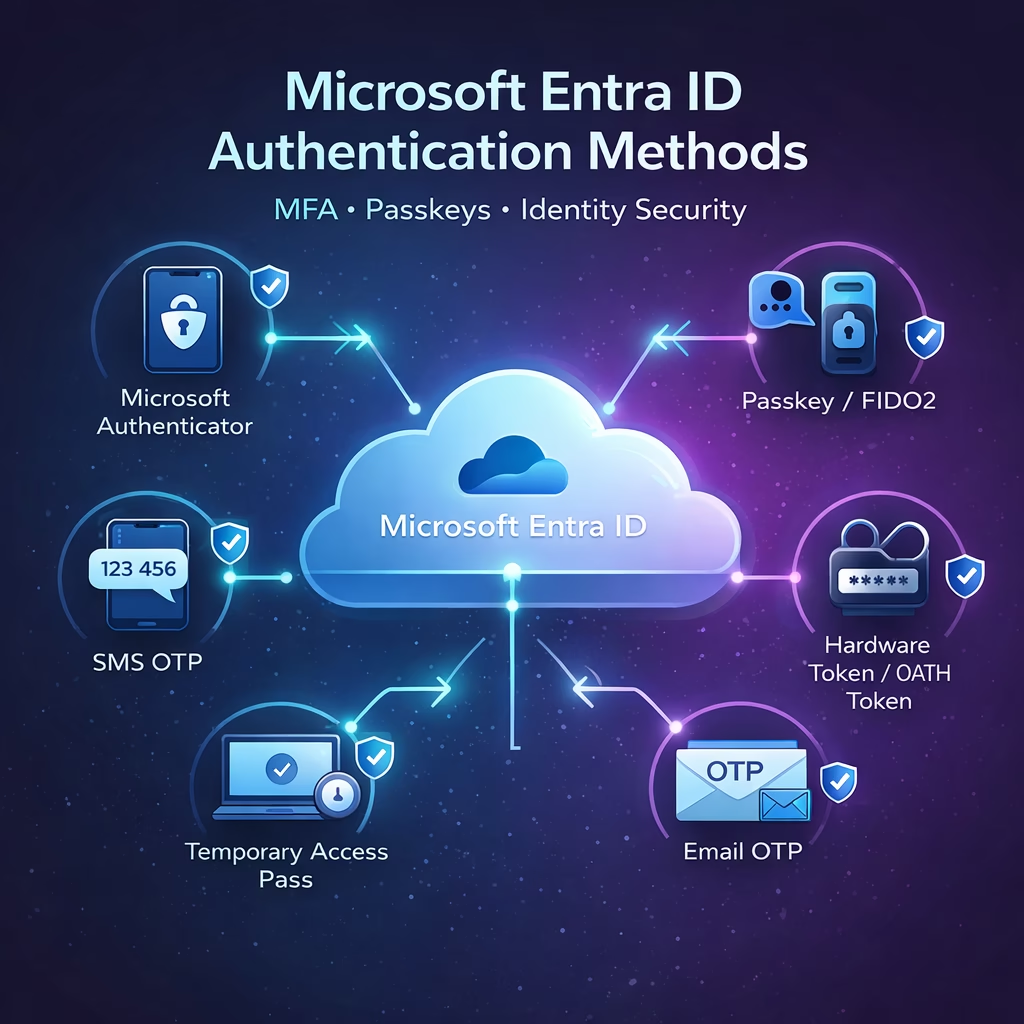
Microsoft Entra ID provides several built-in authentication methods, including:
- Microsoft Authenticator
- SMS verification
- Passkeys (FIDO2)
- Temporary Access Pass
- OATH tokens
- Voice call verification
- Email OTP
Administrators control which methods users can register and use through Authentication Method Policies.
Where to Configure Authentication Methods
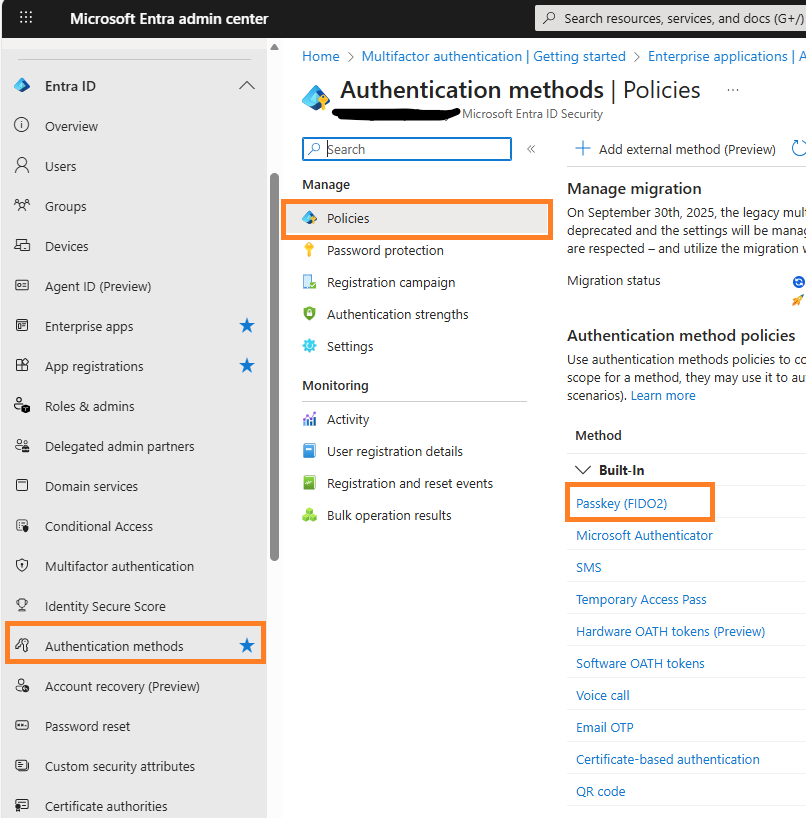
Authentication methods are managed in the Microsoft Entra Admin Center.
Navigation path:
Microsoft Entra Admin Center
→ Protection
→ Authentication methods
→ Policies
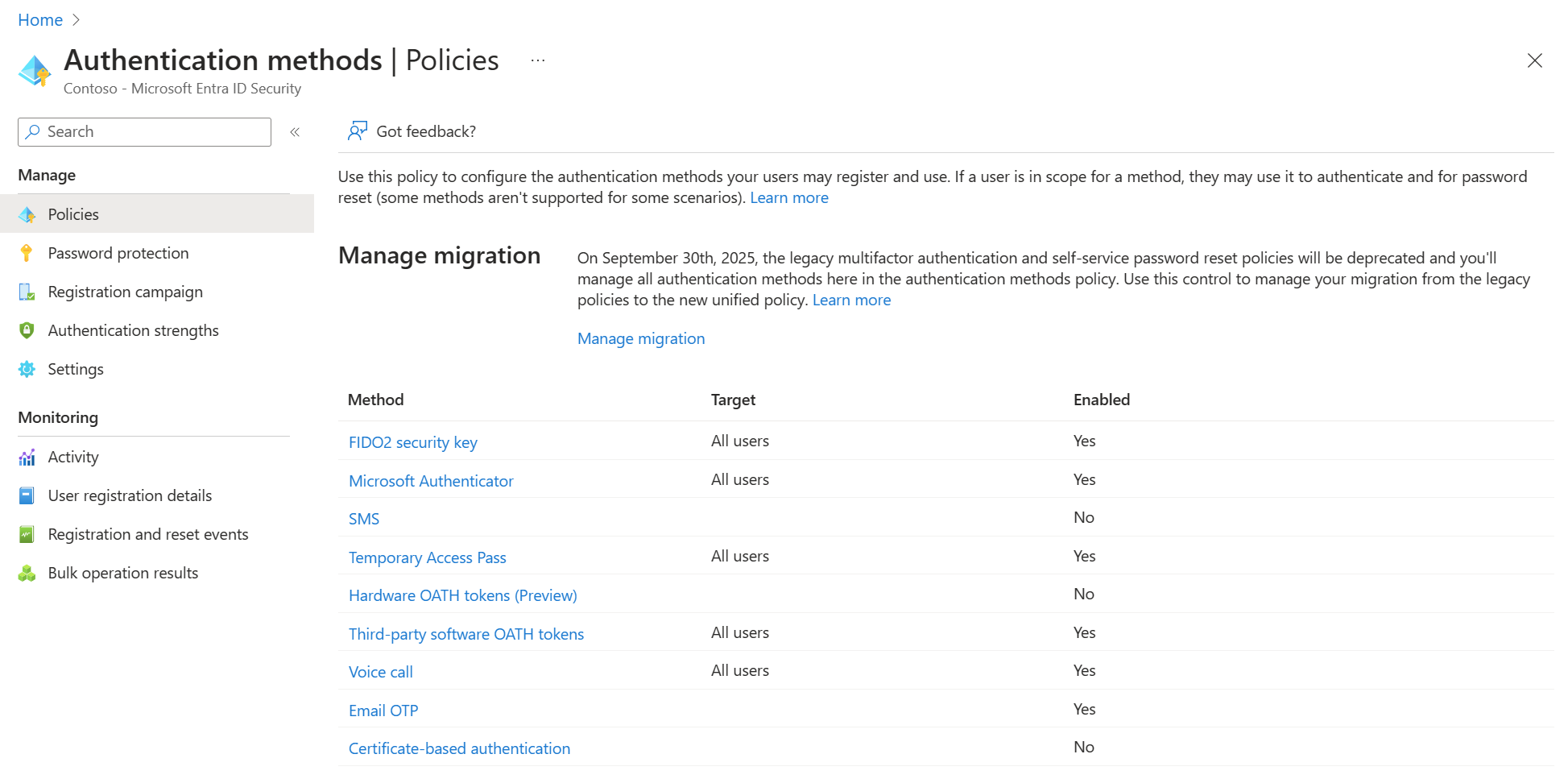
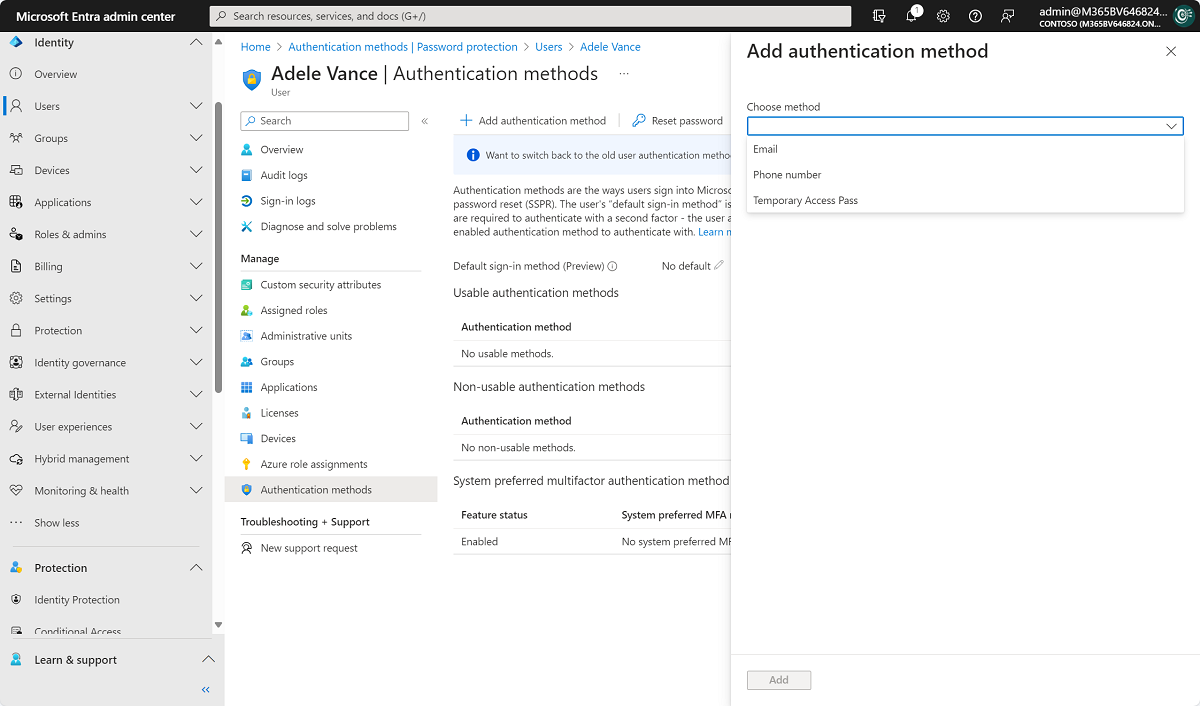
From this area, administrators can enable or disable specific authentication methods and control which users or groups are allowed to use them.

4
The policies page displays all available authentication methods and their current status.
Microsoft Authenticator Configuration
Microsoft Authenticator is one of the most secure and recommended authentication methods for Microsoft 365 environments. It supports push notifications, number matching, and passwordless authentication.
Administrators can enable Microsoft Authenticator for all users or restrict it to specific groups.


4
Key Configuration Options
Enable and Target
Administrators choose who can use the authentication method:
- All users
- Specific security groups
Authentication Mode
The Authenticator app can operate in different modes:
- Push notification approval
- Passwordless sign-in
- Code verification
Push approval is commonly used for multi-factor authentication.
SMS Authentication Configuration
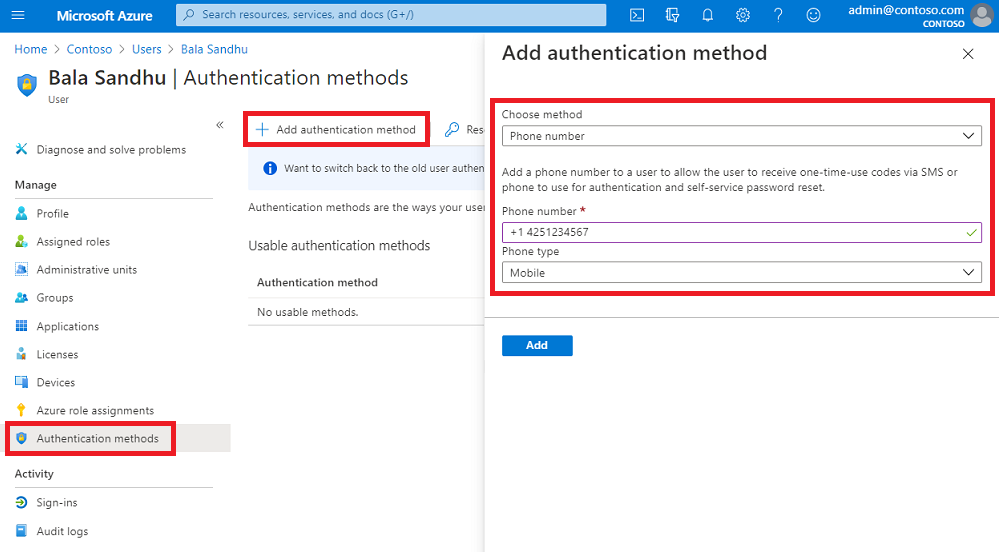
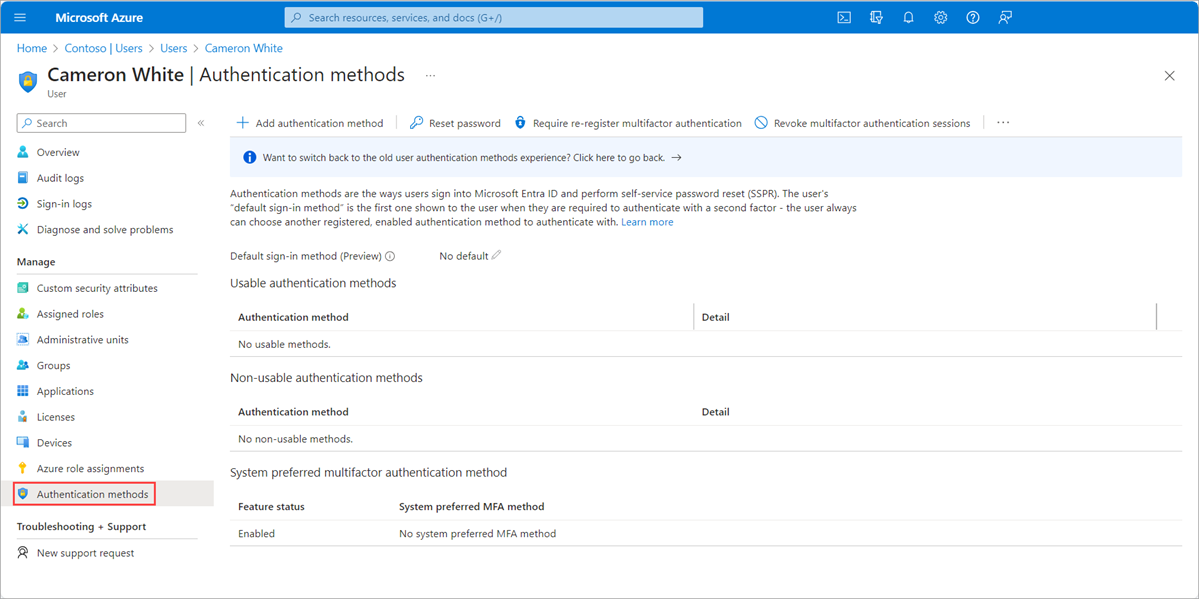
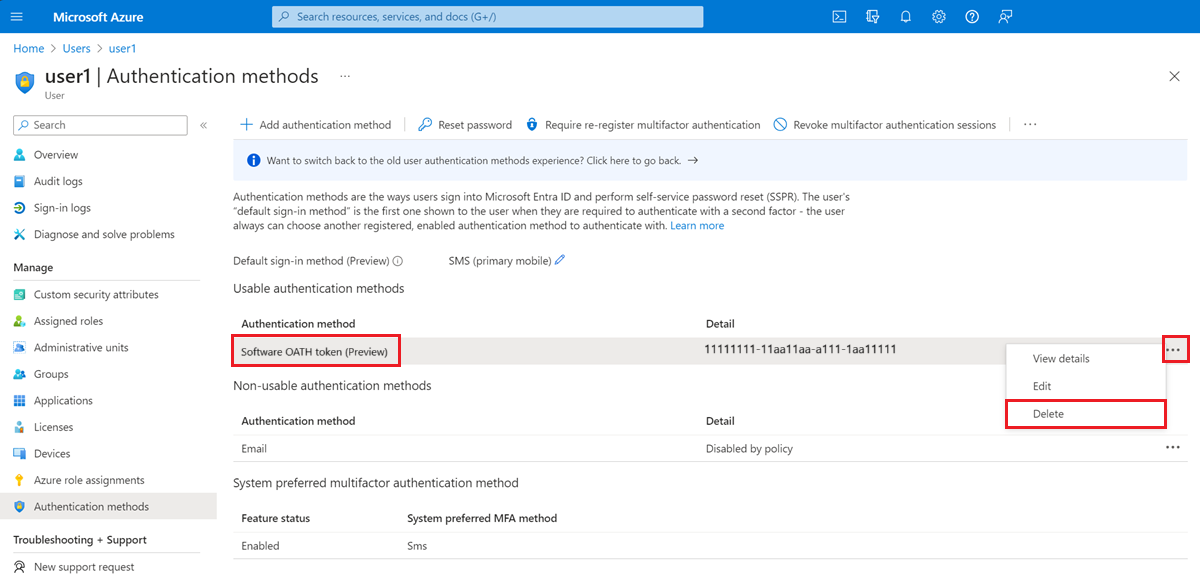
SMS authentication allows users to receive a one-time passcode (OTP) on their registered mobile phone.
This method can be used for:
- Multi-factor authentication
- Self-Service Password Reset
- Sign-in authentication in limited scenarios
However, Microsoft recommends using stronger authentication methods such as Microsoft Authenticator or passkeys for improved security.
4
Key Settings
Use for Sign-In
This option allows SMS codes to be used as a first authentication factor.
Target Users
Administrators can apply SMS authentication to:
- All users
- Selected groups
Although SMS is convenient, Microsoft recommends stronger authentication methods such as Microsoft Authenticator or passkeys for higher security.
Passkeys (FIDO2) Authentication
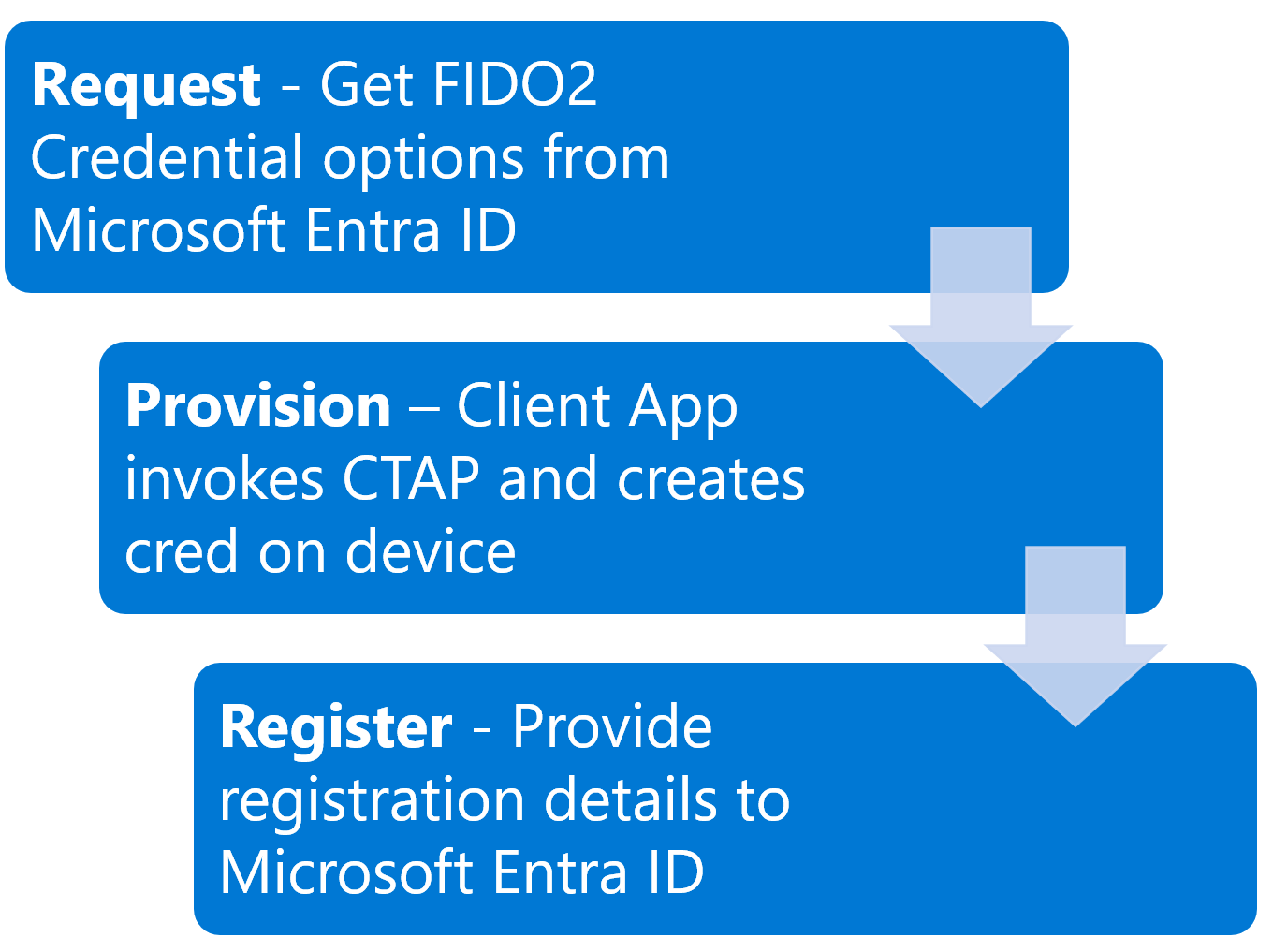
Passkeys provide phishing-resistant authentication based on modern cryptographic standards. They eliminate traditional passwords and support passwordless authentication.
4
Key Characteristics
Passkeys:
- Use hardware security keys or device-based credentials
- Provide phishing-resistant authentication
- Support passwordless sign-in
However, passkeys currently cannot be used in the Self-Service Password Reset workflow.
Registration Campaign for Authentication Methods
Before users can authenticate using MFA or passwordless methods, they must first register their authentication information.
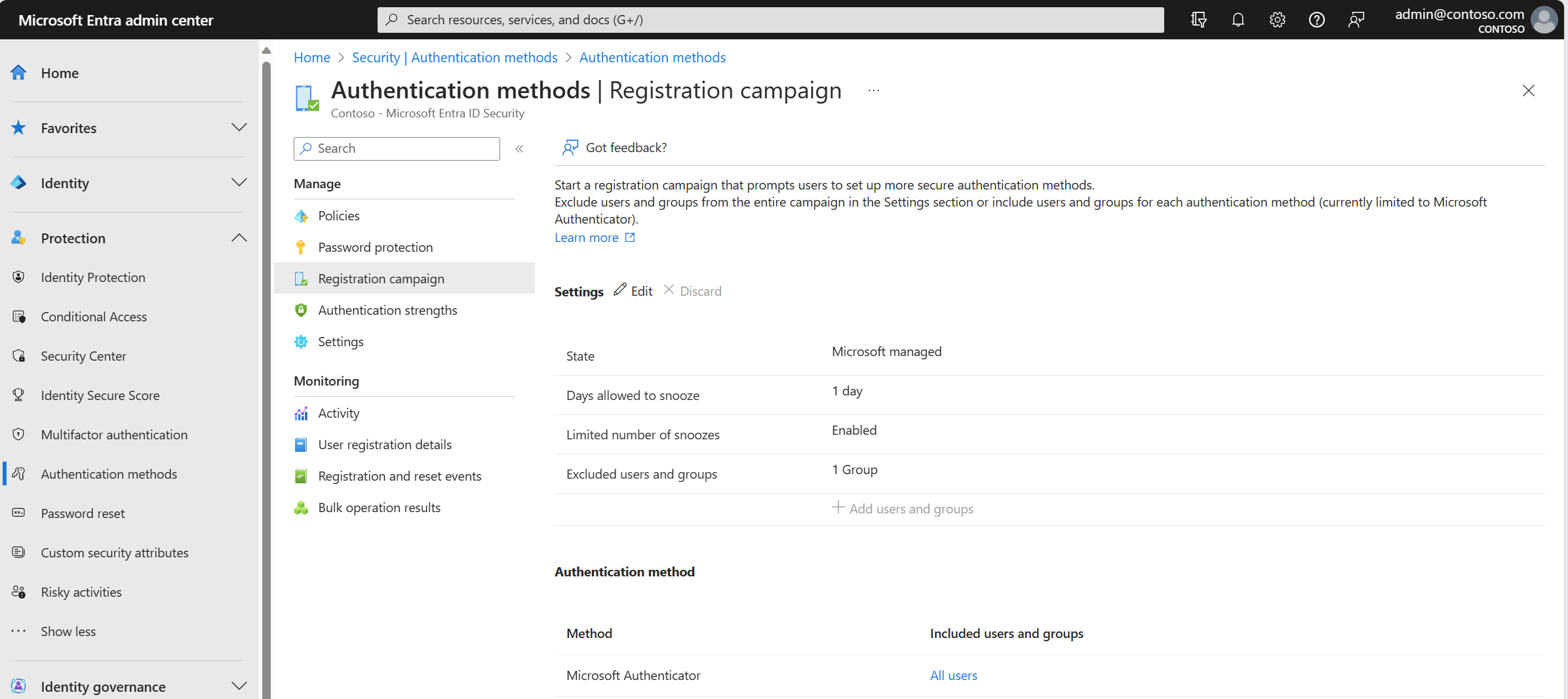
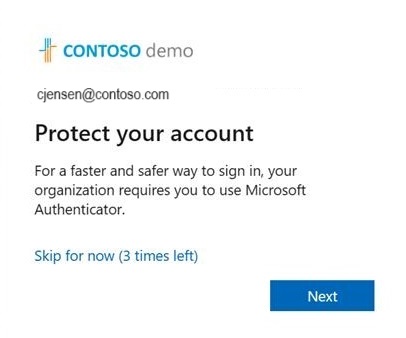
Microsoft Entra ID provides a registration campaign that prompts users to register security information during sign-in.

Registration Campaign Settings
Administrators can configure:
State
Enable or disable the registration campaign.
Days Allowed to Snooze
Users can postpone registration temporarily.
Excluded Users
Certain accounts such as break-glass admin accounts can be excluded.
Registration campaigns help organizations ensure that all users configure strong authentication methods.
Other Authentication Methods Available
Microsoft Entra ID supports several additional authentication methods that administrators can configure depending on organizational requirements.
Examples include:
Temporary Access Pass
A time-limited passcode used to help users onboard passwordless authentication.
Hardware OATH Tokens
Physical devices that generate one-time passcodes.
Software OATH Tokens
Applications that generate verification codes.
Voice Call Verification
Users receive a phone call and confirm the sign-in attempt.
Email OTP
Used primarily for guest access scenarios.
Best Practices for Authentication Method Policies
To build a secure identity architecture, administrators should follow several best practices.
Prioritize Strong Authentication Methods
Microsoft Authenticator and passkeys provide stronger security compared to SMS-based authentication.
Restrict Legacy Methods
If possible, limit weaker methods such as voice calls and SMS.
Enable Registration Campaigns
Prompting users to register authentication methods ensures users are prepared for MFA enforcement.
Exclude Emergency Admin Accounts
Break-glass accounts should remain excluded from authentication policies to avoid administrative lockout.
Monitor Registration Activity
Administrators can track authentication method registration from the monitoring dashboard.
Why Authentication Methods Matter for MS-102
Authentication methods play a central role in identity protection and access control.
For the MS-102 Microsoft 365 Administrator exam, you should understand:
- How authentication methods are configured
- Which methods are available
- How users register authentication methods
- The relationship between MFA, SSPR, and authentication policies
Many exam scenarios involve selecting appropriate authentication methods based on security requirements.
Final Insights
Authentication methods in Microsoft Entra ID form the foundation of modern identity security. By carefully configuring authentication policies, administrators can strengthen account protection while enabling flexible sign-in experiences.
As organizations move toward passwordless authentication, methods such as Microsoft Authenticator and passkeys are becoming increasingly important.
For Microsoft 365 administrators preparing for the MS-102 exam, mastering authentication method configuration is essential for managing secure and scalable identity environments.
If you’re new to this learning series, start with the main MS-102 Microsoft 365 Administrator overview, where we explain how all chapters connect and what skills you’ll build across the journey.
For the most accurate and up-to-date exam objectives and reference material, Microsoft maintains the official MS-102 documentation on Microsoft Learn. This series complements those resources by focusing on real-world administrative understanding.