Congratulations. You have now completed all core Microsoft Purview topics required for the MS-102: Microsoft 365 Administrator certification: Information Protection, Sensitivity Labels, Retention Policies, Records Management, DLP, eDiscovery, Audit, Compliance Manager, and Adaptive Scopes.
But Microsoft Purview is significantly larger than the MS-102 exam scope.
In this guide, you’ll explore the advanced Microsoft Purview solutions that enterprise organizations use every day, solutions that protect against insider threats, govern AI data, enforce communication compliance, and discover sensitive data across the entire organization. Understanding these solutions prepares you for advanced Microsoft certifications and real-world enterprise security roles.
What Is Advanced Microsoft Purview?
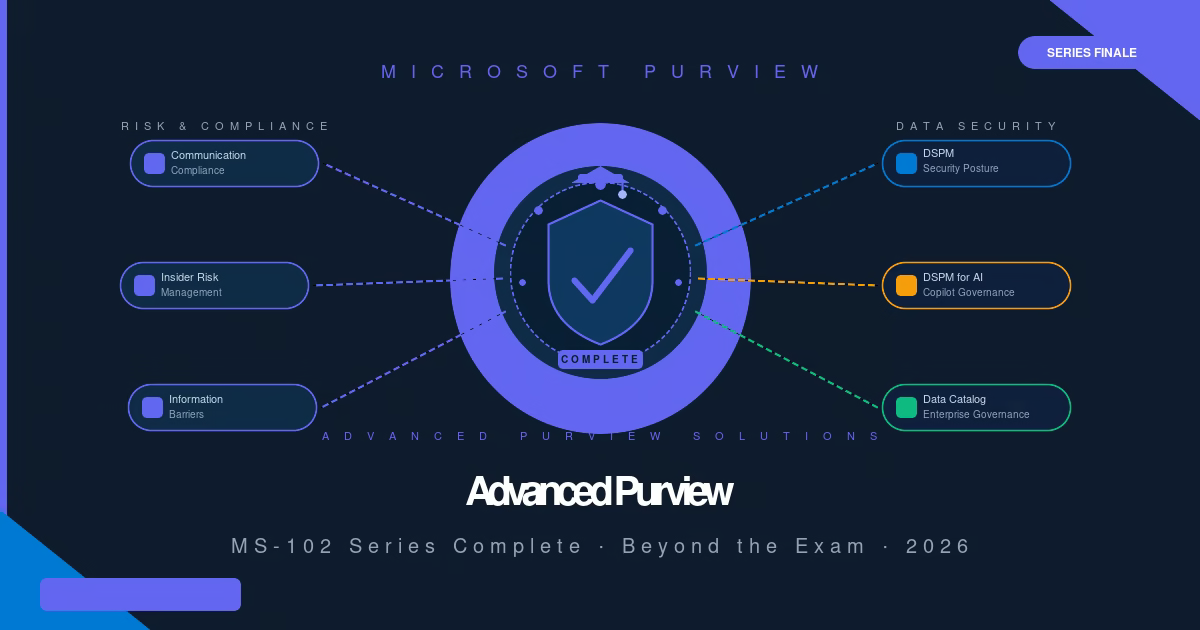
Microsoft Purview is Microsoft’s unified data governance and compliance platform. The MS-102 exam covers the foundational layer protecting, labeling, retaining, and discovering data within Microsoft 365. Advanced Microsoft Purview extends that foundation into three broader areas:
Risk and Compliance: detecting and responding to inappropriate communications, insider threats, and policy violations before they become legal or regulatory incidents.
Data Security Posture: understanding where sensitive data lives across your environment, what risks exist, and how to systematically reduce them, including data exposed to AI systems.
Data Governance: cataloging, classifying, and governing enterprise data across cloud platforms, databases, and SaaS applications beyond Microsoft 365.
These advanced Microsoft Purview solutions are primarily the domain of Security Architects, Compliance Officers, Legal and HR teams, and Data Governance leads, though Microsoft 365 Administrators increasingly work alongside them.
Advanced Microsoft Purview Solutions
1. Communication Compliance
What it does: Communication Compliance monitors internal and external communications emails, Microsoft Teams messages, and third-party platforms and automatically flags messages that violate organizational policies.
How it works: Administrators define policies that specify which communications to monitor, what conditions to flag (specific keywords, sentiment analysis, regulatory categories), and which reviewers investigate flagged items. Machine learning models built into Communication Compliance detect harassment, profanity, sensitive information disclosures, conflicts of interest, and regulatory violations without requiring reviewers to manually read all communications.
Typical use cases: Financial services organizations must demonstrate that brokers are not sharing material non-public information (MNPI) with clients. Communication Compliance monitors for regulatory language and escalates violations automatically. Healthcare organizations monitor for HIPAA-protected information appearing in informal Teams channels. HR departments detect harassment or workplace misconduct before formal complaints are filed. One of the most frequently deployed advanced Microsoft Purview solutions in regulated industries
Why organizations use it: Communication Compliance shifts compliance monitoring from reactive (investigating after a complaint) to proactive (detecting policy violations before they escalate). It also creates an auditable record of the compliance review process important for regulatory audits.
MS-102 relevance: Communication Compliance is not a core MS-102 exam objective, but awareness of it is valuable for any Microsoft 365 Administrator supporting HR, Legal, or Compliance teams.
2. Insider Risk Management
What it does: Insider Risk Management detects behaviors within your Microsoft 365 environment that indicate a user may be intentionally or unintentionally creating a data security risk.
How it works: The solution correlates activity signals from Microsoft 365 file downloads, USB copy operations, printing, sharing to external parties, and browsing activity against risk indicators. Risk indicators are triggered by events such as an employee submitting a resignation, receiving a performance improvement plan, or accessing data outside their normal pattern. When multiple risk signals combine, an alert is generated for the security team to review.
Common risk scenarios:
- A user who recently resigned begins bulk-downloading files from SharePoint to an external USB drive
- A contractor’s account accesses significantly more data than usual in the week before contract end
- An employee copies large volumes of data to a personal cloud storage location
Why organizations use it: Traditional DLP stops data from leaving. Insider Risk Management identifies the pattern of behavior that precedes a data exfiltration event, giving security teams the ability to investigate and intervene before data leaves the organization, or to build an evidence timeline for legal proceedings after the fact.
Certification note: Insider Risk Management is a primary topic in the SC-401: Microsoft Security Operations Analyst certification and is deeply relevant for enterprise security teams beyond MS-102.
3. Information Barriers
What it does: Information Barriers prevents specific groups of users from communicating with or discovering each other in Microsoft Teams, SharePoint, and OneDrive, enforcing segregation of duties at the platform level.
How it works: Administrators define segments (groups of users based on department, role, or other attributes) and then create barrier policies that specify which segments cannot communicate. Once applied, users in a restricted segment cannot search for, message, call, or collaborate with users in the other segment, even if they are in the same Teams tenant.
Real-world example: A financial services firm has an investment banking team and an equity research team. Securities regulations (like Chinese Wall requirements) prohibit these teams from sharing information that could influence trading decisions. Without Information Barriers, both teams exist in the same Microsoft 365 tenant and can freely message each other in Teams. With Information Barriers in place, the two segments are technically prevented from finding or contacting each other. The barrier is enforced by the platform, not reliant on individual discipline.
Other use cases: Law firms enforce barriers between teams representing opposing parties in litigation. Pharmaceutical companies separate clinical trial teams from commercial teams during regulatory review periods.
MS-102 relevance: Information Barriers awareness is useful but not examined in MS-102. It is relevant for SC-400 and enterprise compliance architecture roles.
4. Data Security Posture Management (DSPM)
What it does: DSPM is an advanced Microsoft Purview capability that gives organisations a continuous, AI-powered view of where sensitive data exists across their environment, what risks are associated with that data, and which actions would most effectively reduce those risks.
How it works: DSPM scans your Microsoft 365 environment and connected data sources, identifies sensitive data (using the same sensitive information types and trainable classifiers from your DLP and labeling policies), and then analyzes the security posture around that data. If a SharePoint site containing financial data is shared externally without justification, or if a large volume of credit card numbers is sitting in unprotected Exchange mailboxes, DSPM surfaces those findings as risk recommendations with prioritized remediation steps.
What makes it different from DLP: DLP prevents specific actions in real time. DSPM provides a macro-level view of your data risk landscape, identifying structural exposure problems (data that is too broadly accessible, too widely shared, or inadequately protected) before they result in a breach or policy violation.
AI-powered insights: DSPM integrates AI to continuously evaluate patterns across your data environment, identify anomalies, and surface recommendations that a manual audit would miss. This makes it particularly valuable in large enterprise environments where the volume of data makes manual risk assessment impractical.
5. Data Security Investigations
What it does: An advanced Microsoft Purview tool dedicated to investigating security incidents involving sensitive data, providing security teams with the ability to collect evidence, build timelines, and understand the full scope of a data security event.
How it works: When a potential data incident occurs, a suspected breach, a DLP policy violation at scale, or an insider risk alert that requires deeper investigation, security teams use Data Security Investigations to search across Microsoft 365 for related content, collect evidence into a case, analyse the timeline of events, and understand what data was accessed, copied, or exfiltrated.
How it complements DLP and Insider Risk Management: DLP policies detect and block individual policy violations in real time. Insider Risk Management identifies users with elevated risk patterns. Data Security Investigations is what happens after those signals fire. It is the forensic investigation layer that allows security teams to answer “what happened, when, and what data was involved?” in a structured, auditable way.
Why organizations use it: Regulatory frameworks like GDPR require organizations to investigate and document data breach incidents within specific timeframes. Data Security Investigations provides the tooling to conduct those investigations entirely within Microsoft Purview, with a defensible audit trail.
6. DSPM for AI
What it does: DSPM for AI is a modern, advanced Microsoft Purview capability. DSPM for AI extends Data Security Posture Management specifically to address the risks created by AI systems, such as Microsoft Copilot, third-party AI agents, and custom AI applications that can access, process, and expose sensitive data in ways that traditional security tools do not monitor.
The problem it solves: When a user asks Microsoft Copilot to summarise a document, write an email based on financial records, or analyze data from SharePoint, Copilot accesses whatever data the user has access to. If a user has overly broad permissions to HR data, financial records, or classified projects, they should not be working with Copilot, which will surface that data in its responses. DSPM for AI identifies these over-permissioned access patterns and the sensitive data that AI systems are interacting with.
Key capabilities:
- Visibility into what sensitive data AI systems are accessing through user prompts
- Detection of sensitive information appearing in AI-generated responses
- Risk recommendations for reducing AI data exposure
- Governance controls for what data AI agents can access
Why this matters: AI adoption is accelerating across enterprise environments. Without specific governance for AI data access, organizations risk sensitive data being surfaced, summarised, or transmitted through AI interactions in ways that bypass traditional DLP controls. DSPM for AI is Microsoft’s answer to AI data governance at enterprise scale.
This is a modern Microsoft Purview capability that continues to evolve rapidly alongside Microsoft Copilot and AI agent deployments.
7. Data Catalog
What it does: The Microsoft Purview Data Catalog is an enterprise-wide metadata management and data discovery service that helps organizations understand what data they have, where it lives, how it is classified, and who is responsible for it across cloud platforms, on-premises databases, SaaS applications, and Microsoft 365.
How it works: Data Catalog scans data sources (Azure SQL, AWS S3, Salesforce, SAP, on-premises file shares, and many more), automatically classifies discovered data using sensitivity and business classification labels, and presents the results in a searchable catalog. Data stewards add business context descriptions, owners, and glossary terms, turning raw technical metadata into business-understandable data assets.
Business Glossary: A key Data Catalog feature is the Business Glossary, which maps technical data terms to business definitions. “Customer_ID” in a database becomes “Customer, the unique identifier for a paying account holder” in the glossary, helping business analysts find and understand data without needing database expertise.
Who uses it: Data Catalog is primarily used by Data Governance teams, Data Stewards, Data Architects, and Business Analysts, not typically Microsoft 365 Administrators. Understanding the advanced Microsoft Purview Data Catalog is valuable for MS-102 professionals.
Comparison: Advanced Microsoft Purview Solutions at a Glance
| Solution | Primary Purpose | Typical Users | Business Scenario | Included in MS-102 |
|---|---|---|---|---|
| Communication Compliance | Monitor communications for policy violations | Compliance Officers, HR, Legal | Financial services regulatory monitoring | Awareness only |
| Insider Risk Management | Detect insider data exfiltration behavior | Security Operations, CISO | Employee resignation data theft prevention | No |
| Information Barriers | Prevent communication between defined groups | Compliance Architects, Legal | Investment bank Chinese Wall enforcement | No |
| DSPM | Discover and assess sensitive data risk posture | Security Architects, Compliance | Identifying over-shared sensitive data | No |
| Data Security Investigations | Forensic investigation of data security incidents | Security Operations | GDPR breach investigation and documentation | No |
| DSPM for AI | Govern sensitive data accessed by AI systems | Security Architects, AI Governance | Copilot data exposure risk management | No |
| Data Catalog | Enterprise data discovery and metadata governance | Data Governance Teams | Cross-platform data inventory and classification | No |
Certification Mapping: Which Exam Covers What?
| Solution | MS-102 | SC-400 | SC-401 | SC-200 | SC-100 |
|---|---|---|---|---|---|
| Information Protection & Sensitivity Labels | ✅ Core | ✅ Deep | — | — | — |
| Data Loss Prevention | ✅ Core | ✅ Deep | ✅ | — | — |
| Retention & Records Management | ✅ Core | ✅ Deep | — | — | — |
| eDiscovery & Audit | ✅ Core | ✅ Deep | — | — | — |
| Compliance Manager | ✅ Core | — | — | — | — |
| Communication Compliance | Awareness | ✅ Core | — | — | — |
| Insider Risk Management | — | ✅ Core | ✅ Core | ✅ | — |
| Information Barriers | — | ✅ Core | — | — | — |
| DSPM | — | — | ✅ | ✅ | ✅ |
| Data Security Investigations | — | — | ✅ | ✅ | — |
| DSPM for AI | — | — | ✅ | — | ✅ |
| Security Architecture | — | — | — | — | ✅ Core |
Which Microsoft Purview Solutions Should You Learn Next?
The advanced Microsoft Purview solutions in this guide each map to a specific certification. Here is the recommended learning path to advance into enterprise security and compliance roles:
1. SC-400: Information Security Administrator: This is the most natural next step after MS-102. SC-400 goes significantly deeper into the same Microsoft Purview tools you have already studied: Information Protection, DLP, Retention, Communication Compliance, and Information Barriers, but at an enterprise architecture level. If your role involves compliance configuration and governance, pursue SC-400 next.
2. SC-401: Microsoft Security Operations Analyst: SC-401 covers the operational security side of Microsoft Purview: Insider Risk Management, Data Security Investigations, and DSPM. If your role involves security incident response, threat detection, or working alongside a Security Operations Center (SOC), SC-401 is the right next certification.
3. SC-200: Microsoft Security Operations Analysis: SC-200 focuses on Microsoft Sentinel, Microsoft Defender XDR, and threat detection at the platform level. It complements Purview-focused certifications by covering the broader Microsoft Security ecosystem. Relevant if you are moving into a Security Operations role.
4. SC-100: Microsoft Cybersecurity Architect: SC-100 is the senior architecture certification, covering Zero Trust design, security operations architecture, and enterprise security strategy. Pursue SC-100 after building hands-on experience with SC-400 or SC-401.
Microsoft Purview Learning Roadmap
✅ Core Microsoft 365 Administrator Skills: Completed (MS-102)
- Information Protection and Sensitivity Labels
- Automatic Labelling
- Data Loss Prevention
- Retention Policies and Retention Labels
- Records Management
- Audit
- eDiscovery (Content Search and Cases)
- Compliance Manager
- Adaptive Scopes
🔵 Advanced Microsoft Purview: Next Steps
- Communication Compliance (SC-400)
- Insider Risk Management (SC-401)
- Information Barriers (SC-400)
- Data Security Posture Management (SC-401, SC-200)
- Data Security Investigations (SC-401)
- DSPM for AI (SC-401, SC-100)
- Data Catalog (Data Governance specialization)
Best Practices for Microsoft Purview Administrators
Start with data classification before enabling advanced features. Communication Compliance, Insider Risk Management, and DSPM all rely on accurate sensitive information type definitions and trainable classifiers. If your foundational data classification is incomplete, advanced features will produce noisy, low-quality alerts. Invest in classification accuracy first.
Involve Legal, HR, and Compliance teams early. Advanced Microsoft Purview solutions, particularly Communication Compliance and Insider Risk Management, involve monitoring employee behavior and communications. These solutions require careful legal review, documented policies, and HR involvement before deployment. Enabling Insider Risk Management without organizational policy backing creates legal and ethical exposure.
Plan your privacy architecture. Insider Risk Management and Communication Compliance surfaces individual user activity. Most enterprise deployments use a tiered reviewer model where initial reviewers see anonymized data, and only escalate de-anonymized cases to senior reviewers when there is clear evidence of policy violation. Understand privacy controls before deploying.
Document everything. Advanced compliance solutions are most valuable when their configuration is documented, reviewed regularly, and auditable. Policy rationale, reviewer assignments, escalation paths, and review decisions should all be documented within the solution or in your compliance evidence repository.
Treat DSPM for AI as a deployment prerequisite for Copilot. Before broadly enabling Microsoft Copilot for Microsoft 365, run a DSPM for AI assessment to understand what sensitive data exists with over-broad permissions. Copilot will surface data that users can access, which may include data they should not have access to. Clean up permissions before AI amplifies the exposure.
Common Administrator Mistakes
Deploying Insider Risk Management without HR sign-off. Insider Risk Management monitors individual employee behavior. Enabling it without a documented organizational policy, legal review, and HR awareness creates compliance and employment law risks in many jurisdictions. Always obtain formal sign-off before enabling.
Using Communication Compliance without defining review workflows. Flagged communications must be reviewed by designated reviewers within defined timeframes. Organizations that enable Communication Compliance without a staffed review process end up with an unreviewed backlog that provides no compliance benefit and creates an audit liability.
Overcoming Information Barriers in M&A scenarios. During mergers and acquisitions, two organizations are combined into a single Microsoft 365 tenant. Without Information Barriers, staff from both organizations can immediately communicate and share data, which may violate regulatory requirements or breach confidentiality agreements. Information Barriers should be part of every M&A integration checklist.
Assuming DSPM replaces DLP. DSPM provides posture visibility. DLP enforces real-time controls. Both are necessary. DSPM identifies structural risks; DLP prevents specific actions. Treating them as alternatives rather than complements leaves gaps in your data security architecture.
Skipping the Data Catalog for enterprise governance. Organizations that build sophisticated Microsoft Purview compliance programs within Microsoft 365 but never catalog their broader data estate create a blind spot. Sensitive data in legacy file servers, Azure databases, and third-party SaaS applications remains ungoverned. Data Catalog addresses that gap.
Microsoft Certification Tips
MS-102 exam tip: The advanced Microsoft Purview solutions in this guide are out of scope for MS-102. The MS-102 exam tests your ability to configure and troubleshoot Microsoft Purview within Microsoft 365, not to design enterprise compliance architectures. Focus on the portal, the policy structure, and the administrative workflows rather than advanced solution design.
Moving to SC-400: Two advanced Microsoft Purview solutions, Communication Compliance and Information Barriers. SC-400 tests deeper configuration knowledge of the same Purview tools, plus Communication Compliance and Information Barriers. If you have hands-on lab experience from your MS-102 study, SC-400 builds directly on that the portal and policy concepts are familiar, the depth and complexity increase.
SC-401 vs SC-200: SC-401 focuses on Purview-specific security operations (Insider Risk, Data Investigations, DSPM). SC-200 covers the broader Microsoft Security platform, including Microsoft Sentinel and Defender XDR. They are complementary, not overlapping. If you are a compliance-focused administrator, pursue SC-401. If you are a security operations analyst, SC-200 is more relevant.
Use Microsoft Learn for all certifications. Every Microsoft certification has a free, official learning path on Microsoft Learn (learn.microsoft.com). The SC-400, SC-401, SC-200, and SC-100 learning paths are comprehensive, regularly updated to reflect product changes, and directly aligned to exam objectives. Make them your primary study resource before investing in third-party courses.
FAQ
Q: Do I need SC-400 to work with advanced Microsoft Purview solutions?
A: No, you can configure advanced Microsoft Purview solutions with the Compliance Administrator role regardless of certification. SC-400 validates your knowledge for career purposes and demonstrates expertise to employers, but it is not a prerequisite for accessing or managing the solutions.
Q: Is DSPM for AI only relevant if my organization has deployed Microsoft Copilot?
A: DSPM for AI is most immediately relevant for organizations using Microsoft Copilot for Microsoft 365 or deploying AI agents. However, it is also valuable as a proactive measure, running a DSPM for AI assessment before AI deployment, to identify permission and classification issues that are better addressed before AI amplifies access to sensitive data.
Q: Can a small organization use advanced Microsoft Purview solutions?
A: Most advanced Microsoft Purview solutions require Microsoft 365 E5 licenses or Microsoft 365 E5 Compliance add-ons. For small organizations on E3 licenses, access to Communication Compliance, Insider Risk Management, and DSPM requires license upgrades. The cost-benefit analysis depends on the organization’s regulatory obligations and risk profile.
Q: What is the difference between eDiscovery (which I studied for MS-102) and Data Security Investigations?
A: eDiscovery is the legal process of identifying, collecting, and preserving content in response to litigation or legal holds. Data Security Investigations is an operational security tool for investigating security incidents involving data. They share some technical capabilities (content search, case management), but serve different stakeholders. Legal teams use eDiscovery, and security teams use Data Security Investigations.
Q: After completing MS-102, how long should I wait before pursuing SC-400?
A: There is no mandatory waiting period, but most candidates benefit from 3–6 months of hands-on Microsoft Purview administration experience before sitting SC-400. The deeper configuration knowledge tested in SC-400 is best understood through real-world practice, not just study. Use your MS-102 lab environment to experiment with Communication Compliance and Information Barriers as you prepare.
Key Takeaways
- MS-102 covers the foundational Microsoft Purview layer: Information Protection, Sensitivity Labels, Retention, DLP, and eDiscovery.
- Advanced Purview solutions like Insider Risk Management, Communication Compliance, and DSPM extend beyond MS-102 into SC-400 and SC-401.
- Most advanced solutions require Microsoft 365 E5 or E5 Compliance licensing.
- This is the final Purview topic in the MS-102 series — exam preparation and interview practice are next.
Conclusion
You have now completed the Microsoft Purview section of the MS-102: Microsoft 365 Administrator certification series. From Sensitivity Labels through to Compliance Manager, you have built a comprehensive foundation in enterprise data protection, information governance, and compliance within Microsoft 365.
Advanced Microsoft Purview Communication Compliance, Insider Risk Management, Information Barriers, DSPM, Data Security Investigations, DSPM for AI, and Data Catalog extend that foundation into the full breadth of what enterprise security and compliance programs require. These are the tools that protect organizations from internal threats, govern AI data risks, and maintain regulatory compliance at scale.
The Microsoft certification path from MS-102 continues through SC-400, SC-401, SC-200, and SC-100, each building on the knowledge and hands-on experience you have developed in this series. Whatever direction your career takes next, the Microsoft Purview skills you have built are directly applicable and increasingly in demand across enterprise environments worldwide.
Related Posts in the MS-102 Purview Series
- Microsoft Purview DLP Policies: MS-102 Lab Guide (2026)
- Microsoft Purview Compliance Manager: MS-102 Lab Guide (2026)
- Microsoft Purview Adaptive Scopes: MS-102 Lab Guide (2026)
- Microsoft Purview eDiscovery: MS-102 Lab Guide (2026)
- Microsoft Purview Sensitivity Labels: MS-102 Lab Guide (2026)
Official Microsoft Reference: Microsoft Purview documentation, Microsoft Learn