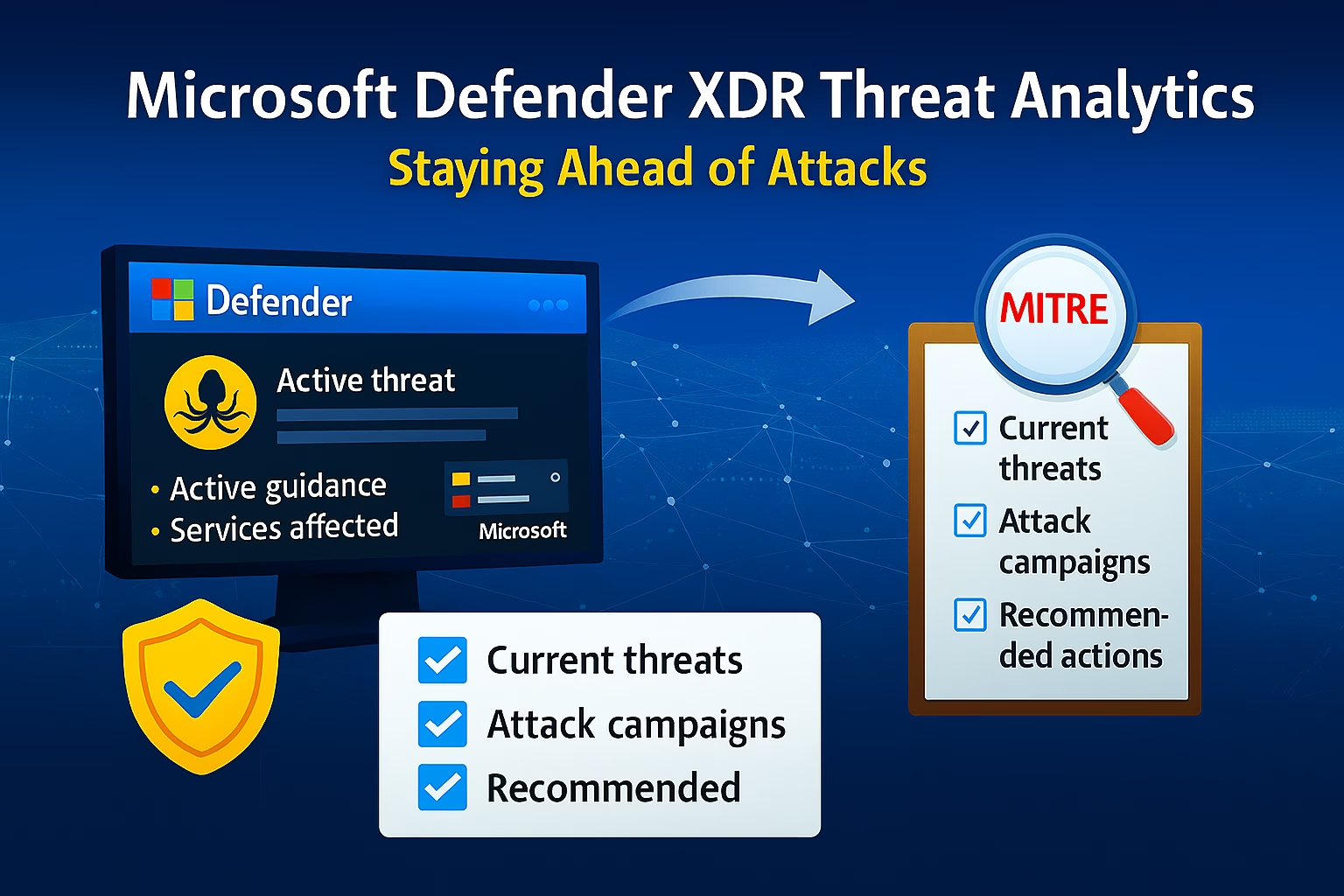
After improving your security posture with Microsoft Secure Score, the next responsibility of a Microsoft 365 administrator is understanding what threats are actively targeting organizations today.
Security is not static. Attack techniques evolve constantly, and controls that were effective last year may no longer be sufficient. Microsoft Defender XDR addresses this challenge by continuously monitoring global attack trends and surfacing them to administrators through Threat Analytics in Microsoft Defender XDR.
For the MS‑102 Microsoft 365 Administrator exam, Threat Analytics in Microsoft Defender XDR is not about performing threat hunting like a SOC analyst. It is about understanding:
- Where Microsoft provides threat intelligence
- How to interpret active attack campaigns
- How threat insights influence security decisions
- Why administrators must stay informed, not just configured
This post explains what Threat Analytics is, how it fits into Defender XDR, and how administrators should use it to prioritize and adapt security controls.
Learning Objectives
After completing this guide, you will be able to:
- Explain the purpose of Threat Analytics in Microsoft Defender XDR.
- Differentiate Threat Analytics from Secure Score.
- Identify how to open and interpret a Threat Analytics report.
- Describe how administrators use Threat Analytics to support security decisions.
What Is Threat Analytics in Microsoft Defender XDR?
Threat Analytics in Microsoft Defender XDR is a threat intelligence experience inside Microsoft Defender XDR that provides visibility into:
- Active attacker campaigns
- Common attack techniques
- Exploited vulnerabilities
- Targeted identities and services
- Recommended defensive actions
It bridges the gap between global threat intelligence and local tenant security posture.
Rather than showing raw data, Threat Analytics presents curated insights based on signals Microsoft collects across its global cloud, customer telemetry, and security research teams.
Why Microsoft Provides Threat Analytics in Microsoft Defender XDR
Traditional security models react after an alert fires. Threat Analytics shifts this model forward by answering a more proactive question:
What attack techniques are actively being used right now—and am I prepared for them?
Microsoft uses Threat Analytics to:
- Inform administrators of emerging threats
- Highlight gaps before exploitation
- Reinforce why certain security recommendations exist
- Reduce blind spots in security planning
This supports Domain 3’s core theme: anticipation, not just reaction.
Where Threat Analytics Fits in Defender XDR
Threat Analytics in Microsoft Defender XDR sits alongside Secure Score and Incidents, not inside them.
- Secure Score → Measures security posture
- Threat Analytics → Explains real attack activity
- Defender XDR Incidents → Handles confirmed threats
Together, they form a complete security loop:
Posture → Awareness → Detection → Response
This relationship is often tested indirectly in MS‑102 scenarios.
Threat Analytics vs Secure Score (Important Distinction)
| Secure Score | Threat Analytics |
|---|---|
| Configuration‑focused | Intelligence‑focused |
| Measures enabled controls | Explains active threats |
| Improvement recommendations | Attack campaign details |
| Preventive posture | Context and prioritization |
Secure Score tells you what to improve.
Threat Analytics explains why it matters now.
Understanding a Threat Analytics in Microsoft Defender XDR Report
Each Threat Analytics entry typically includes:
🔹 Threat Overview
- Description of the attack campaign
- Targeted industries or regions
- Attacker behavior and objectives
🔹 Attack Techniques
- Methods used by attackers
- Often mapped to MITRE ATT&CK techniques
- Examples: credential theft, phishing, privilege escalation
🔹 Impacted Services
- Microsoft 365 workloads affected
- Identity, email, endpoint, or cloud apps
🔹 Mitigation Guidance
- Microsoft‑recommended controls
- Policy and configuration guidance
- Reference to Secure Score actions
This format allows admins to move from awareness to action quickly.
🔄 Threat Intelligence Lifecycle
Admin Responsibilities When Reviewing Threat Analytics in Microsoft Defender XDR
Threat Analytics in Microsoft Defender XDR is not a passive dashboard.
Administrators are expected to:
- Review active threats regularly
- Understand how attacks work
- Identify whether tenant controls mitigate those techniques
- Adjust priorities accordingly
This does not mean reacting to every report, but it does mean:
- Recognizing trends
- Aligning priorities with real‑world risk
- Avoiding outdated assumptions
MS‑102 evaluates this mindset more than execution.
Threat Analytics and Identity Attacks
Many modern attacks focus on identity rather than malware.
Threat Analytics in Microsoft Defender XDR frequently highlights:
- Token theft
- MFA fatigue attacks
- OAuth consent abuse
- Legacy protocol exploitation
This reinforces why:
- Strong authentication
- Conditional Access
- Passwordless strategies
…are foundational security controls, not optional features.
Using Threat Analytics to Support Security Decisions
When Secure Score recommends enabling or expanding a control, Threat Analytics in Microsoft Defender XDR often provides the justification.
Example logic:
- Threat Analytics highlights active phishing campaigns
- Secure Score recommends improving anti‑phishing coverage
- Administrator prioritizes that action
This connection between guidance and intelligence is intentional and exam‑relevant.
Light Exploration: Reviewing Threat Analytics (Read‑Only)
Objective
Familiarize yourself with Threat Analytics and understand how threat intelligence is presented. No configuration or mitigation actions are performed in this step.
🧪 Step 1: Open Threat Analytics in Microsoft Defender XDR
- Go to the Microsoft Defender portal
- Navigate to:
Threat analytics
- Review the list of active threats
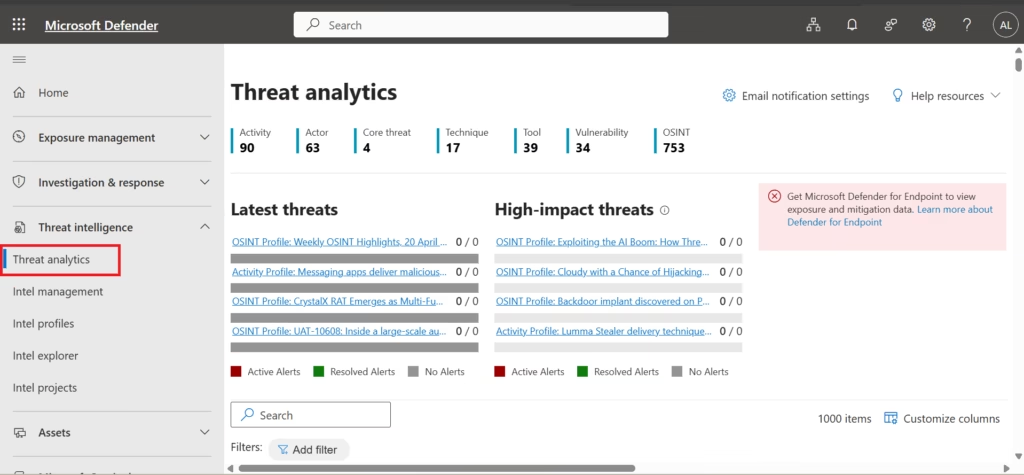
✅ This confirms where Microsoft surfaces threat intelligence.
🧪 Step 2: Open a Threat Report
Select any active or recent threat entry.
Review:
- Threat description
- Attack techniques
- Impacted services
- Mitigation recommendations
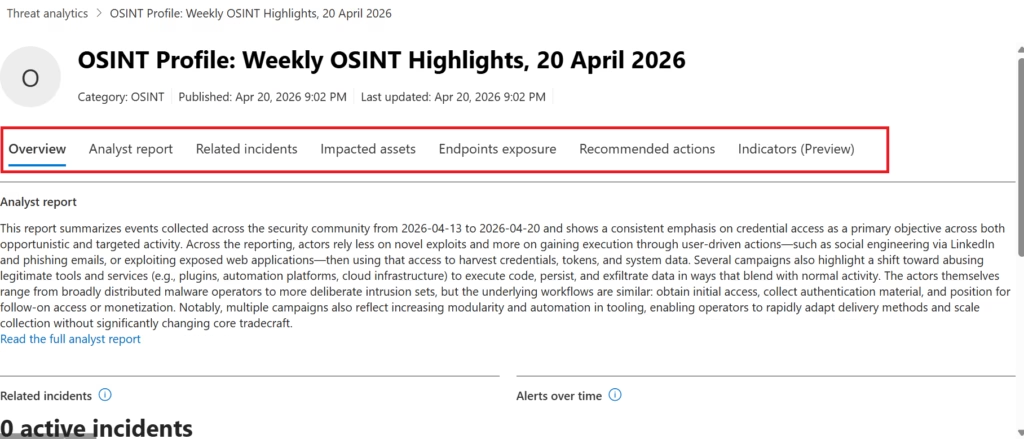
Do not apply any changes at this stage.
🧪 Step 3: Correlate With Existing Controls
As you review the threat:
- Identify which Microsoft 365 controls address it
- Note references to Secure Score improvements
- Observe how threat intelligence supports posture management
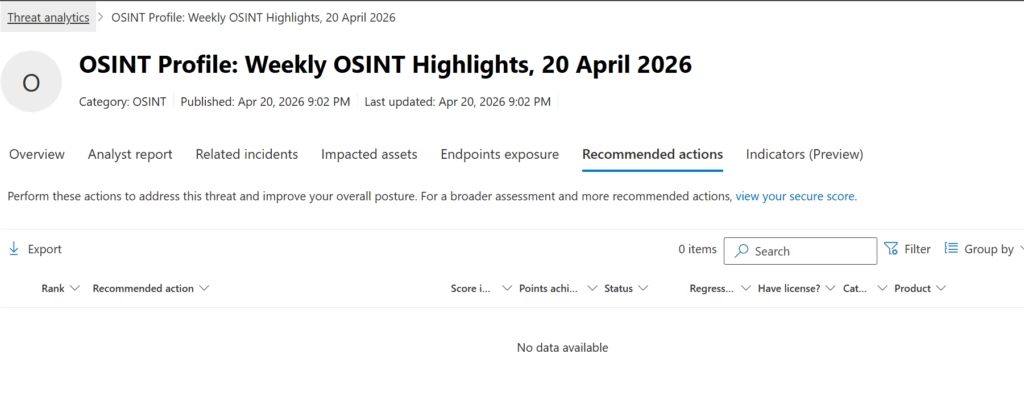
- In Step 3, the Recommended actions section is reviewed.
- For this OSINT Profile, no tenant‑specific recommended actions are listed.
- This is expected behavior and indicates that the threat is informational
- and does not currently require configuration changes in this tenant.
- Threat Analytics is used to raise awareness and guide prioritization,
- not to force remediation for every reported threat.
This reinforces security‑first reasoning.
Why This Is a Read‑Only Activity
Threat Analytics is designed to:
- Inform planning
- Influence prioritization
- Shape security awareness
It does not immediately trigger incidents nor require changes. Configuration actions come later in Defender for Office 365 and extended protection posts.
This separation is deliberate and exam‑aligned.
Common Misconceptions About Threat Analytics
❌ Threat Analytics shows tenant‑specific attacks
❌ It replaces incident investigation
❌ It requires SOC‑level expertise
❌ Every report must trigger action
✅ Threat Analytics provides global intelligence
✅ It informs—not replaces—decision‑making
✅ It supports administrators, not analysts
MS‑102 Exam Focus (Important)
MS‑102 may test:
- Where to find threat intelligence
- How Microsoft communicates attack trends
- Why threat awareness matters
- How Threat Analytics supports Secure Score and Defender policies
Expect scenario‑based questions rather than technical configuration tasks.
Key Takeaways
- Threat Analytics provides visibility into current attack campaigns
- It complements Secure Score and Defender XDR incidents
- Administrators use it to prioritize controls—not react blindly
- Awareness reduces reaction time and improves posture
- MS‑102 evaluates understanding, not threat hunting skills
What Comes Next in Domain 3
With posture improved and threats understood, the next step is protecting the most common attack vector in Microsoft 365.
➡️ Next Post:
Anti‑Phishing Policies in Microsoft Defender for Office 365 (MS‑102 Lab Guide)
http://techcertguide.blog/anti-phishing-policies-in-microsoft-defender
Previous Topic
If you haven’t read it yet: Microsoft Secure Score Explained
Start from the Beginning
MS-102 Microsoft 365 Administrator Overview
https://techcertguide.blog/ms-102-microsoft-365-administration
Official Microsoft Reference
https://learn.microsoft.com/en-us/certifications/exams/ms-102
4 thoughts on “Threat Analytics in Microsoft Defender XDR: Staying Ahead of Attacks (MS‑102)”