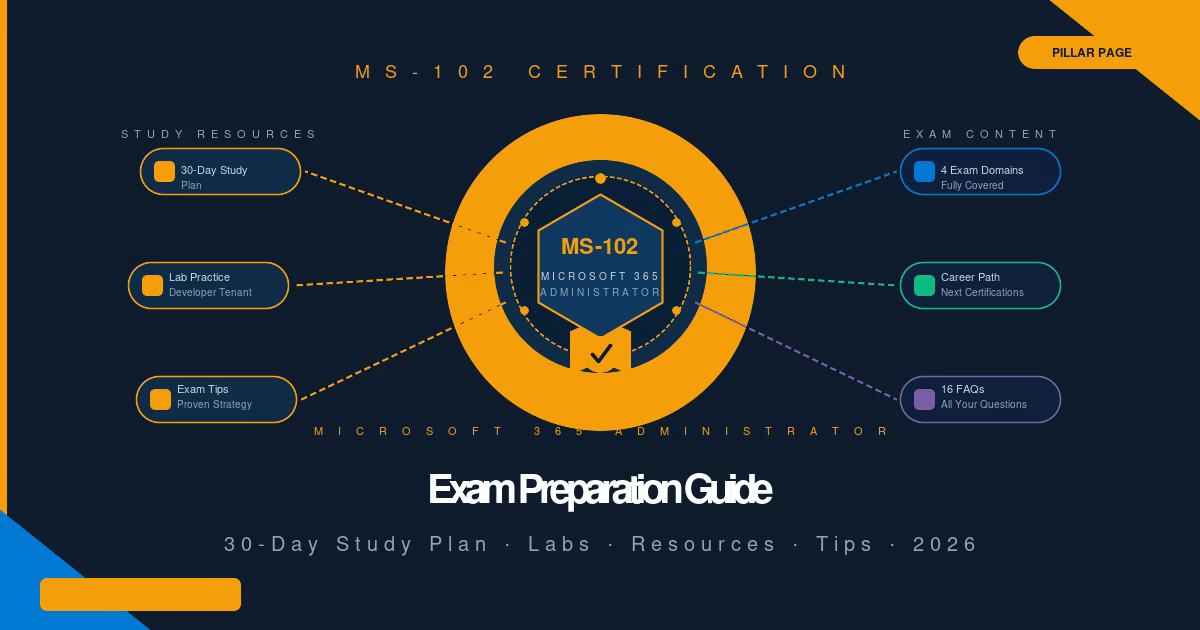
There is no shortcut to passing MS-102, but there is a proven path. This MS-102 exam preparation guide gives you the complete 30-day study plan, the lab practice list, the exam strategy, and links to every lab guide in the TechCertGuide MS-102 series. Everything you need, in one place.
What Is the MS-102 Certification? Your MS-102 Exam Preparation Starts Here
The MS-102: Microsoft 365 Administrator certification validates your ability to deploy, configure, manage, and secure a Microsoft 365 environment. It is Microsoft’s core certification for professionals who administer Microsoft 365 tenants in real enterprise environments. MS-102 exam preparation requires both theoretical study and hands-on lab practice — this guide covers both.
Passing MS-102 demonstrates that you can manage Microsoft 365 identities, configure Exchange Online, Teams, and SharePoint, protect the environment using Microsoft Defender, and implement compliance controls through Microsoft Purview. These are the skills that Microsoft 365 administrators use every day in production environments.
Who Should Take MS-102?
MS-102 is designed for IT professionals who actively work with Microsoft 365 in their current role, or who are transitioning into a Microsoft 365 administration career. The ideal candidate has:
- 6–12 months of hands-on Microsoft 365 experience (or structured lab practice)
- Familiarity with Microsoft Entra ID (formerly Azure Active Directory) and user management
- Basic understanding of Exchange Online, Teams, and SharePoint
- Some exposure to Microsoft 365 security or compliance features
MS-102 is not an entry-level exam. If you are completely new to Microsoft 365, consider building foundational knowledge through Microsoft 365 Fundamentals (MS-900) before pursuing MS-102.
Career Benefits
Earning the MS-102 certification demonstrates verified expertise in Microsoft 365 administration — one of the most widely deployed platforms in enterprise IT. Certified administrators typically qualify for roles including:
- Microsoft 365 Administrator
- Microsoft 365 Engineer
- Cloud Administrator (Microsoft)
- IT Systems Administrator (M365 focus)
- Identity and Access Management Engineer
In competitive job markets, MS-102 is increasingly listed as a required or preferred qualification for mid-to-senior Microsoft 365 roles, and it is the gateway certification for more advanced Microsoft security and compliance specialisations.
MS-102 Skills Measured — The Four Exam Domains
Understanding the four exam domains is the first step in structured MS-102 exam preparation. Each domain has a different weighting — knowing this helps you focus your study time where the exam rewards it most.
| Domain | Weighting | Key Topics | Difficulty | TechCertGuide Guide |
|---|---|---|---|---|
| 1. Deploy and manage a Microsoft 365 tenant | 25–30% | Tenant configuration, users, groups, licences, domains, Microsoft 365 Apps, health monitoring | Medium | MS-102 Tenant Administration Guide |
| 2. Implement and manage identity and access in Microsoft Entra ID | 25–30% | Entra ID, Conditional Access, MFA, roles, privileged identity management, hybrid identity | High | MS-102 Identity & Entra ID Guide |
| 3. Manage security and threats using Microsoft Defender XDR | 30–35% | Defender for Office 365, Defender for Endpoint, Defender for Identity, Secure Score, threat investigation | High | MS-102 Microsoft Defender Guide |
| 4. Manage compliance using Microsoft Purview | 10–15% | Information Protection, Sensitivity Labels, Retention, DLP (incl. Endpoint DLP) | Medium-High | MS-102 Microsoft Purview Guide |
Combined weighting of Domains 2 and 3: 50–60%. Identity and security together are the heaviest part of the exam. Do not underinvest in these two areas.
30-Day MS-102 Exam Preparation Study Plan
This MS-102 exam preparation plan assumes approximately 1.5–2 hours of study per day. Adjust the timeline to 45 or 60 days if you have less daily study time — the structure remains the same, just spread across more days.
Week 1 — Microsoft 365 Tenant, Identity, and User Management
Day 1–2: Microsoft 365 Tenant Fundamentals
- Understand Microsoft 365 tenants: what a tenant is, how domains attach, how licences are assigned
- Study the Microsoft 365 admin centre layout — know where everything lives
- Learn how to add and verify custom domains
Day 3–4: Users and Groups
- Create, modify, and delete user accounts
- Understand the difference between security groups, distribution groups, Microsoft 365 Groups, and dynamic groups
- Learn group-based licensing and why it is used in enterprise environments
Day 5–6: Licensing
- Understand Microsoft 365 licence tiers: Business Basic, Business Premium, E3, E5
- Know which features are gated behind E5 vs E3 (particularly for security and compliance)
- Practice assigning licences via admin centre and via group-based licensing
Day 7: Domains and DNS
- Understand MX, CNAME, TXT record types and what each does in the Microsoft 365 context
- Know how SPF, DKIM, and DMARC work and why they matter for email authentication
- Review Microsoft 365 Apps management and update channel options
Week 2 — Exchange Online, Teams, SharePoint, and OneDrive
Day 8–9: Exchange Online
- Understand mailbox types: user, shared, resource, room
- Configure mail flow rules (transport rules), connectors, and anti-spam policies
- Know how Defender for Office 365 integrates with Exchange — anti-phishing, Safe Links, Safe Attachments
Day 10–11: Microsoft Teams Administration
- Understand Teams governance: policies, channels, guest access, external access
- Know the difference between Teams policies, Meeting policies, and Messaging policies
- Understand how Teams integrates with Exchange Online, SharePoint, and OneDrive
Day 12–13: SharePoint Online and OneDrive
- Understand SharePoint site types: Team sites vs Communication sites
- Know sharing settings, external sharing levels, and sensitivity label integration
- Understand OneDrive for Business — per-user storage, sharing controls, sync client policies
Day 14: Microsoft 365 Apps and Services
- Understand Microsoft 365 Apps for enterprise deployment (update channels, click-to-run)
- Know Microsoft 365 health monitoring — Service Health dashboard, message centre
- Review Microsoft Intune basics: device enrolment, compliance policies, device types
Week 3 — Microsoft Entra ID, Security, and Microsoft Defender XDR
Day 15–16: Microsoft Entra ID — Identity Management
- Understand Entra ID concepts: users, groups, roles, service principals, managed identities
- Know built-in admin roles and which permissions each grants (Global Admin, User Admin, Security Admin, etc.)
- Understand Privileged Identity Management (PIM): just-in-time access, role activation, approval workflows
Day 17–18: Conditional Access and MFA
- This is one of the highest-tested areas on the exam — invest full days here
- Understand Conditional Access policy structure: assignments (users, cloud apps, conditions) and access controls (grant, session)
- Know common Conditional Access scenarios: require MFA, block legacy authentication, require compliant device, restrict by location
- Understand Microsoft Entra MFA: registration, methods, SSPR, and authentication strengths
Day 19–20: Microsoft Defender XDR — Threat Protection
- Understand the Microsoft Defender XDR portal: incidents, hunting, secure score, threat analytics
- Know Defender for Office 365 protection layers: Anti-malware, Anti-phishing, Safe Links, Safe Attachments, Attack Simulator
- Understand Defender for Endpoint: onboarding, device compliance, endpoint detection and response (EDR)
- Know Defender for Identity: monitoring on-premises Active Directory, lateral movement alerts
Day 21: Microsoft Secure Score and Threat Investigation
- Understand Microsoft Secure Score: what it measures, how to improve it, difference from Compliance Manager score
- Learn the Incident investigation workflow in Microsoft Defender XDR
- Review Attack Simulation Training and why it is used for phishing awareness
Week 4 — Microsoft Purview Compliance
Day 22–23: Information Protection and Sensitivity Labels
- Understand sensitivity label creation: classification levels, protection actions (encryption, marking, access control)
- Know the difference between sensitivity labels, retention labels, and DLP policies
- Understand auto-labelling: client-based vs service-based, simulation mode, trainable classifiers
Day 24: Data Loss Prevention
- Understand DLP policy structure: locations, rules, conditions, actions, notifications
- Know DLP policy tips (end-user notifications) and how to configure them
- Understand the difference between Simulation mode and Enforce mode in DLP
- Know how to read DLP reports and the Alerts dashboard
Day 25: Retention Policies, Retention Labels, and Records Management
- Understand the difference between a retention policy and a retention label
- Know retention label behaviours: retain, delete, retain then delete, record declaration
- Understand Records Management: file plan, event-based retention, disposition review
Day 26: Audit and eDiscovery
- Understand Microsoft Purview Audit: Standard vs Premium, audit log search, retention of audit data
- Know eDiscovery content search: search conditions, keyword queries, location selection
- Understand eDiscovery Cases: creating cases, adding members, applying holds, exporting results
Day 27: Compliance Manager and Adaptive Scopes
- Understand Compliance Manager: compliance score, assessments, improvement actions, Microsoft managed controls
- Know the difference between your improvement actions and Microsoft managed points
- Understand Adaptive Scopes: dynamic user queries, scope types (Users, SharePoint, M365 Groups), 3-day population delay
Day 28: Full Review — Purview and Identity
- Review all Purview policies in your lab tenant
- Revisit Conditional Access scenarios from Week 3
- Read through your notes from Week 3 and 4
Final Revision (Days 29–30)
Day 29: Practice Questions and Weak Areas
- Complete one full Microsoft Learn practice assessment
- Identify your three weakest topics based on incorrect answers
- Spend Day 29 reviewing only those weak topics in depth
Day 30: Light Review and Exam Readiness
- Do not cram new material on Day 30
- Review your key notes, flashcards, and scenario tables
- Confirm your exam booking, test environment, and ID requirements
- Rest — you have done the work
Practical Labs You Must Complete for MS-102 Exam Preparation
Hands-on lab practice is the most important part of MS-102 exam preparation. The exam is scenario-based — questions describe a problem and ask which administrative action resolves it. Without hands-on experience, scenario-based questions are significantly harder to answer confidently.
Set Up Your Practice Environment
Microsoft 365 Developer Tenant (free): Sign up for the Microsoft 365 Developer Program at developer.microsoft.com/microsoft-365. This gives you a free Microsoft 365 E5 tenant with 25 user licences — the best lab environment for MS-102 preparation. All premium security and compliance features are included at no cost.
Labs to Complete by Topic
Microsoft Entra ID
- Create users, assign roles, and configure MFA registration policies
- Build a Conditional Access policy requiring MFA for all cloud apps
- Configure a Conditional Access policy blocking legacy authentication protocols
- Enable and configure Privileged Identity Management for a Global Admin role
Exchange Online
- Create shared mailboxes and resource mailboxes
- Configure mail flow rules to block external forwarding
- Set up Safe Links and Safe Attachments policies in Defender for Office 365
SharePoint Online
- Configure external sharing settings at tenant and site level
- Apply sensitivity labels to SharePoint sites
- Review SharePoint access control via Conditional Access
Microsoft Teams
- Configure guest access and external access settings
- Create and assign a Teams Meeting policy restricting anonymous join
- Review Teams integration with SharePoint and OneDrive
Microsoft Purview
- Create a sensitivity label with encryption and apply it to a document
- Create a DLP policy in simulation mode, then switch to enforce mode — this lab is directly tested
- Create a retention policy covering Exchange and SharePoint
- Run a content search in eDiscovery and export results
- Navigate Compliance Manager and review improvement actions
Microsoft Defender
- Review the Microsoft Defender XDR Incidents queue
- Run an Attack Simulation (phishing simulation) against test users
- Review Microsoft Secure Score and identify improvement actions
- Onboard a test device to Defender for Endpoint (if a Windows VM is available)
Microsoft Intune (basic)
- Create a device compliance policy for Windows devices
- Review the Intune device enrolment options (Autopilot, manual, bulk)
- Understand how Intune integrates with Conditional Access for device compliance
Recommended MS-102 Exam Preparation Learning Resources
The following resources are the best tools available for MS-102 exam preparation. Use them in combination — not as alternatives.
Microsoft Learn (learn.microsoft.com) — The official, free learning path for MS-102 is your primary resource. Microsoft’s learning modules are written by the same teams that write the exam. Complete every module in the official MS-102 learning path before your exam date. The path includes practice labs hosted in Microsoft’s environment.
Microsoft Documentation (learn.microsoft.com/docs) — When you encounter a feature you do not fully understand, read the official Microsoft documentation page for that feature. Documentation is more detailed than learning modules and reflects the current production behaviour of the product.
Microsoft Learn Practice Assessments — Microsoft provides free official practice questions for MS-102 at learn.microsoft.com. These are written by the same team that writes the exam and reflect the scenario-based question format you will see. Complete the practice assessment at the start of Week 4 and again after Day 29.
Microsoft Virtual Training Days — Microsoft runs free instructor-led virtual training events covering MS-102 topics. Check the Microsoft Events page for upcoming sessions. These are particularly useful for Microsoft Purview and Microsoft Entra ID topics.
Microsoft Tech Community (techcommunity.microsoft.com) — Community discussions, product announcements, and administrator insights. Useful for understanding real-world implementation patterns behind exam scenarios.
Microsoft YouTube — Microsoft’s official YouTube channels (Microsoft Mechanics, Microsoft 365, Microsoft Security) publish product walkthroughs and update announcements that complement exam study.
TechCertGuide.blog — This series covers every major MS-102 topic with step-by-step lab guides, real admin portal screenshots, RankMath-optimised content, and MS-102 exam tips. Use the guides in this series for hands-on lab practice alongside Microsoft Learn theory.
Understanding MS-102 Question Types
Scenario-Based Questions
The majority of MS-102 questions present a scenario: an organisation has a specific requirement, something has gone wrong, or an administrator needs to achieve a specific outcome. You must identify which Microsoft 365 feature, configuration, or action correctly satisfies the requirement.
Example pattern: “Contoso needs to prevent users from forwarding emails containing credit card numbers to external recipients. Which Microsoft Purview feature should the administrator configure?” — The correct answer is a DLP policy with a rule targeting the Credit Card Number sensitive information type and an action restricting external forwarding.
These questions test whether you understand what each feature does — not whether you have memorised menus.
Case Studies
Some MS-102 exam sittings include case studies — extended scenarios with background information about a fictional organisation, followed by several questions based on that scenario. Read the requirements carefully. Case study questions often include deliberate distractors in the background information. Focus on what is being asked in each individual question.
Time Management
MS-102 allows 120 minutes for approximately 40–60 questions (the exact count varies per sitting). That averages about 2–3 minutes per question. Flag and skip questions you are unsure about — return to them at the end. Do not spend 10 minutes on a single question when you have not yet seen the rest of the exam.
Common MS-102 Exam Preparation Mistakes to Avoid
Skipping the labs and only reading theory. MS-102 is a scenario-based exam. Reading about how to configure a DLP policy is not the same as having configured one, made a mistake, fixed it, and understood why each option exists. Candidates who only study theory consistently struggle with the “which option achieves this specific requirement” question format.
Ignoring Microsoft Learn. Third-party study materials are useful supplements, not replacements. Microsoft Learn is written by the teams that write the exam. The terminology, feature naming, and scenario framing in the exam matches Microsoft Learn — not third-party courses that may use different language or cover slightly outdated feature sets.
Underestimating Microsoft Purview. Many MS-102 candidates come from a server administration or networking background and are comfortable with identity and exchange topics. Microsoft Purview — Information Protection, Sensitivity Labels, Retention, and DLP — is unfamiliar territory, and the compliance domain represents 10–15% of the exam. eDiscovery and Compliance Manager add valuable administrator context but are not currently listed as core exam objectives. Treat Week 4 of the study plan with the same seriousness as Week 3.
Memorising answers instead of understanding concepts. The exam uses scenario variation — the same concept appears in different scenarios across the exam. Memorising that “the answer to X is Y” does not help when the scenario is framed differently. Understand why the answer is correct, and you can answer any variation.
Not understanding Microsoft 365 licence tiers. Several exam questions involve scenarios where the correct answer depends on which Microsoft 365 licence the organisation holds. Know which features require E3 vs E5 vs Business Premium — particularly for Defender for Endpoint, Purview compliance features, and PIM.
Starting too late. The MS-102 content volume is significant. A 30-day study plan works if you study daily. Starting 7 days before the exam does not.
MS-102 Exam Tips
Read the entire question before looking at answers. MS-102 questions often include important qualifying details in the final sentence. “Which option achieves this with the least administrative effort?” and “Which option achieves this without affecting other users?” change the correct answer entirely.
Understand Microsoft terminology precisely. The exam distinguishes between terms that sound similar: retention label vs retention policy; sensitivity label vs sensitivity label policy; Conditional Access policy vs authentication policy. Knowing the correct term for each concept prevents misreading questions and answer options.
Know the difference between similar features. Several Microsoft 365 admin topics have look-alike features with different purposes: Audit Standard vs Audit Premium, eDiscovery Standard vs eDiscovery Premium, Defender for Office 365 Plan 1 vs Plan 2. Know which plan adds which capability.
Eliminate clearly wrong answers first. In most MS-102 questions, one or two answers are clearly incorrect for the scenario. Eliminate those first, then reason between the remaining options. This improves your odds significantly on questions you are unsure about.
Use real-world scenarios to reason. When unsure, ask yourself: “In a real Microsoft 365 environment, if an administrator needed to achieve this outcome, what would they actually do?” Microsoft exams are designed to test practical knowledge — the correct answer is usually the one that makes operational sense.
Recommended MS-102 Exam Preparation Practice Strategy
Effective MS-102 exam preparation combines theory, hands-on labs, and structured revision. Follow this approach during your final two weeks:
Week 1–2 (Study phase): For each topic, follow this sequence: read the Microsoft Learn module → complete the Microsoft Learn exercise (if available) → perform the equivalent task in your Developer Tenant lab → make notes in your own words.
Week 3–4 (Consolidation phase): After covering all topics, create flashcards for key concepts, terminology pairs (what is the difference between X and Y), and licensing requirements. Review flashcards daily during the final two weeks.
Mind maps for complex topics: Microsoft Purview and Microsoft Entra ID each involve many interconnected components. Draw a mind map for each — visually showing how policies, labels, scopes, and assessments relate. This is particularly effective for Compliance Manager (score → assessments → improvement actions) and Information Protection (labels → label policies → auto-labelling).
Practice questions strategy: Complete Microsoft Learn’s official MS-102 practice assessment at the start of Week 4. Review every wrong answer — not to memorise the correct answer, but to understand why it is correct and why your answer was wrong. Repeat on Day 29.
Hands-on repetition: For the highest-tested topics — Conditional Access, DLP, Sensitivity Labels — configure the same policy from scratch three times. The third time should take you under 5 minutes. Speed and confidence in the portal directly translates to confidence answering exam scenarios.
Career Benefits After MS-102 Exam Preparation
Completing your MS-102 exam preparation and earning the certification opens doors to a wide range of Microsoft 365 roles.
Job Roles You Qualify For
The MS-102 certification positions you for mid-to-senior level IT roles in Microsoft 365 environments:
- Microsoft 365 Administrator — managing tenant configuration, identity, and collaboration services
- Cloud Systems Administrator — enterprise Microsoft 365 management alongside Azure infrastructure
- Identity and Access Management Specialist — Entra ID, Conditional Access, and identity governance
- IT Security Analyst (M365) — Microsoft Defender monitoring, threat response, secure score management
- Compliance Administrator — Microsoft Purview policy management, audit, and eDiscovery
Skills Gained
Beyond the certification itself, the MS-102 study process develops practical skills in: identity governance, threat protection, data loss prevention, regulatory compliance management, and enterprise collaboration administration — all in demand across enterprise IT teams.
Recommended Next Certifications
| Certification | Focus | Who Should Pursue It |
|---|---|---|
| MD-102 — Endpoint Administrator | Intune, Autopilot, device management | Administrators who manage Windows endpoints |
| SC-400 — Information Security Admin | Deep Microsoft Purview: DLP, Labels, Communication Compliance | Compliance-focused administrators |
| SC-401 — Security Operations Analyst | Insider Risk, DSPM, Data Security Investigations | Security operations teams |
| SC-200 — Security Operations Analyst | Microsoft Sentinel, Defender XDR | SOC analysts and threat hunters |
| AZ-104 — Azure Administrator | Azure infrastructure, VMs, networking, storage | Administrators managing Azure alongside M365 |
Complete TechCertGuide MS-102 Series
Use these guides for your hands-on lab practice. Each guide covers one exam topic with real admin portal screenshots, step-by-step configuration, and MS-102 exam tips.
Tenant and Identity
- MS-102 Microsoft 365 Tenant Administration — Lab Guide
- Microsoft Entra ID and User Management — MS-102 Lab Guide
- Conditional Access and MFA — MS-102 Lab Guide
- Privileged Identity Management — MS-102 Lab Guide
Microsoft Purview — Compliance
- Microsoft Purview Architecture Overview — MS-102 Guide
- Information Protection and Sensitivity Labels — MS-102 Lab Guide
- Retention Policies and Retention Labels — MS-102 Lab Guide
- Records Management — MS-102 Lab Guide
- Microsoft Purview Audit — MS-102 Lab Guide
- eDiscovery in Microsoft Purview — MS-102 Lab Guide
- Compliance Manager — MS-102 Lab Guide
- Data Loss Prevention (DLP) — MS-102 Lab Guide
- DLP Custom Sensitive Information Types — MS-102 Lab Guide
- DLP Alerts and Enforce Mode — MS-102 Lab Guide
- Adaptive Scopes — MS-102 Lab Guide
- Advanced Microsoft Purview Overview — Beyond MS-102
FAQ — MS-102 Exam Preparation Questions Answered
Q: Is MS-102 a difficult exam? A: MS-102 is a mid-level Microsoft certification. It is more demanding than fundamentals-level exams (MS-900) and requires genuine hands-on experience or structured lab practice. Candidates with active Microsoft 365 administration experience typically find it manageable with 4–6 weeks of focused study. Candidates with no Microsoft 365 experience need significantly more preparation time.
Q: How long should I study for MS-102? A: MS-102 exam preparation typically requires 4–6 weeks for candidates with active Microsoft 365 experience (1.5–2 hours per day). Candidates with minimal Microsoft 365 experience should budget 8–12 weeks. Use this 30-day plan as a minimum — extend it if any topic area feels unclear at the end of each week.
Q: Do I need hands-on experience to pass? A: You do not need a job title that says “Microsoft 365 Administrator.” You do need hands-on practice — either from your current role or from a Microsoft 365 Developer Tenant (free) where you perform all the labs in this guide. Candidates who study theory only consistently underperform on scenario-based questions.
Q: Can a complete beginner pass MS-102? A: It is possible but not recommended without significant preparation time. MS-102 assumes working knowledge of Microsoft 365 concepts. A complete beginner should consider completing MS-900 (Microsoft 365 Fundamentals) first, then spending 3–4 months building hands-on experience in a Developer Tenant before attempting MS-102.
Q: Which Microsoft 365 licence should I use for lab practice? A: The Microsoft 365 Developer Program provides a free Microsoft 365 E5 developer tenant with 25 user licences. E5 includes every feature tested on MS-102, including premium security and compliance capabilities. Sign up at developer.microsoft.com/microsoft-365.
Q: What score is needed to pass MS-102? A: Microsoft uses a scaled scoring system. The passing score for MS-102 is 700 out of 1000. Your raw score (percentage correct) is scaled based on question difficulty. Aim to correctly answer 80%+ of questions to have a comfortable margin above the passing threshold.
Q: Is Microsoft Learn available during the exam? A: No. The MS-102 exam is a closed-book assessment. You cannot access Microsoft Learn, documentation, or any external resources during the exam. However, some exam environments provide a basic Microsoft reference document for specific case study scenarios — this varies by exam sitting and is not guaranteed.
Q: How many questions are in the MS-102 exam? A: Approximately 40–60 questions, depending on the specific exam form you receive. The exact number is not published by Microsoft. Time limit is 120 minutes.
Q: Which certification should I take after MS-102? A: It depends on your career direction. For compliance specialisation: SC-400. For security operations: SC-401 or SC-200. For device management: MD-102. For Azure infrastructure: AZ-104. See the Career Benefits section above for a full comparison.
Q: How often does the MS-102 exam update? A: Microsoft updates certification exams regularly to reflect product changes. The exam page on Microsoft Learn always shows the current skills measured. Check the official MS-102 exam page before you begin studying to confirm the current objectives match this guide.
Q: Are there free practice tests for MS-102? A: Yes. Microsoft provides a free official practice assessment for MS-102 on Microsoft Learn. This is the highest-quality free practice resource available — it is written by the same team that writes the exam. Third-party practice tests (paid) vary significantly in quality; always prioritise the official Microsoft practice assessment.
Q: What is the MS-102 exam retake policy? A: If you fail MS-102, you must wait 24 hours before retaking it. After a second failure, you must wait 14 days between each subsequent attempt. You may take the exam a maximum of five times in a 12-month period.
Q: Does MS-102 replace the old MS-100 and MS-101 exams? A: Yes. MS-102 replaced the previous MS-100 (Microsoft 365 Identity and Services) and MS-101 (Microsoft 365 Mobility and Security) exams. If you previously passed MS-100 or MS-101, check the Microsoft certification portal for any transition credit that may apply.
Q: Is Microsoft Purview heavily tested on MS-102? A: Microsoft Purview (Domain 4) represents 10–15% of the exam as of the current Microsoft Learn skills measured. Sensitivity Labels, Retention, and DLP are official exam objectives; eDiscovery and Compliance Manager provide valuable additional administrator knowledge but are not currently listed as core exam objectives. Complete all the TechCertGuide Microsoft Purview lab guides and spend a full week on this domain.
Q: Do I need to know PowerShell for MS-102? A: Basic PowerShell awareness is useful. The exam primarily tests portal-based configuration and conceptual understanding. You are unlikely to be asked to write PowerShell scripts, but understanding that certain tasks (bulk operations, automation) are performed via PowerShell or Graph API is relevant for scenario questions.
Q: Can MS-102 be taken remotely? A: Yes. MS-102 can be taken at a Pearson VUE testing centre or as an online proctored exam from your home or office. Online exams require a compatible webcam, microphone, and a clean, private room. Check Pearson VUE’s system requirements before booking an online exam.
Key Takeaways
- MS-102 exam preparation works best as a combination of the 30-day study plan, hands-on labs, and structured final revision.
- Identity and security (Microsoft Entra ID and Microsoft Defender XDR) together make up the largest share of the exam — prioritize them.
- Scenario-based questions reward practical, hands-on experience over memorized theory.
- Once you pass MS-102, the MD-102 series continues your certification path into endpoint management.
Conclusion
The MS-102: Microsoft 365 Administrator certification is one of the most valuable and practically relevant Microsoft certifications available. Thorough MS-102 exam preparation — combining structured study, hands-on labs, and scenario practice — is the proven path to passing on your first attempt. It covers the technology that runs in millions of enterprise environments worldwide — and the skills it validates are in demand at every organisation that runs Microsoft 365.
The path is straightforward: follow the 30-day study plan, complete every lab in the TechCertGuide MS-102 series, build your Microsoft 365 Developer Tenant, take the Microsoft Learn practice assessment, and sit the exam when you can consistently answer 80%+ of practice questions correctly.
You have everything you need. Work through the series, build the hands-on skills, and go pass the exam.
Ready to start? Begin with the TechCertGuide MS-102 series guides linked above, starting with the Microsoft Purview lab guides that cover the full compliance domain — then work through identity, security, and tenant administration. The complete series covers every testable topic with real portal screenshots and MS-102-specific exam tips.
Good luck. The certification is achievable — and it is absolutely worth it.
Official Microsoft Resource: MS-102 Exam Page — Microsoft Learn